

If you plan to stream GTA 6 from a console, match the capture card to the console’s HDMI output, your computer’s USB port, and the resolution you want viewers to see. Compact USB cards in this comparison capture up to 1080p at 60 fps, while the Elgato 4K X lists higher-resolution capture and HDMI 2.1 passthrough features for setups built around high refresh rates.
These picks focus on HDMI capture for recording or streaming through software such as OBS. They do not make a capture card necessary for playing the game, and a USB capture card is not the same as a direct connection from a gaming PC to a monitor. For the PC side of your setup, see our guide to best RTX 5070 gaming PCs for GTA 6.
Compare at a glance
| Product | Brand | Size | Weight | Stands out for | Price |
|---|---|---|---|---|---|
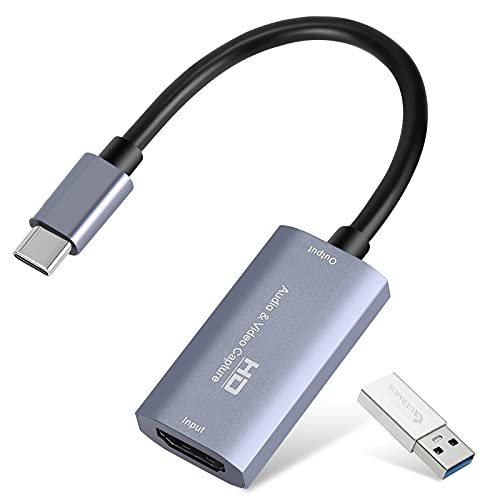
| 1 Guermok HDMI Capture Card, 1080p 60fps | Guermok | 7.48 × 0.98 × 0.39 in | 0.1 lb | 1080p capture output at 60 fps | Check price |
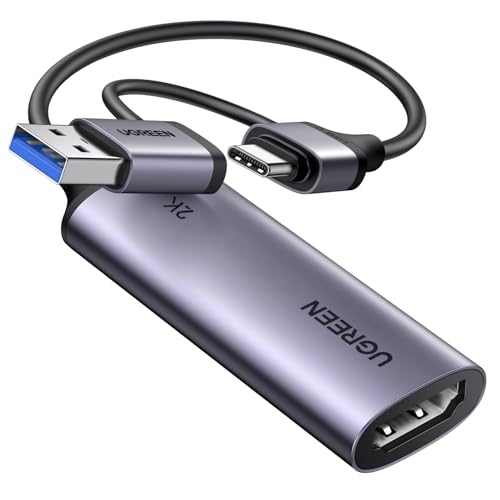
| 2 UGREEN HDMI Capture Card, 1080p 60FPS | UGREEN | 5.91 × 3.94 × 0.67 in | 0.1 lb | USB-A and USB-C interfaces | Check price |
| 3 Dcyfol USB 3.0 Capture Card, 1080p 60FPS | Dcyfol | 1 × 1 × 2.7 in | 0.5 lb | Captures up to 1080p 60FPS | Check price |
| 4 VIXLW HDMI Capture Card, 1080p 60fps | VIXLW | 3 × 2 × 1 in | 0.4 lb | HDMI loop-out up to 4K at 60 Hz | Check price |
| 5 VIXLW HDMI Capture Card, 1080p60 | VIXLW | Not listed | Not listed | Records at up to 1080p60 | Check price |
| 6 Elgato 4K X Capture Card, HDMI 2.1 | Elgato | 0.67 × 4.41 × 2.83 in | 0.2 lb | HDMI 2.1 input and output | Check price |
| 7 Herfair HDMI Capture Card with 100W PD | Herfair | Not listed | Not listed | USB-A and USB-C interfaces | Check price |
| 8 Newhope USB 3.0 HDMI Capture Card | Newhope | Not listed | 0.4 lb | HDMI loop-out for simultaneous viewing and capture | Check price |
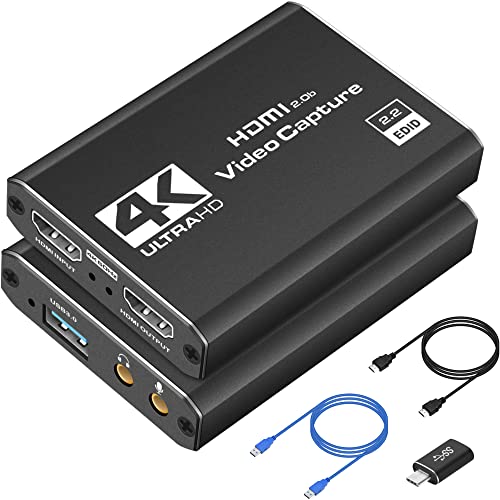
| 9 Yinker 4K60 Capture Card | Yinker | Not listed | 0.5 lb | 4K60 capture and loop-out support | Check price |
Sizes and weights as listed by the manufacturer on Amazon. Check the retailer for current price and availability.
Pros
- 1080p capture output at 60 fps
- USB-A and USB-C connection options
- No external power supply required
- Compatible with Windows, macOS, and Linux
Cons
- Capture only, not direct HDMI display output
- Requires capture software
- Who should skip it: users needing USB-C-to-HDMI video output
Pros
- USB-A and USB-C interfaces
- 1080p capture at 60FPS
- Driver-free support across listed operating systems
Cons
- One-way HDMI input to USB output
- Who should skip it: users needing bidirectional video conversion
Pros
- Captures up to 1080p 60FPS
- 4K HDMI loop-out
- Works with popular streaming software
Cons
- Who should skip it: creators needing capture above 1080p 60FPS

Pros
- HDMI loop-out up to 4K at 60 Hz
- No external power supply required
- Includes USB-A to USB-C adapter
Cons
- Capture is limited to 1080p at 60 fps
- Mic input does not record party chat
- Who should skip it: users needing 4K capture

Pros
- Records at up to 1080p60
- No external power required
- Compatible with Windows and macOS
Cons
- Maximum recording resolution is 2K
- Who should skip it: creators needing 4K recording

Pros
- HDMI 2.1 input and output
- VRR passthrough
- Supports capture up to 1080p240
Cons
- Who should skip it: creators needing capture above 1080p240

Pros
- USB-A and USB-C interfaces
- 100W PD charging port
- Extra USB 3.0 port
- No additional drivers required
Cons
- Requires capture software
- Does not cast directly to a monitor or TV
- Who should skip it: users needing direct HDMI display output

Pros
- HDMI loop-out for simultaneous viewing and capture
- No external power required
- Compatible with Windows, macOS, and Linux
Cons
- Who should skip it: users with microphones other than 3.5mm TRS

Pros
- 4K60 capture and loop-out support
- High-refresh-rate modes listed
- Microphone and headphone ports
- Broad operating system support
Cons
- Who should skip it: users needing capture above 4K60
Best 1080p 60fps Capture Card for GTA 6: Guermok HDMI Capture Card, 1080p 60fps
Guermok HDMI Capture Card, 1080p 60fps lists 1080p at 60 fps capture, USB 3.0, and USB-C connectivity, making it a straightforward match for Full HD streams from an HDMI source. It also accepts input up to 4K at 30 Hz, but capture output tops out at 1080p at 60 fps or 2K at 30 Hz, so input resolution should not be confused with the recorded resolution. Skip it if you need 4K capture or high-refresh HDMI passthrough.
Best Capture Card with HDMI Loop-Out: VIXLW HDMI Capture Card, 1080p 60fps
VIXLW HDMI Capture Card, 1080p 60fps lists 4K 60 Hz HDMI input and loop-out alongside capture up to 1080p at 60 fps. A 3.5 mm mic input is included for commentary, but the product page says it accepts a microphone headset and does not record party chats. Skip it if you want 4K capture or expect the mic input to capture console party chat.
Best HDMI 2.1 Capture Card for High-Refresh Setups: Elgato 4K X Capture Card, HDMI 2.1
Elgato 4K X Capture Card, HDMI 2.1 lists HDMI 2.1, VRR passthrough, HDR10, and capture up to 1080p at 240 fps or 4K at 144 fps. Its USB 3.2 Gen 2 connection and higher-resolution features suit a high-refresh setup, but you should confirm your console, display, computer, and software support the modes you plan to use. Skip it if you only need a basic 1080p 60 fps USB capture connection.
Key Numbers at a Glance
- Guermok HDMI Capture Card, 1080p 60fps captures up to 1080p at 60 fps or 2K at 30 fps.
- VIXLW HDMI Capture Card, 1080p 60fps lists 4K 60 Hz input and loop-out, with capture up to 1080p at 60 fps.
- Elgato 4K X Capture Card, HDMI 2.1 lists capture up to 4K at 144 fps and 1080p at 240 fps.
- Herfair HDMI Capture Card with 100W PD lists a 100 W PD charging port and an extra USB 3.0 port.
Buying Guide: Best Capture Cards for GTA 6
Capture resolution and frame rate
Bottom line: Choose a capture ceiling that matches your stream or recording plan, not just the HDMI input number. Guermok HDMI Capture Card, 1080p 60fps captures up to 1080p at 60 fps or 2K at 30 fps; Elgato 4K X Capture Card, HDMI 2.1 lists capture up to 4K at 144 fps. The VIXLW HDMI Capture Card, 1080p 60fps accepts 4K 60 Hz input and loop-out, but its capture ceiling is 1080p at 60 fps. Check the capture resolution and frame rate separately from input and passthrough specifications.
Passthrough and your play display
Bottom line: If you want to play on a separate display while capturing, look for an explicitly listed HDMI loop-out or passthrough feature. VIXLW HDMI Capture Card, 1080p 60fps lists 4K 60 Hz loop-out, and Newhope USB 3.0 HDMI Capture Card lists 4K passthrough. Elgato 4K X Capture Card, HDMI 2.1 specifies VRR passthrough. A passthrough feature does not by itself guarantee a particular result with every console, monitor, cable, or resolution, so confirm the full signal path before buying.
If you are also choosing a display, our monitor category can help you compare screen options. Match its HDMI capabilities to the console and capture card rather than assuming every connection supports the same resolution and refresh rate.
USB connection and capture computer
Bottom line: Confirm the computer has a suitable USB port and that your capture software recognizes the card. Several compact products specify USB 3.0, including UGREEN HDMI Capture Card, 1080p 60FPS and Dcyfol USB 3.0 Capture Card, 1080p 60FPS. Elgato 4K X Capture Card, HDMI 2.1 specifies USB 3.2 Gen 2. USB-C describes a connector shape, not a guarantee of a particular data rate; check the computer port and the card’s stated interface.
Audio inputs and commentary
Bottom line: Check for a separate microphone input if you want to connect a headset or mic directly to the card. VIXLW HDMI Capture Card, 1080p 60fps lists a 3.5 mm mic input and says it accepts a microphone headset, while Newhope USB 3.0 HDMI Capture Card lists a 3.5 mm input for a standard TRS microphone headset. These are product-specific audio features, not a promise of party-chat capture. Verify how your console routes game sound, voice chat, and commentary in your chosen streaming software.
Console compatibility and content protection
Bottom line: Check the exact console, HDMI source, and protected-content requirements before ordering. The product pages list compatibility with devices including PS5, Xbox, and Switch, but console compatibility does not mean every signal or app can be captured. UGREEN HDMI Capture Card, 1080p 60FPS notes that PS5 and PS4 capture requires HDCP to be turned off. Confirm the settings and source you need, especially if you plan to capture streaming apps instead of gameplay.
For the computer that will encode your stream, compare relevant systems in our guide to best gaming PCs for Cyberpunk 2077. The capture card does not replace a capable game system or capture computer, and the product listings do not establish the performance of your full setup.
How We Compared These Products
This guide is based on product research, not firsthand evaluation. We compared the listed capture and input resolutions, frame rates, connection types, loop-out or passthrough features, audio inputs, and stated platform and software compatibility. Customer feedback information was limited in the product data, so we do not use it to claim a consensus or rank real-world reliability.
Which Option Fits Your Setup?
For a Full HD stream from an HDMI console, Guermok HDMI Capture Card, 1080p 60fps offers capture up to 1080p at 60 fps and USB-A/USB-C connectivity. For a high-refresh signal chain, Elgato 4K X Capture Card, HDMI 2.1 lists HDMI 2.1, VRR passthrough, and capture up to 4K at 144 fps; use those features only if the rest of your equipment supports them. If direct mic connection matters, VIXLW HDMI Capture Card, 1080p 60fps lists a 3.5 mm mic input, with the stated limitation that it does not record party chats.
Mistakes to Avoid When Choosing a Capture Card
- Reading input resolution as capture resolution. Compare each product’s capture ceiling separately; 4K input does not necessarily mean 4K recording.
- Ignoring the display connection. If you want to play through a separate screen, confirm the card lists loop-out or passthrough and check its stated resolution and refresh rate.
- Assuming every USB-C port is equivalent. Check the card’s USB interface and the computer port’s capabilities before relying on USB-C connectivity.
- Assuming console compatibility covers every signal. Check HDCP requirements, audio routing, and whether the source is gameplay or protected video.
Frequently Asked Questions
Do I need a capture card to play GTA 6?
No. A capture card is for bringing an HDMI video source into a computer for recording or streaming; it is not required simply to play a game. Choose one if your setup calls for capturing console video through software such as OBS.
Can these cards capture GTA 6 from a console?
The listed products describe compatibility with consoles including PS5 and Xbox, along with HDMI capture for supported sources. Actual capture depends on the console signal, the card’s capture limits, the computer connection, and software settings. UGREEN HDMI Capture Card, 1080p 60FPS specifically notes that HDCP must be disabled for PS5 and PS4 capture.
Is 4K input the same as 4K capture?
No. Some cards accept a higher-resolution HDMI input than they capture over USB. For example, Guermok HDMI Capture Card, 1080p 60fps lists input up to 4K at 30 Hz but capture up to 1080p at 60 fps or 2K at 30 fps.
Which card suits a high-refresh display?
Elgato 4K X Capture Card, HDMI 2.1 lists HDMI 2.1, VRR passthrough, and capture up to 1080p at 240 fps or 4K at 144 fps. Check that your console or PC, display, computer, and software support the modes you want; a card’s listed capability does not establish compatibility for the entire setup.
Can I use a USB-C capture card with any USB-C port?
Not necessarily. USB-C identifies the connector, while the card may also require a particular USB data interface for its stated capture modes. Compare the product’s interface with your computer’s port specifications, and use the manufacturer’s stated connection guidance.





Write Your Review
No reviews yet. Be the first to share your experience!