


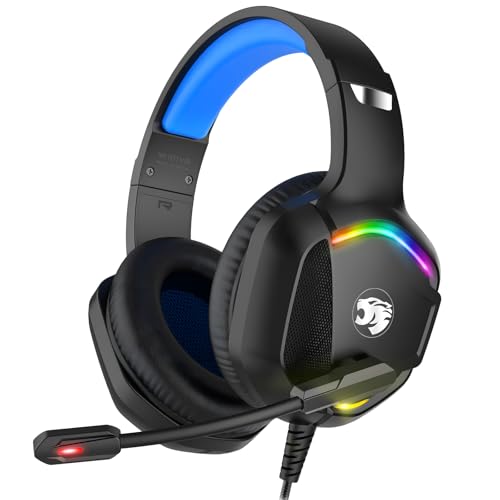

If you have a larger head, a headset that clamps tightly or cannot extend far enough can become uncomfortable during long sessions. The best gaming headset for a big head is not clear from these listings alone because they do not state headband dimensions or fit ranges; the practical choice is to compare adjustability, weight, cushion design, and connection needs, then verify fit and return terms before buying.
Compare at a glance
| Product | Brand | Size | Weight | Stands out for | Price |
|---|---|---|---|---|---|
| 1 Logitech G432 Wired Gaming Headset | Logitech G | 7.8 × 4.3 × 9 in | 0.7 lb | USB and 3.5 mm connections | Check price |
| 2 Razer BlackShark V2 X 3.5 mm Headset | Razer | 7.6 × 6.76 × 3.86 in | 0.5 lb | Lightweight 240 g design | Check price |
| 3 IMYB A36 Wired Gaming Headset | IMYB | Not listed | 0.8 lb | Broad 3.5 mm device compatibility | Check price |
| 4 AOC Wireless Gaming Headset, 45-Hour Battery | AOC | Not listed | 0.8 lb | Three connection options | Check price |
| 5 Razer BlackShark V2 X PlayStation Headset | Razer | 7.5 × 4.5 × 9.5 in | 1.2 lb | Broad compatibility through a 3.5 mm jack | Check price |
| 6 Valorise UG-08S Wireless Gaming Headset | Valorise | 0 × 0 × 0 in | Not listed | Three connection options | Check price |
| 7 Ozeino Gaming Headset with 7.1 Sound | Ozeino | 7.48 × 4.05 × 8.07 in | 0.7 lb | Broad 3.5 mm device compatibility | Check price |
Sizes and weights as listed by the manufacturer on Amazon. Check the retailer for current price and availability.
Best for a wired setup
Pros
- USB and 3.5 mm connections
- Flip-up mute microphone
- Rotating ear cups
Cons
- Who should skip it: users avoiding G HUB for surround
Best for a lightweight wired headset
Pros
- Lightweight 240 g design
- Passive noise-isolating earcups
- 3.5 mm cross-platform connection
- Cardioid microphone
Cons
- 7.1 surround sound limited to 64-bit Windows 10
- Who should skip it: users who need wireless audio
Pros
- Broad 3.5 mm device compatibility
- Braided 6.5-foot cable
- Inline volume control and microphone mute
- Soft cushions and padded headband
Cons
- Who should skip it: buyers who need a wireless headset
Best for extended sessions

Pros
- Three connection options
- Detachable microphone
- Up to 45-hour stated battery life
Cons
- PS5 and PS4 do not support Bluetooth audio
- Xbox connection is wired only

Pros
- Broad compatibility through a 3.5 mm jack
- Bendable cardioid microphone
- Memory foam ear cushions
- On-headset volume control
Cons
- Who should skip it: wireless headset seekers
Best for gaming across wireless
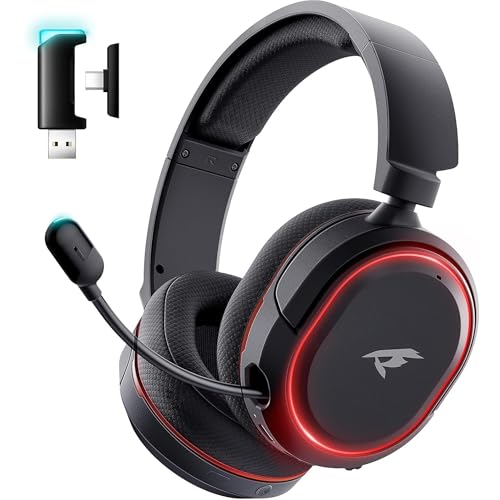
Pros
- Three connection options
- Retractable microphone with one-touch mute
- Supports use while charging
- Memory foam cushions with breathable fabric
Cons
- Not compatible with Xbox wireless
- PS5 wireless connection requires the 2.4 GHz dongle
- Who should skip it: PS5 players seeking Bluetooth audio
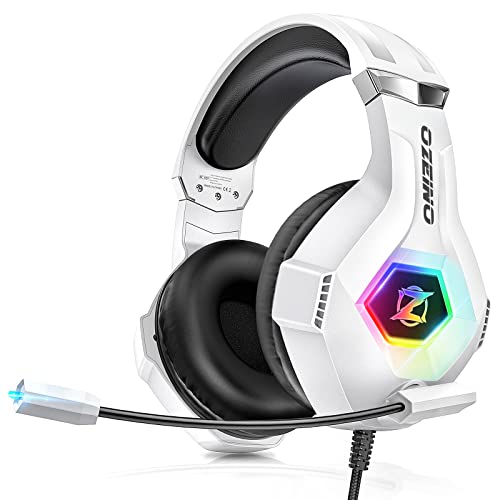
Pros
- Broad 3.5 mm device compatibility
- Adjustable, rotatable microphone
- Over-ear pads and adjustable headband
Cons
- PC use requires a 1-to-2 audio splitter
- USB connector powers lighting only
- Who should skip it: users seeking USB audio
Best for Extended Adjustment: AOC Wireless Gaming Headset, 45-Hour Battery
For extended sessions and wireless flexibility: AOC Wireless Gaming Headset, 45-Hour Battery lists an extended adjustable headband and breathable memory-protein earmuffs, plus up to 45 hours of battery life, or 20 hours with RGB lighting on. The fit language is promising for shoppers who need more adjustment, but the product page does not state the headband’s extension range or guarantee a fit for a particular head size. Skip it if you need a measured fit range before purchase or wireless Xbox audio, since Xbox is supported through 3.5 mm wired mode only.
Best for Multiple Connection Modes: Valorise UG-08S Wireless Gaming Headset
For gaming across wireless and wired devices: Valorise UG-08S Wireless Gaming Headset combines 2.4 GHz, Bluetooth 5.4, and a 3.5 mm connection, and its listing describes an adjustable headband and rotating earcups. The trade-off is that its wireless function is not compatible with Xbox, while the stated 45 to 100 hours of battery life depends on connection mode and lighting and microphone use. Skip it if you need wireless Xbox support or a documented headband measurement.
Related guides: Best Gaming Headsets for GTA 6, Best Headsets for a Call Center and Best PC Gaming Headsets for Footsteps.
Best for Lightweight Wired Use: Razer BlackShark V2 X 3.5 mm Headset
For a lightweight wired headset: Razer BlackShark V2 X 3.5 mm Headset weighs 240 g and connects through a 3.5 mm jack, with breathable foam ear cushions and closed earcups. Its weight is a useful comparison point, but it does not establish whether the headband will extend far enough or feel comfortable on a larger head. Skip it if you need wireless connectivity or a stated fit range.
Best for Simple Wired Console and PC Use: Logitech G432 Wired Gaming Headset
For a wired setup with two connection choices: Logitech G432 Wired Gaming Headset offers USB and 3.5 mm connections, 50 mm drivers, and earcups that rotate up to 90 degrees. Logitech describes its lightweight leatherette headband and earcups as designed to keep pressure off the ears, though the listing gives no headband dimensions or weight. Skip it if you require a measured large-head fit or a wireless connection.
Key Numbers at a Glance
- Razer BlackShark V2 X 3.5 mm Headset weighs 240 g, the only weight figure stated among these picks.
- AOC Wireless Gaming Headset, 45-Hour Battery lists up to 45 hours of battery life, or 20 hours with RGB lighting on.
- Valorise UG-08S Wireless Gaming Headset lists 45 to 100 hours of battery life depending on connection mode and settings.
- Logitech G432 Wired Gaming Headset uses 50 mm drivers and has earcups that rotate up to 90 degrees.
How to Choose a Gaming Headset for a Big Head
Headband adjustment and fit evidence
Bottom line: Prioritize a stated adjustment range or a clear return option, because none of these listings gives headband dimensions. The AOC headset describes an extended adjustable headband, and the Valorise listing describes an adjustable headband with rotating earcups, but neither specifies how far the band extends. Treat those descriptions as useful clues, not proof of a comfortable fit. If you know the headband extension you need, ask the seller or manufacturer to confirm it before ordering.
Weight, clamping pressure, and cushion design
Bottom line: Compare a stated weight and cushion details, but do not equate low weight with a guaranteed fit. The Razer BlackShark V2 X 3.5 mm Headset is listed at 240 g with breathable foam cushions; the IMYB A36 Wired Gaming Headset is listed at 0.77 lb with soft cushions and a padded flexible headband. Logitech describes its headband and earcups as designed to keep pressure off the ears, but gives no weight figure. Cushion depth and clamp force are not stated, so check those details if your ears touch the drivers or your current headset feels tight.
Wired versus wireless connections
Bottom line: Match the connection to your device and whether you want to avoid charging. The Logitech G432 offers USB and 3.5 mm; the Razer BlackShark V2 X 3.5 mm Headset uses a 3.5 mm jack. The AOC headset lists 2.4 GHz, Bluetooth 6.0, and 3.5 mm, while the Valorise headset lists 2.4 GHz, Bluetooth 5.4, and 3.5 mm. Check the exact console connection: the AOC listing says Xbox works through wired 3.5 mm, and the Valorise wireless function is not compatible with Xbox.
Microphone and software needs
Bottom line: Pick microphone controls and software based on how you play and which device you use. The Logitech G432 has a flip-to-mute boom mic, while the Razer BlackShark V2 X models list a cardioid mic. The Logitech’s DTS Headphone:X 2.0 requires Logitech G HUB software, and the Razer 3.5 mm model’s software-enabled 7.1 surround feature is listed for 64-bit Windows 10. Confirm software and microphone support on your intended platform rather than assuming every feature works over every connection.
Battery claims and long-session use
Bottom line: Treat battery life as mode-dependent and compare the stated conditions with your habits. The AOC listing claims up to 45 hours, falling to 20 hours with RGB lighting on. Valorise lists 45 to 100 hours depending on 2.4 GHz or Bluetooth use and whether the lights and microphone are on. Wired models avoid battery charging, but require a cable and a suitable port; choose based on your desk setup and preferred routine.
How We Compared These Products
This guide is based on product research, comparing listed weight, adjustment and cushion descriptions, connection types, microphone features, platform notes, and manufacturer battery claims. The available product data does not include headband dimensions, clamp force, or a standardized fit range, and it does not document firsthand evaluation. Customer feedback data is not sufficient here to establish a recurring comfort pattern, so confirm fit details with the seller before relying on a headset for a larger head.
Which Option Fits Your Setup?
For adjustable-headband language plus wireless use, start with the AOC Wireless Gaming Headset, 45-Hour Battery, and confirm its extension range before purchase. For the lightest option with a stated weight and a wired connection, consider the Razer BlackShark V2 X 3.5 mm Headset; neither listing establishes a specific large-head fit, so choose something else if a measured fit range is essential.
Mistakes to Avoid When Choosing a Gaming Headset for a Big Head
- Assuming adjustable means large enough. Ask for the headband extension range, since these listings do not give a measurement.
- Using weight as a fit guarantee. A listed 240 g weight for the Razer BlackShark V2 X 3.5 mm Headset says nothing by itself about clamp force or earcup depth.
- Overlooking the device connection. Check whether your PC or console has the required 3.5 mm, USB, or wireless-dongle connection, and verify model-specific platform limitations.
- Taking battery life as one fixed figure. Compare the stated connection and lighting conditions; the AOC and Valorise listings give different battery estimates by mode.
Frequently Asked Questions
Which headset is best for a big head?
The listings do not provide headband measurements or a fit range, so they cannot establish a definitive fit for a big head. The AOC Wireless Gaming Headset, 45-Hour Battery describes an extended adjustable headband, while the Valorise UG-08S Wireless Gaming Headset lists an adjustable band; confirm the actual extension before buying.
Does a lighter headset always feel more comfortable?
No. The Razer BlackShark V2 X 3.5 mm Headset is listed at 240 g, but weight alone does not tell you its clamp pressure, earcup depth, or fit on your head. Check those details if pressure or ear contact is a concern.
Can I use these headsets with a console?
Several listings describe console support, but the connection and limitations vary by model. The AOC headset uses 3.5 mm wired mode for Xbox, and the Valorise headset’s wireless function is not compatible with Xbox; verify the exact model and connection for your console.
Are wireless headsets suitable for long gaming sessions?
The AOC headset lists up to 45 hours of battery life, or 20 hours with RGB on. Valorise lists 45 to 100 hours depending on mode and settings, and also says it can be used while charging. These are listing claims, so check the operating mode and lighting conditions that match your use.
Do I need software for surround sound?
The Logitech G432’s DTS Headphone:X 2.0 requires Logitech G HUB software. The Razer BlackShark V2 X 3.5 mm Headset lists software-enabled 7.1 surround sound for 64-bit Windows 10; check platform support if surround processing is important to you.


Write Your Review
No reviews yet. Be the first to share your experience!