



For an AM4 gaming PC, choose a card that matches your monitor and power supply, then confirm it physically fits your case. The listed gaming choices range from the 8GB ASRock RX 7600 to 16GB models such as the XFX Swift RX 9060 XT 16GB and ASUS Prime Radeon RX 9070 XT 16GB; for a basic display upgrade in a slim desktop, the SOYO GeForce GT 740 4GB Low-Profile Card is a different class of product.
The phrase “AM4 compatible” is not enough to settle the purchase: AM4 identifies the CPU socket, while graphics-card fit also depends on the motherboard’s PCIe slot, case space, PSU capacity and connectors, and your intended workload. This guide compares those decision points and identifies what to check against your own parts.
Compare at a glance
| Product | Brand | Size | Weight | Stands out for | Price |
|---|---|---|---|---|---|
| 1 SOYO GeForce GT 740 4GB Low-Profile Card | SOYO | Not listed | Not listed | Low-profile design for slim desktops | Check price |
| 2 XFX Swift RX 9060 XT 16GB | XFX | 11.42 × 4.92 × 0.04 in | Not listed | 16GB GDDR6 memory | Check price |
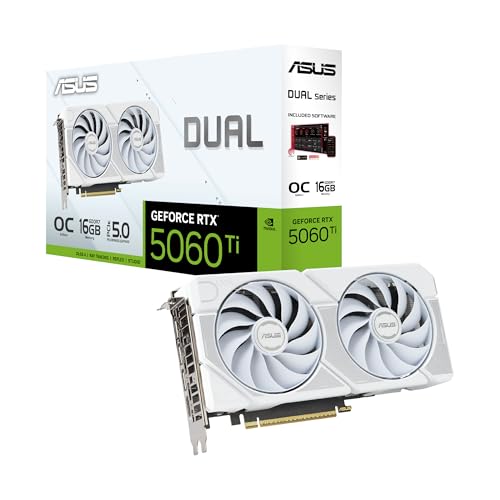
| 3 ASUS Dual RTX 5060 Ti 16GB White OC | ASUS | 9 × 4.7 × 0.1 in | 1.4 lb | 16GB GDDR7 memory | Check price |
| 4 ASUS Prime Radeon RX 9070 XT 16GB | ASUS | 12.3 × 5.1 × 2 in | 3.3 lb | 16GB of GDDR6 memory | Check price |
| 5 MSI GT 1030 4GB DDR4 Graphics Card | msi | 5.91 × 0.75 × 2.72 in | 0.6 lb | 4GB of DDR4 video memory | Check price |
| 6 ASUS Dual RTX 5060 Ti 16GB OC | ASUS | 9 × 4.7 × 2 in | 1.4 lb | 16GB GDDR7 memory | Check price |
| 7 ASRock RX 7600 Challenger Pro 8GB OC | ASRock | 11.93 × 5.16 × 0.04 in | Not listed | Triple-fan cooling with low-temperature fan stop | Check price |
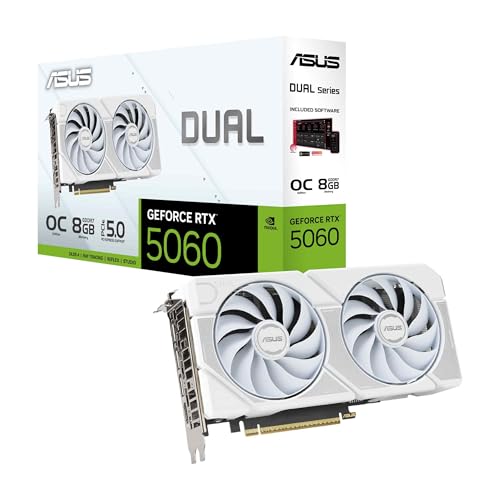
| 8 ASUS Dual RTX 5060 Ti OC 8GB | ASUS | 9 × 4.7 × 2 in | 1.4 lb | Compact 2.5-slot design | Check price |
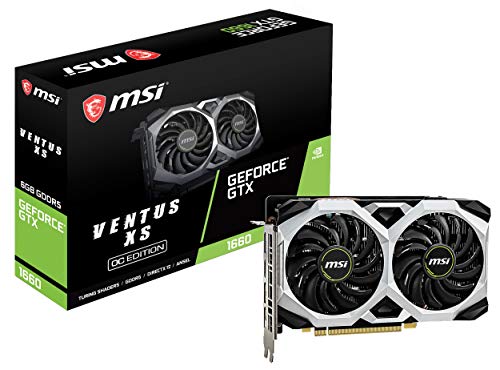
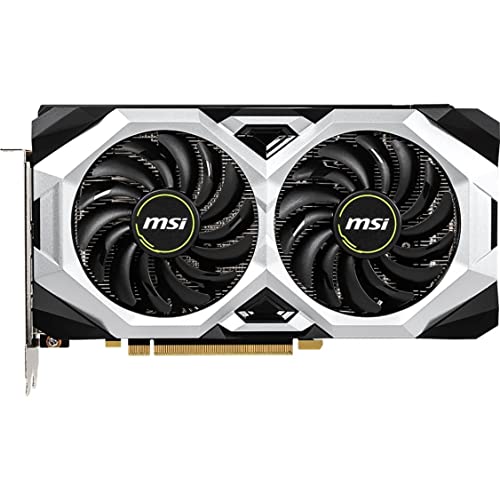
| 9 MSI RTX 3050 Ventus 2X 6G OC | msi | 7.4 × 4.3 × 0.1 in | 1.3 lb | 7.4-inch listed length | Check price |
| 10 Glorto GeForce GT 730 4GB Low-Profile | Glorto | 6.03 × 4.73 × 0.1 in | Not listed | Low-profile design with half-height bracket | Check price |
Sizes and weights as listed by the manufacturer on Amazon. Check the retailer for current price and availability.
Pros
- Low-profile design for slim desktops
- HDMI, DVI, and VGA outputs
- No external power connector required
- 4GB DDR3 memory
Cons
- Who should skip it: buyers seeking demanding modern gaming
Pros
- 16GB GDDR6 memory
- Triple-fan cooling design
- HDMI and two DisplayPort outputs
Cons
- Who should skip it: buyers needing confirmed power and clearance specifications
Pros
- 16GB GDDR7 memory
- Dual BIOS profiles
- 0dB technology for light gaming
Cons
- Who should skip it: builders needing a single-slot graphics card

Pros
- 16GB of GDDR6 memory
- Dual BIOS profiles
- 2.5-slot design
Cons
- Who should skip it: builders without 12.3 inches of clearance

Pros
- 4GB of DDR4 video memory
- DisplayPort and HDMI outputs
- Compact 5.91-inch length
Cons
- 64-bit memory interface
- Who should skip it: users needing more than two display outputs

Pros
- 16GB GDDR7 memory
- Dual BIOS profiles
- 2.5-slot design
- 0dB technology for light gaming
Cons
- Who should skip it: builders lacking 2.5-slot clearance

Pros
- Triple-fan cooling with low-temperature fan stop
- Four display outputs
- Metal backplate
- Single 8-pin power connector
Cons
- 8GB of memory may constrain some high-resolution texture workloads
- Who should skip it: builders with cases that cannot fit a 303 mm card

Pros
- Compact 2.5-slot design
- Dual BIOS profiles
- 0dB fan technology
- GDDR7 memory
Cons
- 8GB VRAM may constrain memory-intensive workloads
- Who should skip it: buyers who need more than 8GB VRAM

Pros
- 7.4-inch listed length
- One DisplayPort and two HDMI outputs
- 6GB GDDR6 memory
Cons
- Who should skip it: users who need more than 6GB of graphics memory

Pros
- Low-profile design with half-height bracket
- HDMI, DisplayPort, and VGA outputs
- Compatible with Windows 11
Cons
- Who should skip it: users needing demanding gaming or graphics performance
Best for 16GB AMD Gaming: XFX Swift RX 9060 XT 16GB
XFX Swift RX 9060 XT 16GB pairs 16GB of GDDR6 with a triple-fan cooler and a stated boost clock up to 3320 MHz, making it a candidate for a gaming build where memory capacity is a priority. The product details do not state card dimensions or power requirements, so verify those against your case and PSU before choosing it.
Skip it if you need a confirmed fit or connector requirement without checking the manufacturer’s complete specifications first.
Best for Compact Gaming Builds: ASUS Dual RTX 5060 Ti 16GB White OC
ASUS Dual RTX 5060 Ti 16GB White OC combines 16GB of GDDR7 with a 2.5-slot design, and its listed features include DLSS 4 and a Quiet or Performance BIOS selection. The 2.5-slot thickness still needs to fit the case, and the product data here does not give its length or PSU requirements.
Skip it if your case cannot accommodate a 2.5-slot card or you need the longer model’s precise clearance details before ordering.
Best for Slim Desktop Displays: SOYO GeForce GT 740 4GB Low-Profile Card
SOYO GeForce GT 740 4GB Low-Profile Card is a half-height card with HDMI, DVI, and VGA outputs, and its product details say it draws power from the PCIe slot without an external power connector. Its DDR3 memory and entry-level design make it a display and basic-use choice, not a substitute for the gaming-class cards above.
Skip it if your goal is modern demanding games or you need a high-performance graphics upgrade.
Key Numbers at a Glance
- Listed graphics memory ranges from 4GB DDR3 on the SOYO GeForce GT 740 4GB Low-Profile Card to 16GB on the XFX Swift RX 9060 XT 16GB.
- The ASRock RX 7600 Challenger Pro 8GB OC measures 303 mm long and 45 mm high, and has a 2.5-slot design.
- The ASRock RX 7600 Challenger Pro 8GB OC specifies one 8-pin power connector and a recommended 550W PSU.
- The ASUS Dual RTX 5060 Ti 16GB White OC has a 2.5-slot design; its full length is not stated in the product details here.
Best Graphics Card for AM4 Motherboards: What to Check
PCIe and AM4 compatibility
Bottom line: Check the motherboard’s graphics slot and the card’s interface, not just the AM4 socket name. AM4 motherboards vary, and the product data identifies the ASRock RX 7600 Challenger Pro 8GB OC as PCIe 4.0 x8, compatible with PCIe 4.0 and 3.0 motherboards. Check the motherboard manual for its slot and configuration, then confirm the graphics card is supported by the system’s firmware and operating system.
A PCIe generation difference does not by itself establish a system’s performance. If you are choosing a wider platform upgrade too, compare the rest of your parts in our PC components category.
Case length, thickness, and airflow
Bottom line: Measure available clearance and slot space before selecting a full-size card. The ASRock RX 7600 Challenger Pro 8GB OC is 303 mm long and 2.5 slots thick, figures you can compare directly with your case specifications. The SOYO GT 740 is described as half-height for slim desktops, while the ASUS Dual RTX 5060 Ti 16GB White OC also uses a 2.5-slot layout.
Card length, thickness, and height are separate fit checks. Measure from the rear expansion slots toward the front of the case, account for obstructions, and make sure the case has the required low-profile bracket if you are considering a half-height card.
PSU capacity and connectors
Bottom line: Match the card’s stated connector and PSU guidance to your actual power supply. ASRock specifies one 8-pin connector and a recommended 550W PSU for its RX 7600 Challenger Pro 8GB OC. By contrast, the SOYO GT 740 is listed as drawing power from the PCIe slot without an external connector.
Do not assume another card has the same power needs. Confirm the exact model’s connector requirements and your PSU’s available cables and capacity; our power supplies category offers more context on PSU choices.
Memory and workload
Bottom line: Choose memory capacity and GPU class for the games or applications you actually use. The XFX Swift RX 9060 XT and ASUS Prime Radeon RX 9070 XT each list 16GB, while the ASRock RX 7600 lists 8GB and the MSI RTX 3050 Ventus 2X 6G OC lists 6GB. These figures describe capacity, not a guaranteed frame rate or a direct performance ranking.
For a 1440p gaming shortlist, use our graphics cards for 1440p gaming guide alongside your monitor resolution and game requirements. For compute workloads, the graphics cards for AI guide can help you compare memory-focused options.
Outputs, monitor, and cooling features
Bottom line: Confirm the card has the outputs your monitors need and choose cooling features that suit your case. The SOYO GT 740 lists HDMI, DVI, and VGA; the MSI RTX 3050 Ventus 2X 6G OC lists one DisplayPort and two HDMI outputs. Several newer cards list HDMI 2.1 and DisplayPort 2.1, but confirm the exact ports on the model you intend to buy.
Fan count or a silent-mode feature does not establish noise under gaming load. The ASUS Dual RTX 5060 Ti models list 0dB technology for light gaming, while the XFX RX 9060 XT has triple-fan cooling; compare case ventilation and cooler dimensions before deciding.
How We Compared These Products
This guide is based on product research, comparing the listed memory, interfaces, dimensions where stated, power guidance, display outputs, and cooling features. Product pages do not provide a complete set of dimensions and power requirements for every model, so verify those details for the exact card and your PC. The available customer feedback does not establish comparative performance, and no firsthand evaluation is claimed.
Which Option Fits Your Build?
For a gaming-oriented AM4 system where 16GB is a priority, start with the XFX Swift RX 9060 XT 16GB or ASUS Dual RTX 5060 Ti 16GB White OC, then check full card clearance and PSU details. For a slim desktop that mainly needs display outputs and basic graphics, the SOYO GT 740 has a half-height design and three output types.
Choose based on your actual case, board, PSU, monitor, and workload rather than socket compatibility alone. Skip a card if you cannot verify its physical fit or power requirements.
Mistakes to Avoid When Choosing a Graphics Card
- Buying by AM4 alone. Check the motherboard’s PCIe slot and manual, as AM4 identifies the CPU socket rather than every detail of the graphics connection.
- Ignoring case clearance. Compare card length and slot thickness with the case; the ASRock RX 7600 Challenger Pro is 303 mm long and 2.5 slots thick.
- Assuming every card uses the same power. Verify the exact connector and PSU guidance; the ASRock RX 7600 lists one 8-pin connector and a recommended 550W PSU.
- Choosing by memory alone. VRAM capacity does not tell you the whole performance story; match the card class to your games, applications, and monitor.
Frequently Asked Questions
Will a PCIe graphics card work with an AM4 motherboard?
AM4 describes the CPU socket, not the graphics card interface. Check the specific motherboard manual for its PCIe graphics slot and confirm the card’s interface; the ASRock RX 7600 Challenger Pro 8GB OC is listed as PCIe 4.0 x8 and compatible with PCIe 3.0 and 4.0 motherboards.
Do I need to match the graphics card brand to my processor?
No brand match is indicated by these product specifications. Confirm motherboard, case, power, and software compatibility for the particular card rather than choosing based only on whether the CPU and GPU share a brand.
Which card fits a small or slim desktop?
The SOYO GeForce GT 740 4GB Low-Profile Card is explicitly described as half-height and intended for slim desktops. The ASUS Dual RTX 5060 Ti 16GB White OC has a 2.5-slot design, but its exact length is not stated here, so check the manufacturer’s dimensions and your case clearance.
What power supply does an AM4 graphics card need?
There is no single PSU requirement for every AM4 build. The ASRock RX 7600 Challenger Pro lists a recommended 550W PSU and one 8-pin connector; check the exact card’s requirements and your PSU’s available connections before purchase.
Is 16GB of graphics memory necessary for gaming?
It depends on the games, resolution, and settings you plan to use. This selection includes 6GB, 8GB, and 16GB cards, but memory capacity alone does not determine performance, so check the requirements for your games and applications.
Write Your Review
No reviews yet. Be the first to share your experience!