


If you are planning a 1440p PC build around GTA 6, the key decision is how much to invest before the game’s PC requirements and performance targets are known. The RX 9070 XT has 16GB of VRAM, while the RTX 3060 has 12GB and several older cards have 6GB; none can be confirmed as a GTA 6 performance match from the listed specifications alone.
This guide to the best graphics cards for gta 6 at 1440p compares memory, power information, display connections, and physical fit where dimensions are listed. Check the game’s eventual PC requirements before buying specifically for it, and use our guide to best graphics card for AMD Ryzen 7 9800X3D if you are also matching a card to a particular processor.
Compare at a glance
| Product | Brand | Size | Weight | Stands out for | Price |
|---|---|---|---|---|---|
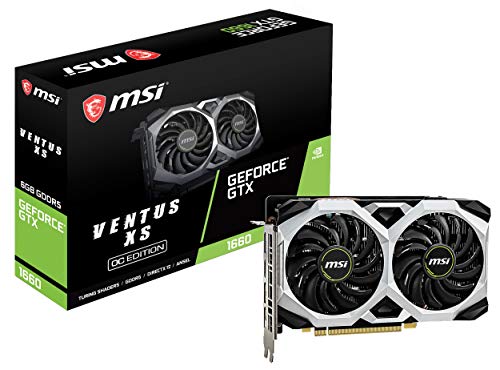
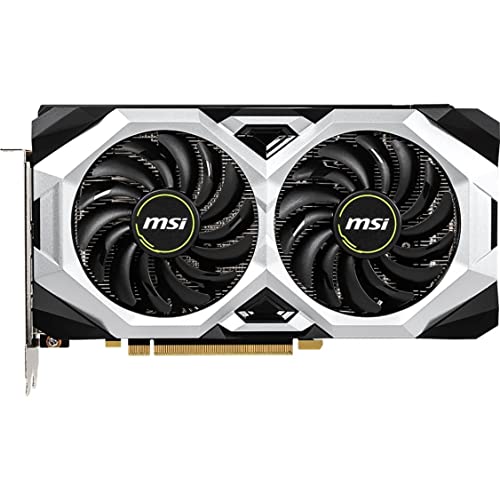
| 1 MSI GTX 1660 Ventus XS 6G OC Graphics Card | msi | 8.1 × 5.1 × 1.7 in | 1.6 lb | Three DisplayPort outputs | Check price |
| 2 MSI GT 1030 4GB DDR4 Graphics Card | msi | 5.91 × 0.75 × 2.72 in | 0.6 lb | 4GB of DDR4 video memory | Check price |
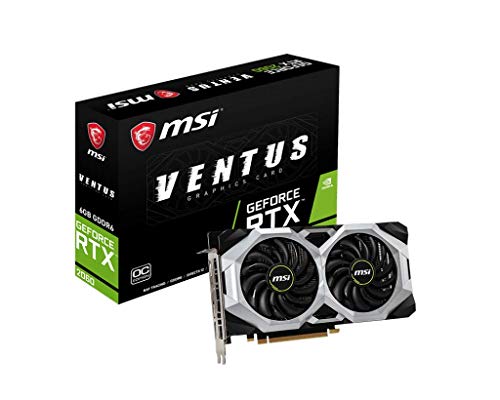
| 3 MSI RTX 2060 Ventus 6G OC | msi | 9.72 × 5.07 × 2.04 in | 1.7 lb | Three DisplayPort outputs | Check price |
| 4 MSI RX 6600 MECH 2X 8G Graphics Card | msi | 9.3 × 1.8 × 4.9 in | Not listed | 8GB GDDR6 video memory | Check price |
| 5 ASRock RX 9070 XT Steel Legend 16GB | ASRock | 11.7 × 5.2 × 0.1 in | 3.5 lb | 16GB GDDR6 memory | Check price |
| 6 Glorto GeForce GT 730 4GB Low-Profile | Glorto | 6.03 × 4.73 × 0.1 in | Not listed | Low-profile design with half-height bracket | Check price |
| 7 MSI GeForce RTX 3060 12GB Graphics Card | msi | 9.3 × 1.7 × 4.9 in | 0.7 lb | 12GB of GDDR6 memory | Check price |
| 8 QTHREE GeForce GT 730 4GB | QTHREE | Not listed | Not listed | Four display outputs | Check price |
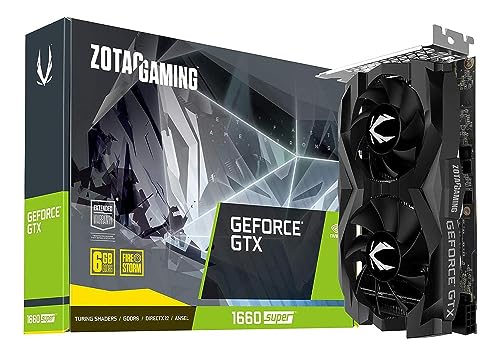
| 9 ZOTAC GTX 1660 Super 6GB | ZOTAC | 6.83 × 1.39 × 4.38 in | 0 lb | Compact 6.83-inch length | Check price |
| 10 EVGA RTX 2070 XC Ultra, 8GB | EVGA | 10.6 × 2.25 × 4.66 in | 2.2 lb | 8GB of GDDR6 memory | Check price |
Sizes and weights as listed by the manufacturer on Amazon. Check the retailer for current price and availability.
Pros
- Three DisplayPort outputs
- 6GB GDDR5 memory
- Stated 120 W power consumption
Cons
- Only one HDMI output
- Who should skip it: users who need more than 6GB of video memory
Pros
- 4GB of DDR4 video memory
- DisplayPort and HDMI outputs
- Compact 5.91-inch length
Cons
- 64-bit memory interface
- Who should skip it: users needing more than two display outputs
Pros
- Three DisplayPort outputs
- HDMI 2.0b output
- GDDR6 graphics memory
Cons
- Who should skip it: buyers needing more than 6GB VRAM

Pros
- 8GB GDDR6 video memory
- Three DisplayPort outputs
- HDMI 2.1 output
Cons
- Who should skip it: users needing USB-C video output

Pros
- 16GB GDDR6 memory
- Factory-overclocked clock speeds
- DisplayPort 2.1a and HDMI 2.1b
Cons
- Who should skip it: builders without room for a 2.9-slot card or two 8-pin connectors

Pros
- Low-profile design with half-height bracket
- HDMI, DisplayPort, and VGA outputs
- Compatible with Windows 11
Cons
- Who should skip it: users needing demanding gaming or graphics performance

Pros
- 12GB of GDDR6 memory
- Four listed display outputs
Cons
- Who should skip it: builders needing stated power-connector details

Pros
- Four display outputs
- Low-profile design
- No external power connection
Cons
- Requires a PCIe x8 lane slot and 300W or greater power supply
- Who should skip it: users needing graphics for demanding workloads
Pros
- Compact 6.83-inch length
- Three DisplayPort outputs
- 6GB of GDDR6 memory
Cons
- Who should skip it: users needing more than 6GB of graphics memory

Pros
- 8GB of GDDR6 memory
- Adjustable RGB lighting
- EVGA Precision X1 support
Cons
- Who should skip it: owners of cases without 2.75-slot clearance
Best Graphics Card for 1440p Headroom: ASRock RX 9070 XT Steel Legend 16GB
ASRock RX 9070 XT Steel Legend 16GB stands out on listed memory capacity, with 16GB GDDR6 on a 256-bit bus and DisplayPort 2.1a and HDMI 2.1b outputs. Its product page describes it as a 4K gaming card, but that is a manufacturer claim, not a confirmed GTA 6 result. The card measures 298 x 131 x 58 mm, uses a 2.9-slot design, requires two 8-pin PCIe power connectors, and has an 800W recommended PSU.
Skip it if your case cannot fit its dimensions or your power supply lacks the listed connectors and capacity.
Best for a Larger VRAM Buffer: MSI GeForce RTX 3060 12GB Graphics Card
MSI GeForce RTX 3060 12GB Graphics Card lists 12GB GDDR6, three DisplayPort 1.4a outputs, and one HDMI 2.1 output. That memory capacity is greater than the 6GB on the GTX 1660, RTX 2060, and GTX 1660 Super models in this roundup, but the listing does not establish GTA 6 frame rates or settings.
Skip it if you need a documented card length, power connector requirement, or PSU recommendation before deciding, because those details are not stated in the product data here.
Best for a More Modest VRAM Step: MSI Gaming AMD Radeon RX 6600 128-bit 8GB GDDR6
MSI Gaming AMD Radeon RX 6600 128-bit 8GB GDDR6 lists 8GB GDDR6 and an HDMI 2.1 output alongside three DisplayPort 1.4a connections. Its memory capacity sits between the 6GB older cards and the 12GB or 16GB alternatives, giving buyers a clear capacity distinction without proving how the card will perform in GTA 6.
Skip it if your priority is the largest listed VRAM capacity or you cannot confirm that its unspecified card dimensions and power requirements suit your build.
Key Numbers at a Glance
- Largest listed VRAM capacity: ASRock RX 9070 XT Steel Legend 16GB has 16GB GDDR6; MSI GeForce RTX 3060 12GB Graphics Card has 12GB.
- MSI Gaming AMD Radeon RX 6600 128-bit 8GB GDDR6 lists 8GB GDDR6, compared with 6GB on MSI RTX 2060 Ventus 6G OC.
- ASRock RX 9070 XT Steel Legend 16GB measures 298 x 131 x 58 mm and uses a 2.9-slot design.
- ASRock RX 9070 XT Steel Legend 16GB specifies two 8-pin PCIe power connectors and an 800W recommended PSU.
- MSI GTX 1660 Ventus XS 6G OC Graphics Card lists 120W power consumption and a recommended 450W PSU.
How to Choose a Graphics Card for GTA 6 at 1440p
VRAM and uncertainty about the PC version
Bottom line: Treat VRAM as a comparison point, not proof of a particular GTA 6 frame rate. The listed cards span 4GB on the GT 730 models, 6GB on the GTX 1660 and RTX 2060 options, 8GB on the RX 6600, 12GB on the RTX 3060, and 16GB on the RX 9070 XT. The product information does not include official GTA 6 PC requirements, so wait for those details if this is a single-game purchase.
Power supply capacity and connectors
Bottom line: Match the card’s power guidance and connectors to your existing PSU before ordering. The RX 9070 XT specifies an 800W recommended PSU and two 8-pin PCIe connectors, while the GTX 1660 lists 120W consumption and a 450W recommended PSU. Power figures and connector needs for several other products are absent from the data here, so check the exact model’s manufacturer specifications and your PSU cables.
If you are changing other parts as well, our best graphics card for AM4 motherboards guide can help frame a platform-fit decision, and the power supplies category covers the other half of a graphics-card power upgrade.
Case clearance and card thickness
Bottom line: Verify card length and slot clearance against your case, especially for the 2.9-slot RX 9070 XT. Its dimensions are listed as 298 x 131 x 58 mm; the ZOTAC GTX 1660 Super is described as a compact 6.83-inch, dual-slot card. Do not assume other models fit based on their GPU name: check the precise card dimensions and available case space before purchase.
For a wider component-fit checklist, see our best motherboard for budget gaming PC guide and the PC cases category.
Monitor ports and resolution
Bottom line: Choose outputs that match your monitor, cable, and target display mode. The RX 9070 XT lists DisplayPort 2.1a and HDMI 2.1b, while the RTX 3060 lists three DisplayPort 1.4a outputs and HDMI 2.1. A connector alone does not confirm a particular refresh rate at 1440p; check the card and monitor specifications together.
Older display cards are not 1440p gaming recommendations
Bottom line: Do not mistake a working display output for evidence of suitability for demanding games. The GT 730 models use DDR3 memory and are described for basic display or light multimedia, while the GT 1030 entry has 4GB DDR4 on a 64-bit interface. Those specifications do not establish GTA 6 suitability; prioritize a card with an explicitly stated gaming class and wait for official game requirements.
How We Compared These Products
This guide is based on product research, not firsthand evaluation. We compared the listed GPU models using published memory, interfaces, power guidance, dimensions where stated, and display outputs; the product pages do not provide comparable GTA 6 benchmarks or verified 1440p results. Customer ratings in the product data are not enough to establish performance or a recurring ownership experience.
Which Option Fits Your Build?
If you want the largest stated memory capacity and can meet its space and power needs, the RX 9070 XT is the clearest specification-led choice. If you are comparing 12GB and 8GB cards, the RTX 3060 and RX 6600 make that distinction easy to assess, but confirm actual game requirements before spending for GTA 6 specifically.
Mistakes to Avoid When Choosing a Graphics Card
- Buying for an unconfirmed game requirement. Wait for official PC specifications and independent game-specific performance information before treating any model as a guaranteed 1440p match.
- Comparing VRAM alone. Memory capacity is only one specification; also check the GPU model, power requirements, case fit, and monitor connections.
- Assuming every card with the same GPU fits. Board dimensions vary by model, and the RX 9070 XT is explicitly listed as 298 x 131 x 58 mm and 2.9 slots.
- Overlooking PSU cables. Confirm both the recommended supply capacity and the exact PCIe connectors, including the RX 9070 XT’s two 8-pin requirement.
Frequently Asked Questions
Will these graphics cards run GTA 6 at 1440p?
The product data does not establish that any of these cards will run the PC version at 1440p, and it contains no official PC requirements or GTA 6 benchmarks. Revisit the choice when the PC version’s requirements and game-specific performance information are available.
Is 8GB of VRAM enough for GTA 6 at 1440p?
The listed RX 6600 has 8GB GDDR6, but the available product information cannot answer whether that is enough for GTA 6. Compare the eventual game requirements and settings guidance rather than treating capacity alone as a guarantee.
Should I choose the RTX 3060 or RX 6600?
The RTX 3060 lists 12GB GDDR6, while the RX 6600 lists 8GB GDDR6. If VRAM capacity is your deciding specification, the RTX 3060 has more; the product data does not establish which delivers better GTA 6 performance, so also compare verified benchmarks, power needs, and card dimensions for the exact models.
What PSU does the RX 9070 XT require?
The ASRock RX 9070 XT Steel Legend 16GB product page recommends an 800W power supply and specifies two 8-pin PCIe power connectors. Check your PSU label, available cables, and other system components before installing it.
Will a graphics card fit my PC case?
Compare the exact card’s length and thickness with your case’s clearance and available expansion slots. The RX 9070 XT is listed at 298 x 131 x 58 mm and 2.9 slots, while the ZOTAC GTX 1660 Super is listed as 6.83 inches and dual slot; dimensions for several other cards are not stated here.


Write Your Review
No reviews yet. Be the first to share your experience!