
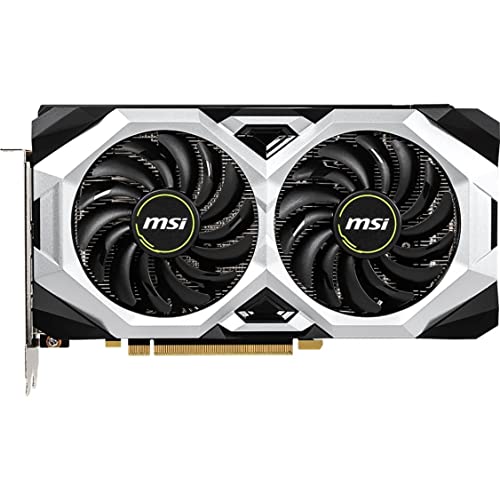


If you are planning a GTA 6 PC upgrade under $500, the practical choice is between cards with more video memory, newer display connections, and older models that may cost less but have less headroom on paper. The MSI RTX 3060 lists 12GB of GDDR6 and HDMI 2.1, while the GTX 1060 and RTX 2060 options list 6GB; the game’s final PC requirements and performance on these cards are not established here.
This guide to the best graphics cards under $500 for GTA 6 compares listed memory, ports, and features, then explains the case, power, and monitor checks to make before choosing. For a broader system perspective, see our guide to best RTX 5070 gaming PCs for GTA 6.
Compare at a glance
| Product | Brand | Size | Weight | Stands out for | Price |
|---|---|---|---|---|---|
| 1 MSI RTX 2060 Ventus GP OC 6GB | msi | 9.1 × 1.7 × 5 in | 1.7 lb | Three DisplayPort outputs | Check price |
| 2 MSI RTX 3060 Ventus 3X 12GB OC | msi | 12.4 × 1.7 × 4.7 in | 1.7 lb | 12GB GDDR6 memory | Check price |
| 3 ASUS GeForce GTX 1060 6GB Turbo | ASUS | 10.5 × 1.1 × 4.38 in | 1.5 lb | 6GB of graphics memory | Check price |
| 4 ASUS GTX 1060 6GB Dual-Fan OC | ASUS | 9.53 × 1.69 × 5.12 in | 2.4 lb | Two HDMI 2.0 ports | Check price |
| 5 MSI RX 6600 MECH 2X 8G Graphics Card | msi | 9.3 × 1.8 × 4.9 in | Not listed | 8GB GDDR6 video memory | Check price |
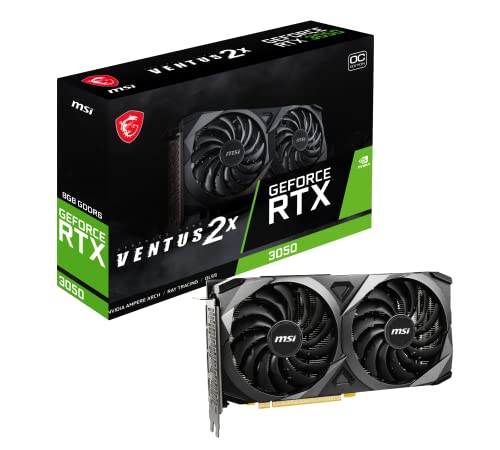
| 6 MSI RTX 3050 Ventus 2X 8GB OC | msi | 9.3 × 1.7 × 4.9 in | 1.5 lb | 8GB GDDR6 video memory | Check price |
| 7 EVGA RTX 2060 SC Gaming 6GB | EVGA | 3.15 × 6.5 × 11.25 in | 2 lb | 6GB GDDR6 memory | Check price |
| 8 MSI GTX 1660 Super Gaming X 6GB | msi | 9.7 × 1.8 × 5 in | 1.9 lb | Three DisplayPort outputs | Check price |
Sizes and weights as listed by the manufacturer on Amazon. Check the retailer for current price and availability.
Pros
- Three DisplayPort outputs
- One HDMI 2.0b output
- 6GB GDDR6 memory
Cons
- Who should skip it: buyers needing more than 6GB of video memory
Pros
- 12GB GDDR6 memory
- Three DisplayPort outputs
- HDMI 2.1 output
Cons
- 12.4-inch length requires a case-clearance check
- Who should skip it: buyers who need more than one HDMI output
Pros
- 6GB of graphics memory
- Two HDMI 2.0 outputs
- DisplayPort 1.4 output
- Card length is specified
Cons
- Who should skip it: buyers who need published power requirements or performance figures

Pros
- Two HDMI 2.0 ports
- Dual-fan cooling
- 6GB GDDR5 memory
Cons
- Who should skip it: users needing more than 6GB graphics memory

Pros
- 8GB GDDR6 video memory
- Three DisplayPort outputs
- HDMI 2.1 output
Cons
- Who should skip it: users needing USB-C video output
Pros
- 8GB GDDR6 video memory
- Three DisplayPort outputs
- HDMI 2.1 output
Cons
- 128-bit memory interface
- Who should skip it: builders needing more than 8GB VRAM

Pros
- 6GB GDDR6 memory
- Single-fan design
- EVGA Precision X1 support
Cons
- Who should skip it: buyers needing more than 6GB of graphics memory

Pros
- Three DisplayPort outputs
- 6GB GDDR6 memory
- Stated 1830 MHz boost clock
Cons
- Who should skip it: users needing more than 6GB of video memory
Best for More Listed Video Memory: MSI Gaming GeForce RTX 3060 12GB 15 Gbps GDRR6
MSI Gaming GeForce RTX 3060 12GB 15 Gbps GDRR6 stands out in this comparison for its 12GB of GDDR6, twice the listed capacity of the 6GB RTX 2060 and GTX 1060 cards. Its outputs include three DisplayPort 1.4a connections and HDMI 2.1, but the listing does not establish GTA 6 frame rates or recommended settings. Skip it if your case cannot accommodate the card or your power supply does not meet the card’s requirements, which you must confirm with the manufacturer.
Best for a 6GB RTX Feature Set: msi Gaming GeForce RTX 2060 6GB GDRR6 192-bit
msi Gaming GeForce RTX 2060 6GB GDRR6 192-bit lists 6GB of GDDR6, a 192-bit memory interface, and a 1710 MHz boost clock, plus three DisplayPort 1.4a outputs and HDMI 2.0b. The listing identifies ray tracing support through its RTX chipset, but that feature alone does not establish how a future game will run. Skip it if you are prioritizing greater listed video-memory capacity, since the RTX 3060 in this comparison has 12GB.
Best for 8GB of Listed Radeon Memory: MSI Gaming AMD Radeon RX 6600 128-bit 8GB GDDR6
MSI Gaming AMD Radeon RX 6600 128-bit 8GB GDDR6 lists 8GB of GDDR6 and HDMI 2.1, with three DisplayPort 1.4a outputs. Those details distinguish it from the 6GB cards, although the listing does not provide comparative game benchmarks or confirm GTA 6 compatibility. Skip it if you specifically want an NVIDIA RTX card or need a particular feature that the product page does not confirm.
Key Numbers at a Glance
- Listed video memory ranges from 6GB on the msi Gaming GeForce RTX 2060 6GB GDRR6 192-bit to 12GB on the MSI Gaming GeForce RTX 3060 12GB 15 Gbps GDRR6.
- The MSI Gaming AMD Radeon RX 6600 128-bit 8GB GDDR6 has 8GB of GDDR6, compared with 6GB on the MSI Gaming GeForce GTX 1660 Super 192-bit HDMI/DP.
- The MSI Gaming GeForce RTX 3060 12GB 15 Gbps GDRR6 lists HDMI 2.1; the msi Gaming GeForce RTX 2060 6GB GDRR6 192-bit lists HDMI 2.0b.
- The msi Gaming GeForce RTX 3050 8GB GDRR6 Boost Clock lists three DisplayPort 1.4a outputs and one HDMI 2.1 output.
How to Choose a Graphics Card Under $500 for GTA 6
Video memory and uncertainty about game requirements
Bottom line: Favor a higher listed memory capacity if you want more capacity on paper, but do not treat it as proof of GTA 6 performance. The MSI RTX 3060 lists 12GB, the RX 6600 lists 8GB, and the RTX 2060 and GTX 1660 Super examples list 6GB. More memory is one specification to compare, not a substitute for the game’s eventual system requirements, benchmarks, or the rest of your PC.
Before ordering, check the game publisher’s current PC requirements when they are available. For other demanding games, our best gaming PCs for Cyberpunk 2077 guide can help you consider the complete system rather than the graphics card alone.
Display outputs and your monitor
Bottom line: Match the card’s output ports to your monitor before deciding. The RTX 3060, RX 6600, and RTX 3050 listings specify HDMI 2.1, while the RTX 2060 Ventus GP OC specifies HDMI 2.0b. The product details also list three DisplayPort outputs for these models, though the exact port version varies by card.
Check the monitor’s inputs and the resolution and refresh rate you intend to use. A card’s maximum digital resolution in a listing does not show how well it will run a particular game at that resolution. If you are also weighing a portable system, our best gaming laptops for Call of Duty guide covers a different form factor and display considerations.
Case clearance, card thickness, and cooling design
Bottom line: Confirm the exact card dimensions against your case before buying. Several listings describe dual-fan or triple-fan designs, including the RX 6600 MECH 2X and RTX 3060 Ventus 3X, but the product data here does not give card length or thickness. Fan count does not tell you whether a card fits your case or how loud it will be.
Find the precise model’s dimensions in its manufacturer documentation and compare them with your case’s graphics-card clearance. Also check whether neighboring slots, drive cages, and case fans leave room for the card. If you are building around a complete desktop, our best gaming PCs for Minecraft guide offers another system-level comparison.
Power supply, connectors, and the rest of your PC
Bottom line: Verify the card’s power draw and connector requirements with its manufacturer before reusing a power supply. Those requirements are not stated consistently in these product details, so do not infer them from the GPU name or card generation. Check your power supply label and documentation, then compare them with the exact model’s official specifications.
Consider the processor, memory, and intended display resolution as part of the upgrade. Replacing a graphics card does not establish that the rest of the system can meet an unreleased or unconfirmed PC game’s requirements.
Generation, features, and value in context
Bottom line: Compare exact specifications and current game support rather than choosing by model number alone. The options span GTX 1060 and GTX 1660 Super cards, RTX 2060 and RTX 3050 cards, an RTX 3060, and an RX 6600. The RTX listings identify NVIDIA ray tracing on some models, but feature labels do not establish a game’s performance or whether a specific setting is worthwhile.
Several cards in this set are older models, so check driver support, the seller’s condition and return terms, and whether the asking price makes sense for the card’s age. The listings do not establish current GTA 6 compatibility. A newer GPU name is not, by itself, enough evidence to predict your results.
How We Compared These Products
This guide is based on product research, not firsthand evaluation. We compared the listed GPU models, video-memory capacities, memory interfaces, boost clocks where stated, and display outputs; the product pages do not supply consistent dimensions, power requirements, or GTA 6 benchmarks, so those points require confirmation from the manufacturer or game publisher.
Which Option Fits Your PC?
For buyers comparing listed memory capacity, the RTX 3060 is the clearest distinction here at 12GB; for 8GB, consider the RX 6600 or RTX 3050 based on the exact ports and features you need. Choose among these only after checking case fit, power connectors, monitor inputs, and the game’s published PC requirements.
If the game’s final requirements are your main concern, wait for reliable compatibility information rather than treating any card in this comparison as a confirmed match. For a broader look at GTA 6 systems, see our best RTX 5070 gaming PCs for GTA 6.
Mistakes to Avoid When Choosing a Graphics Card
- Choosing by memory alone. Compare the GPU model, outputs, power requirements, and confirmed game requirements as well as capacity.
- Assuming a card fits. Look up the exact model’s length and thickness, then compare them with your case clearance.
- Reusing a power supply without checking. Confirm the graphics card’s required connectors and power specifications against the power supply documentation.
- Relying on maximum-resolution claims. Check your monitor connections and wait for relevant game benchmarks before assuming a card will deliver a particular resolution or frame rate.
Frequently Asked Questions
Can these graphics cards run GTA 6 on PC?
The product listings do not establish GTA 6 compatibility or performance, and this comparison cannot confirm which cards will meet the game’s final PC requirements. Check the publisher’s requirements and reliable benchmarks once they are available before purchasing for this game specifically.
Which card has the most video memory?
The MSI Gaming GeForce RTX 3060 12GB 15 Gbps GDRR6 lists 12GB of GDDR6, the largest capacity among these products. Capacity alone does not determine frame rates or guarantee that a future game will run well.
Is the RTX 3060 better than the RX 6600 for GTA 6?
The listed specifications show 12GB of GDDR6 and HDMI 2.1 for the RTX 3060, compared with 8GB of GDDR6 and HDMI 2.1 for the RX 6600. The product data does not include comparable GTA 6 performance results, so choose based on confirmed game support, your system, and the exact features you need.
Will one of these cards fit my desktop?
The product details do not list dimensions for every model. Find the exact card’s length and thickness in its manufacturer documentation, then compare those measurements with your case’s clearance and available expansion slots.
Do these graphics cards work with my power supply?
Compatibility depends on the exact card’s power draw and connector requirements and on your power supply’s available connectors and capacity. Those details are not consistently stated here, so confirm both from the manufacturers before ordering.
Do the listed HDMI and DisplayPort versions matter?
They matter when matching a graphics card to a monitor’s inputs and intended display features. For example, the RTX 3060 and RX 6600 listings specify HDMI 2.1, while the RTX 2060 Ventus GP OC specifies HDMI 2.0b; check the exact card and monitor documentation to confirm the connection you plan to use.



Write Your Review
No reviews yet. Be the first to share your experience!