


If you are planning a GTA 6 PC or upgrading an older gaming desktop, the wrong Intel processor can leave you with a motherboard mismatch or a CPU that does not fit your upgrade plans. The Core i5-13400 and i5-12600K offer newer LGA 1700 platforms and hybrid cores, while the LGA 1200 i5 models are options to investigate if you already own a compatible board. No listing establishes GTA 6 performance or requirements, so treat these as platform and specification comparisons, not frame-rate predictions.
Compare at a glance
| Product | Brand | Size | Weight | Stands out for | Price |
|---|---|---|---|---|---|
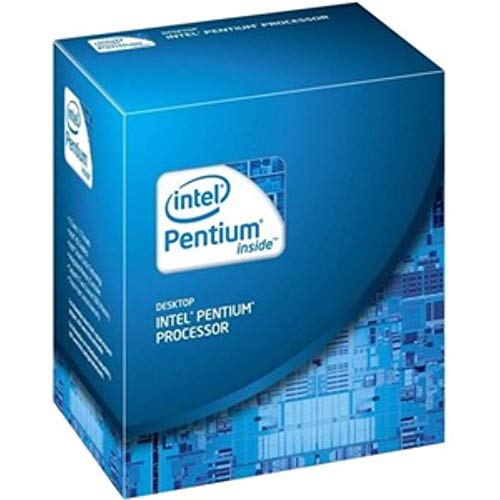
| 1 Intel Pentium G2120 3.10GHz Processor | Intel | 4.6 × 3.3 × 4.4 in | 0.8 lb | Clearly specified LGA 1155 socket | Check price |
| 2 Intel Core i5-6600 3.30 GHz Processor | Intel | 3.3 × 4.3 × 4.5 in | 0.7 lb | Stated 3.30 GHz clock speed | Check price |
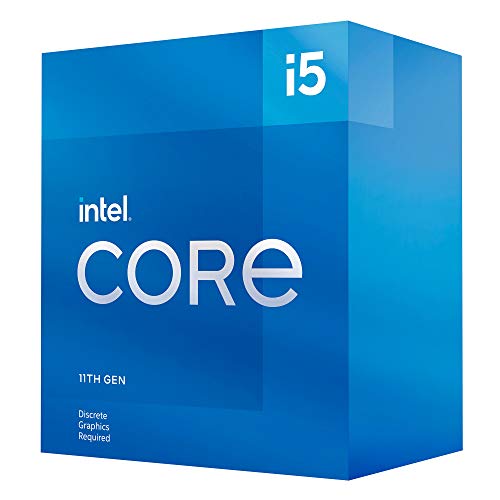
| 3 Intel Core i5-11400F 6-Core Processor | Intel | 4.57 × 2.76 × 3.98 in | 0.6 lb | Six cores | Check price |
| 4 Intel Core i5-11600 6-Core Processor | Intel | 4.57 × 2.76 × 3.98 in | Not listed | Six cores | Check price |
| 5 Intel Core i5-10400 6-Core Processor | Intel | 2.91 × 4.17 × 4.72 in | 0.6 lb | 6 cores and 12 threads | Check price |
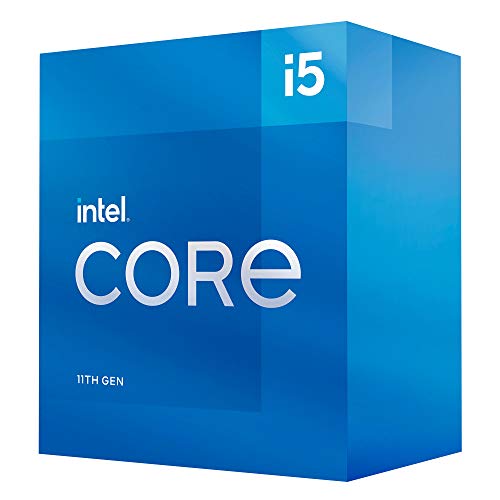
| 6 Intel Core i5-11500 6-Core Desktop Processor | Intel | 4.57 × 2.76 × 3.98 in | 0.6 lb | Six-core desktop processor | Check price |
| 7 Intel Core i5-10400F 6-Core Processor | Intel | 2.8 × 4.17 × 4.69 in | 0.5 lb | Six cores and 12 threads | Check price |
| 8 ASUS Intel Core i5-12500 Processor | ASUS | Not listed | Not listed | Six cores and 12 threads | Check price |
| 9 Intel Core i5-12600K 10-Core Processor | Intel | 4.57 × 1.73 × 3.98 in | 0.2 lb | 10 cores with a hybrid design | Check price |
| 10 Intel Core i5-13400 10-Core Desktop CPU | Intel | 1.57 × 1.18 × 0.39 in | 1 lb | 10 cores and 16 threads | Check price |
Sizes and weights as listed by the manufacturer on Amazon. Check the retailer for current price and availability.
Pros
- Clearly specified LGA 1155 socket
- 3.10GHz clock speed
Cons
- Who should skip it: users needing substantial parallel processing
Pros
- Stated 3.30 GHz clock speed
- Identifies several intended workloads
Cons
- Socket details in the title are unclear
- Who should skip it: buyers unable to confirm socket compatibility
Pros
- Six cores
- PCIe Gen 4.0 support
- Thermal solution included
Cons
- Who should skip it: owners of other-chipset boards

Pros
- Six cores
- PCIe 4.0 support
- Thermal solution included
Cons
- Who should skip it: builders with unsupported motherboards

Pros
- 6 cores and 12 threads
- Included cooler
- 65W rating
Cons
- Who should skip it: builders without a compatible LGA 1200, Intel 400-series motherboard
Pros
- Six-core desktop processor
- Up to 4.6 GHz
- PCIe Gen 4.0 support
- Thermal solution included
Cons
- Who should skip it: builders without a compatible Intel 500-series or select 400-series motherboard

Pros
- Six cores and 12 threads
- Cooler included
- Intel Optane Memory support
Cons
- Who should skip it: builders relying on integrated graphics

Pros
- Six cores and 12 threads
- Integrated UHD Graphics 770
- DDR4 and DDR5 memory support
Cons
- Cooler not included
- Who should skip it: buyers who need an included cooler
Best for an unlocked LGA 1700 build

Pros
- 10 cores with a hybrid design
- Integrated UHD 770 graphics
- Unlocked processor
Cons
- Who should skip it: owners of motherboards without LGA1700 support
Best for a new LGA 1700 build

Pros
- 10 cores and 16 threads
- Integrated UHD Graphics 730
- DDR4 and DDR5 memory support
- Compatible with Intel 600- and 700-series chipsets
Cons
- Not unlocked for overclocking
- Who should skip it: overclockers
Best for a Hybrid-Core Upgrade: Intel® Core™ i5-13400 Desktop Processor 10 cores
Intel® Core™ i5-13400 Desktop Processor 10 cores combines 6 P-cores and 4 E-cores with 16 threads and up to 4.6 GHz P-core turbo, making it a well-specified option for a new LGA 1700 build. It supports DDR4 or DDR5, but the motherboard determines which memory type you can use.
Its listed maximum turbo power is 148 W, so check the board, cooler, and case airflow plans rather than judging cooling needs from the 65 W base power alone. Skip it if you need a drop-in upgrade for an LGA 1200 or older motherboard.
Best for an Unlocked LGA 1700 Build: Intel Core i5-12600K Desktop Processor
Intel Core i5-12600K Desktop Processor has 10 cores, including 6 P-cores and 4 E-cores, and a listed maximum frequency of 4.9 GHz. Its unlocked design and integrated UHD 770 graphics distinguish it from the locked i5-13400.
The processor uses LGA 1700 and works with Intel 600- and 700-series chipset motherboards according to its listing. Confirm motherboard BIOS support and cooling arrangements before choosing an unlocked CPU. Skip it if you want a simpler, locked processor or are keeping an older socket motherboard.
Best for an Existing LGA 1200 Board: Intel® Core™ i5-11400 Desktop Processor 6 Cores
Intel® Core™ i5-11600 Desktop Processor 6 Cores is an LGA 1200 alternative for compatible Intel 500-series and select 400-series motherboards. Its listed maximum frequency is 4.8 GHz, and the product page notes that a thermal solution is included.
This route makes sense only if your existing board supports the processor and you want to avoid a socket change. The listing does not establish GTA 6 performance, and the model name in this product’s link is i5-11600, not i5-11400. Skip it if you are building around LGA 1700 or buying a processor specifically for a new platform.
Key Numbers at a Glance
- Core layout: Intel® Core™ i5-13400 Desktop Processor 10 cores has 10 cores, 6 P-cores plus 4 E-cores, and 16 threads.
- Maximum P-core turbo: Intel® Core™ i5-13400 Desktop Processor 10 cores lists up to 4.6 GHz; Intel Core i5-12600K Desktop Processor lists up to 4.9 GHz.
- Socket split: the i5-13400 and i5-12600K use LGA 1700; the i5-11600, i5-11400F, and i5-11500 use LGA 1200.
- Memory choices: the i5-13400 supports DDR5 4800 or DDR4 3200, while the i5-12500 listing specifies support for either DDR5 4800 or DDR4 3200.
Buying Guide to the Best Intel Processors for GTA 6
Match the socket and chipset before anything else
Bottom line: Choose a processor your motherboard supports, not one that merely looks like a convenient upgrade. The i5-13400 and i5-12600K use LGA 1700 and list compatibility with Intel 600- and 700-series chipsets. The 11th-generation i5-11600, i5-11500, and i5-11400F are LGA 1200 models, while the Pentium G2120 and Core i5-6600 use older sockets that are not interchangeable with either platform.
Check your motherboard model and its CPU support information, including any BIOS requirements, before ordering. If you are planning a platform change, compare best CPUs for AM5 as a separate platform route rather than assuming an Intel processor fits an AMD board.
Choose core layout for your whole PC workload
Bottom line: Consider core count and layout alongside the rest of your workload, not as a promise of game performance. The i5-13400 and i5-12600K each list 10 cores in a 6 P-core plus 4 E-core arrangement; the i5-10400 lists 6 cores and 12 threads. More cores alone do not confirm higher GTA 6 frame rates, and no product page here supplies game benchmarks.
If you stream, run background applications, or create content alongside gaming, compare the listed core and thread configurations with your broader needs. For other graphics-card pairings, see best CPUs for a 5070 Ti, while remembering that a CPU recommendation is only one part of a complete system.
Confirm memory type and motherboard slots
Bottom line: Buy memory to match the motherboard, because DDR4 and DDR5 support is not a guarantee that one board accepts both. The i5-13400 lists DDR5 4800 and DDR4 3200 support, and the i5-12500 page lists the same maximum memory speeds. Check the exact motherboard memory type and supported configuration before reusing or purchasing RAM.
Changing CPU generations can also mean replacing the motherboard and memory, depending on the parts you already own. Work out the full platform cost and compatibility rather than comparing processors in isolation.
Account for power, cooling, and included graphics
Bottom line: Check the processor’s power information and whether it has integrated graphics before finalizing the build. The i5-13400 lists 65 W processor base power and 148 W maximum turbo power; the i5-12600K is a 125 W model with UHD 770 graphics. The i5-11400F and i5-10400F product names identify F variants, and their listings say they lack processor graphics.
A processor’s integrated graphics can be useful for basic display output or troubleshooting, but a gaming build needs a suitable graphics card for its intended games. The i5-12500 listing says its OEM tray version does not include a cooler, so check what cooling hardware your build requires and what is actually included.
Set expectations around GTA 6 requirements
Bottom line: Do not buy on a claimed GTA 6 frame rate when the listings provide no game benchmarks or verified system requirements. These products give useful comparison points for socket, core layout, frequencies, graphics, and memory support, but they do not establish how the game will run. Your graphics card, resolution, memory, and the game’s eventual PC requirements also affect the build decision.
Compare processor options against the graphics card you plan to use, and leave room in the budget for the rest of the system. Our guide to the best CPU for Arc B580 offers another way to think about pairing a processor with a particular GPU.
How We Compared These Products
This guide is based on product research, not firsthand evaluation. We compared the listed socket, chipset compatibility, core and thread counts, frequency information, memory support, integrated graphics, power figures, and cooler notes; product-page details vary, and none of the listings establishes GTA 6 performance. Where information is absent or a model name conflicts with the listing, verify the exact processor and motherboard support before purchase.
Which Option Fits Your PC and Upgrade Plan?
For a new LGA 1700 build with a hybrid-core CPU: Intel® Core™ i5-13400 Desktop Processor 10 cores combines 10 cores with 16 threads and supports DDR4 or DDR5, subject to motherboard choice. Skip it if your current board uses a different socket or your priority is an unlocked CPU.
For an unlocked LGA 1700 build: Intel Core i5-12600K Desktop Processor lists a 4.9 GHz maximum frequency and integrated UHD 770 graphics. Skip it if you do not need an unlocked model or do not want to plan around its listed 125 W power rating.
For an existing compatible LGA 1200 motherboard: Intel® Core™ i5-11400F Desktop Processor 6 Cores lists support for Intel 500-series and select 400-series chipsets and has 6 cores. Its F designation means no processor graphics, so skip it if you need integrated graphics or your motherboard does not support this model.
Mistakes to Avoid When Choosing an Intel Processor
- Buying by model number alone. Verify the exact processor name, socket, and chipset; the listing linked as i5-11600 identifies that model, not the i5-11400.
- Assuming the CPU determines GTA 6 performance. Check the game’s official PC requirements when available and consider the graphics card, memory, and resolution as well.
- Reusing RAM without checking the board. Confirm DDR4 or DDR5 support on the specific motherboard, even when the processor supports both memory types.
- Overlooking an F model’s graphics limitation. The i5-11400F and i5-10400F listings specify no processor graphics, so plan on a separate graphics card for display output.
Frequently Asked Questions
Which Intel processor is best for GTA 6?
No listing establishes a GTA 6 winner or provides game benchmarks. The i5-13400 and i5-12600K offer 10-core hybrid designs on LGA 1700, while an LGA 1200 i5 may suit a compatible existing system. Check official game requirements and the full PC configuration before deciding.
Will an LGA 1700 processor fit my LGA 1200 motherboard?
No. LGA 1700 and LGA 1200 are different sockets, so the i5-13400 and i5-12600K are not socket-compatible with an LGA 1200 board. Confirm the motherboard’s exact CPU support before buying.
Does the i5-13400 support DDR4 and DDR5?
Its product data lists DDR5 4800 and DDR4 3200 support. The motherboard determines which memory type the system uses, so check the board and memory configuration rather than assuming both types fit one board.
Can I use an Intel F-series processor without a graphics card?
The i5-11400F and i5-10400F listings specify no processor graphics. Plan on a separate graphics card if you choose either of these models and need display output.
Should I choose the i5-13400 or i5-12600K?
Both list 10 cores with 6 P-cores and 4 E-cores, but the i5-12600K is unlocked and lists up to 4.9 GHz, while the i5-13400 lists up to 4.6 GHz P-core turbo and 148 W maximum turbo power. Choose based on motherboard, cooling, and whether an unlocked CPU suits your plans; these figures do not predict GTA 6 frame rates.







Write Your Review
No reviews yet. Be the first to share your experience!