


For a desk setup, choose a monitor with an HDMI input and a size that suits your viewing distance; for gaming away from a TV, compare portable models and confirm their power and connection requirements. The monitor category includes varied screen types, and this guide to the best monitors for Nintendo Switch 2 focuses on the listed models’ display details, ports, and stated console compatibility.
Compare at a glance
| Product | Brand | Size | Weight | Stands out for | Price |
|---|---|---|---|---|---|
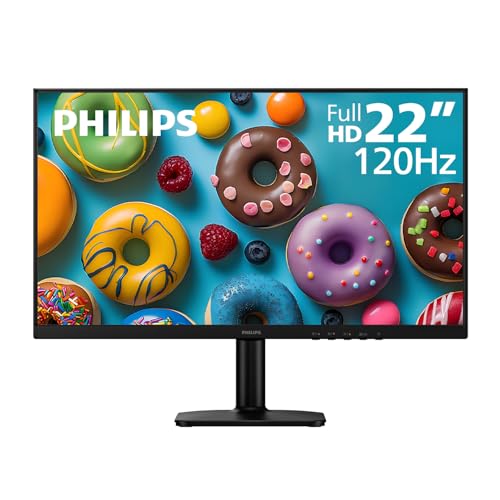
| 1 Philips 22E2N1100 22-Inch 120Hz Monitor | PHILIPS | 6.7 × 19.5 × 15 in | 4.5 lb | Full HD IPS panel with wide viewing angles | Check price |
| 2 Sceptre E225W-FW144 22-Inch Gaming Monitor | Sceptre | 7 × 19.9 × 15.5 in | 7 lb | Up to 144Hz refresh rate | Check price |
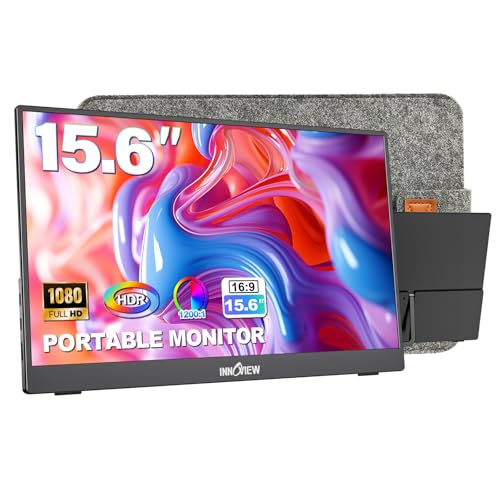
| 3 InnoView 15.6-Inch 1080p Portable Monitor | InnoView | 0.26 × 13.99 × 8.69 in | 2 lb | 15.6-inch 1080p IPS display | Check price |
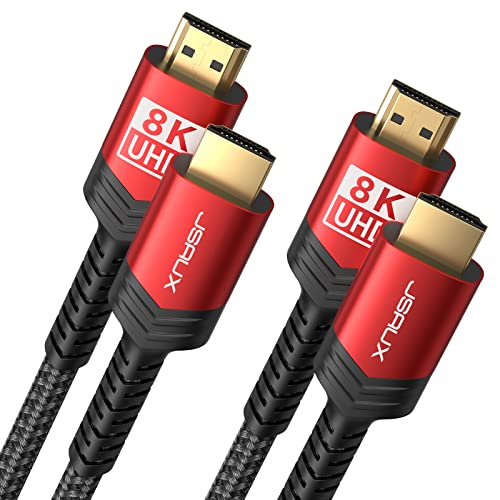
| 4 JSAUX HDMI 2.1 Cable, 6 ft 2-Pack | JSAUX | 72 × 0.1 × 0.1 in | 0.4 lb | Two cables included | Check price |
| 5 UGREEN Dual-Monitor HDMI KVM, 4K 60Hz | UGREEN | 6.18 × 2.83 × 1.18 in | Not listed | Supports dual monitors for two computers | Check price |
| 6 VPFET Triple-Monitor KVM Switch | VPFET | 5.91 × 2.76 × 1.91 in | Not listed | Shares three monitors between two computers | Check price |
| 7 Sceptre E275W-FW100T 27-Inch Monitor | Sceptre | 7.66 × 24.13 × 17.21 in | 7.2 lb | Three video inputs | Check price |
| 8 Up-Switch Orion 11.6-Inch Monitor | Up-Switch | 14.8 × 7.08 × 1.6 in | 1.6 lb | Charges a Nintendo Switch during play | Check price |
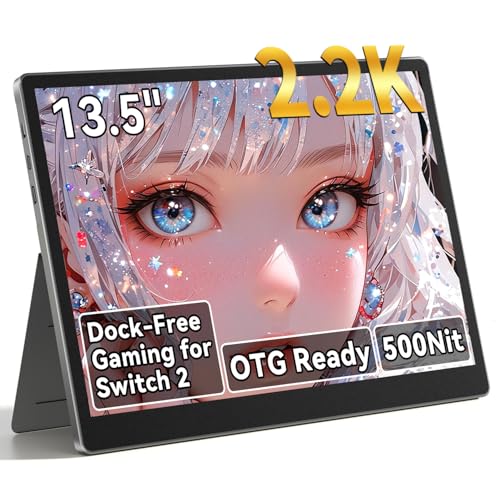
| 9 HAILESI S135 13.5-Inch Portable Monitor | HAILESI | 0.39 × 11.02 × 8.07 in | 1.3 lb | Sharp 2256 x 1504 resolution | Check price |
Sizes and weights as listed by the manufacturer on Amazon. Check the retailer for current price and availability.
Best for a compact desk monitor
Pros
- Full HD IPS panel with wide viewing angles
- 120Hz refresh rate with Adaptive-Sync
- LowBlue Mode and Flicker-Free technology
- VESA 100 x 100mm mounting compatibility
Cons
- Listed inputs are HDMI 1.4 and VGA
- Who should skip it: users who need DisplayPort
Pros
- Up to 144Hz refresh rate
- Built-in speakers
- Blue-Light Shift technology
- Minimal bezel design
Cons
- Who should skip it: users needing a larger or higher-resolution display
Pros
- 15.6-inch 1080p IPS display
- Integrated 90-degree adjustable stand
- Includes a storage bag
- Standard HDMI port
Cons
- USB-C display requires Thunderbolt 3/4 or USB 3.1 DP Alt Mode
- Who should skip it: users without a compatible USB-C display connection or HDMI
Pros
- Two cables included
- Supports up to 48 Gbps
- Backward compatible with earlier HDMI versions
- Braided cable design
Cons
- Who should skip it: users needing cables longer than 6 feet

Pros
- Supports dual monitors for two computers
- Four USB 3.0 peripheral ports
- Includes cables and desktop controller
Cons
- No EDID emulation or keyboard hotkeys
- Who should skip it: users needing both PCs on-screen simultaneously

Pros
- Shares three monitors between two computers
- Four USB 3.0 ports
- Includes wired desktop controller and 12V adapter
Cons
- Who should skip it: users whose computers lack two DisplayPort outputs and one HDMI output
Best for a larger fixed screen

Pros
- Three video inputs
- Stated 100Hz refresh rate
- Built-in speakers
- VESA mountable
Cons
- Resolution and panel type are not specified
- Who should skip it: shoppers who require stated resolution and panel specifications

Pros
- Charges a Nintendo Switch during play
- Built-in dual speakers and headphone jack
- USB-C and HDMI inputs
Cons
- 11.6-inch screen may feel small for shared viewing
- Who should skip it: shoppers who need a larger display
Best for portable play
Pros
- Sharp 2256 x 1504 resolution
- 100% sRGB coverage
- Lightweight portable design
- USB-C and mini HDMI inputs
Cons
- Refresh rate is not specified
- Who should skip it: buyers who require a stated refresh rate
Key Numbers at a Glance
- The HAILESI S135 13.5 Inches Portable Monitor lists a 2256 × 1504 resolution, while the InnoView 15.6-Inch 1080p Portable Monitor lists 1080p.
- The Sceptre E225W-FW144 22-Inch Gaming Monitor lists refresh rates up to 144Hz; the Sceptre 27-inch Prime Gaming Monitor 100Hz 1ms lists up to 100Hz.
- The HAILESI S135 13.5 Inches Portable Monitor measures 11.93 × 8.86 × 0.39 inches and weighs 1.32 lb, according to its listing.
- The Philips 22 Inch Computer Monitor FHD 120Hz has a 21.5-inch viewable screen; the Sceptre 27-inch Prime Gaming Monitor 100Hz 1ms has a 27-inch screen.
Best for a Dock-Free Portable Setup: HAILESI S135 13.5 Inches Portable Monitor
HAILESI S135 13.5 Inches Portable Monitor suits travel or a compact play area: its listing describes direct Switch and Switch 2 connection through one USB-C cable, and its 13.5-inch display has a 2256 × 1504 resolution. The product page also lists 100% sRGB and 500 nits, but does not state a refresh rate. Skip it if you want a large fixed desk screen or need a stated high refresh rate.
Related guides: Best Monitors for Xbox Series X, Best Monitors for a 3 Monitor Setup and Best Ultrawide Monitors for GTA 6.
Best for a Larger Portable Screen: InnoView 15.6-Inch 1080p Portable Monitor
InnoView 15.6-Inch 1080p Portable Monitor offers a 15.6-inch IPS display, a built-in stand adjustable within 90°, and HDMI plus two full-function USB-C ports. Its listing names Switch among compatible devices, but does not specifically state Switch 2 compatibility, so check the console’s connection requirements before buying. Skip it if you want a product page that explicitly claims Switch 2 support.
Best for a Small Fixed Desk: Philips 22 Inch Computer Monitor FHD 120Hz
Philips 22 Inch Computer Monitor FHD 120Hz combines a 21.5-inch viewable IPS screen, 1920 × 1080 resolution, and HDMI 1.4, making it a compact choice for an HDMI-connected console. It lists an overclockable 120Hz refresh rate, though the listing does not establish that Switch 2 games will output at that rate. Skip it if you need a larger screen or portable use.
Best for a Larger Desk Display: Sceptre 27-inch Prime Gaming Monitor 100Hz 1ms
Sceptre 27-inch Prime Gaming Monitor 100Hz 1ms provides a 27-inch screen, two HDMI ports, and a listed refresh rate up to 100Hz. Built-in speakers and VESA mounting offer additional setup flexibility, while the product page does not specify the panel resolution. Skip it if you require a confirmed resolution before choosing a monitor.
How to Choose a Monitor for Nintendo Switch 2
Resolution and screen size
Bottom line: Match screen size and resolution to your viewing distance, and confirm the monitor’s resolution before purchase. The Philips model lists 1920 × 1080 on a 21.5-inch viewable IPS screen, while the HAILESI portable model lists 2256 × 1504 on a 13.5-inch screen. The Sceptre 27-inch model does not state its resolution in the available product details, so verify it if resolution is a deciding factor. If you also play fast-paced PC games, our guide to best 240Hz gaming monitors covers a different refresh-rate priority.
Refresh rate and adaptive sync
Bottom line: Treat a monitor’s maximum refresh rate as a display specification, not a guarantee of the console’s output. The Sceptre E225W-FW144 lists up to 144Hz, the Philips lists an overclockable 120Hz, and the larger Sceptre lists up to 100Hz. The Philips also lists Adaptive-Sync, but the product information does not confirm Switch 2 refresh-rate or adaptive-sync behavior. Check the console’s output capabilities and game support, and consider whether you will also connect a PC.
Ports and console connection
Bottom line: Confirm the exact input and connection method before choosing between a regular monitor and a portable display. The Philips lists HDMI 1.4, and the larger Sceptre lists two HDMI ports. The HAILESI listing specifically claims Switch 2 connection over one USB-C cable without a dock; the InnoView lists Switch compatibility but does not specifically name Switch 2. Do not assume every USB-C port supports video or console power; check the product instructions and required cables.
Desk space, portability, and mounting
Bottom line: Pick a portable screen for moving between locations and a desktop monitor for a more permanent setup. The HAILESI is listed at 11.93 × 8.86 × 0.39 inches and 1.32 lb, while the InnoView is 15.6 inches and includes a built-in adjustable stand. For a desk, the 27-inch Sceptre offers VESA mounting; the Philips also supports a 100 × 100 mm VESA mount. Measure your desk and check whether the stand or mounting arrangement fits your setup.
Sound and everyday features
Bottom line: Built-in speakers reduce extra desk equipment, but choose a separate audio setup if sound quality or placement matters more. The Sceptre 22-inch, larger Sceptre, and Orion portable display list built-in speakers. The Orion is an 11.6-inch HD IPS monitor with HDMI input, USB Type-C, dual speakers, and a headphone jack, but its listing does not specifically mention Switch 2. Check whether its screen size and connection arrangement suit the intended location.
How We Compared These Products
This guide is based on product research, comparing listed screen sizes, resolutions, refresh rates, panel details, ports, mounting features, and stated console compatibility. Product descriptions do not document independent performance evaluation, and customer feedback information is limited, so recommendations focus on verifiable features and call out missing details.
Which Option Fits Your Home and Devices?
For portable play with an explicit Switch 2 connection claim: HAILESI S135 13.5 Inches Portable Monitor lists a one-cable USB-C connection for Switch 2 and weighs 1.32 lb. Skip it if you need a 22-inch-or-larger fixed display or want a stated refresh rate.
For a compact desk monitor with a specified Full HD resolution: Philips 22 Inch Computer Monitor FHD 120Hz lists a 21.5-inch viewable IPS panel, 1920 × 1080 resolution, and HDMI 1.4. Skip it if you need a portable screen or more than 22 inches.
For a larger fixed screen and multiple HDMI sources: Sceptre 27-inch Prime Gaming Monitor 100Hz 1ms lists a 27-inch display, two HDMI inputs, built-in speakers, and VESA mounting. Skip it if you need a clearly stated resolution or an explicitly described Switch 2 connection method.
Mistakes to Avoid When Choosing a Nintendo Switch 2 Monitor
- Choosing by refresh rate alone. Compare the monitor’s resolution, inputs, and size too, and confirm what the console and games support.
- Assuming every USB-C input carries console video. Check the monitor’s instructions and the exact connection claim; USB-C features vary by device.
- Mixing up Switch compatibility and explicit Switch 2 support. The InnoView listing names Switch, while the HAILESI listing specifically names Switch 2, so verify compatibility for other models.
- Ignoring space and setup. Compare listed dimensions and stand or VESA options against your desk, travel bag, and preferred placement.
Frequently Asked Questions
Can I connect Nintendo Switch 2 to a regular HDMI monitor?
The Philips and Sceptre desktop models list HDMI inputs, but their product details do not specifically describe a complete Switch 2 setup. Check the console’s connection instructions and confirm that your chosen monitor and cables match the required output method.
Which listed monitor specifically claims Switch 2 support?
The HAILESI S135 listing specifically names Switch 2 and claims a dock-free connection through one USB-C cable. The InnoView listing names Switch but does not specifically state Switch 2 support.
Is a 144Hz monitor useful for Switch 2?
The Sceptre E225W-FW144 lists refresh rates up to 144Hz, but the product information does not establish that Switch 2 will output at that rate. A higher monitor maximum can still matter if you connect another device, but verify the console and game output before prioritizing it.
Should I choose the HAILESI or InnoView portable monitor?
Choose the HAILESI if explicit Switch 2 support, its 13.5-inch size, and its 2256 × 1504 resolution fit your needs. The InnoView has a larger 15.6-inch 1080p screen and adjustable stand, but its listing does not specifically name Switch 2.
Do the desktop monitors include speakers?
The Sceptre E225W-FW144 and Sceptre 27-inch Prime Gaming Monitor list built-in speakers. The Philips product details do not list speakers, so check the full product page if audio output from the monitor matters to your setup.


Write Your Review
No reviews yet. Be the first to share your experience!