


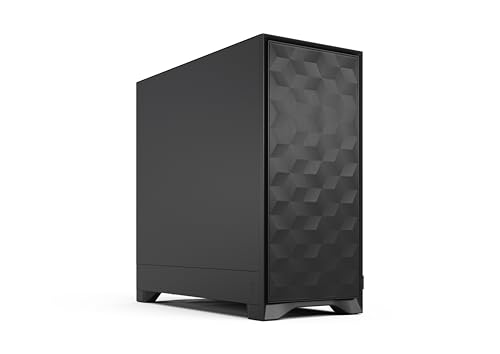
If you are building a gaming PC in a dusty room or trying to cut down on pet hair inside an existing tower, the best pc case to keep dust out is not necessarily a sealed case: airflow openings still need a practical filter strategy. This guide compares cut-to-size magnetic mesh and PCI slot covers for an operating desktop, plus removable tower covers for a PC that is powered down and stored.
Compare at a glance
| Product | Brand | Size | Weight | Stands out for | Price |
|---|---|---|---|---|---|
| 1 Rimoev Stainless Steel PCI Slot Covers, 12-Pack | Rimoev | 0.02 × 0.75 × 4.76 in | Not listed | Includes 12 covers and screws | Check price |
| 2 INITMMO Xbox Series X Dust Filter Kit | INITMMO | Not listed | 0.1 lb | Includes filters, port plugs, and thumb grips | Check price |
| 3 BJYasoppu CPU Dust Cover, 10 x 27 x 20 Inches | BJYasoppu | 27 × 10 × 20 in | 0.4 lb | Adjustable drawstring at the bottom | Check price |
| 4 Woanger DIY PC Dust Mesh, 39.37 x 11.81 Inches | Woanger | 39.37 × 11.81 × 11.81 in | Not listed | Cut-to-size design | Check price |
| 5 ALHBEJT PC Dust Cover, 19.68-Inch | ALHBEJT | 19.68 × 8.26 × 18.11 in | 0.1 lb | Washable and reusable | Check price |
| 6 iKammo Desktop Tower Dust Cover | iKammo | 10.6 × 10.6 × 24.6 in | 1.2 lb | Waterproof nylon oxford material | Check price |
| 7 INITMMO Cut-to-Size PC Dust Filter, 2-Pack | INITMMO | Not listed | Not listed | Two cut-to-size sheets | Check price |
| 8 UAG Monarch AirTag Case with Bottle Opener | URBAN ARMOR GEAR | 1.38 × 1.18 × 3.95 in | 0 lb | Tool-secured hardshell enclosure | Check price |
| 9 UAG Monarch AirTag Case with Bottle Opener | URBAN ARMOR GEAR | 1.38 × 1.18 × 3.95 in | 0 lb | Locking carabiner and key ring attachment | Check price |
| 10 JDECO Graded Card Storage Box | JDECO | Not listed | Not listed | Separate zones for different card holders | Check price |
Sizes and weights as listed by the manufacturer on Amazon. Check the retailer for current price and availability.
Best for unused rear expansion slots
Pros
- Includes 12 covers and screws
- Micro-perforated for airflow
- Black finish covers rear-panel gaps
Cons
- Who should skip it: owners of cases requiring a different slot-cover size
Pros
- Includes filters, port plugs, and thumb grips
- Mesh filters come in three sizes
- No-screw installation for the vent cover
Cons
- Who should skip it: owners of consoles other than Xbox Series X
Pros
- Adjustable drawstring at the bottom
- Foldable for storage
- Wipe-clean surface
Cons
- Who should skip it: owners of towers that exceed its stated dimensions
Best for a smaller filter job

Pros
- Cut-to-size design
- Four magnetic strips included
- No drilling needed for iron cases
Cons
- Who should skip it: buyers who need a pre-sized filter

Pros
- Washable and reusable
- Zippered access to cables and ports
- Lightweight one-piece design
Cons
- Who should skip it: owners of towers larger than the stated dimensions

Pros
- Waterproof nylon oxford material
- Side zippers accommodate connected cables
- Washable and foldable
Cons
- Published dimensions conflict
- Who should skip it: buyers unable to confirm their tower's fit
Best for several measured vents

Pros
- Two cut-to-size sheets
- Removable magnetic attachment
- Washable and reusable mesh
- Includes measuring and cutting tools
Cons
- Who should skip it: owners of cases without magnetic mounting surfaces
- Requires measuring and cutting to fit

Pros
- Tool-secured hardshell enclosure
- Twist-lock carabiner and key ring
- Includes silicone O-ring and opening tool
- Built-in steel-reinforced bottle opener
Cons
- Opening requires removing four screws with the included tool
- Apple AirTag is not included
- Who should skip it: anyone without an Apple AirTag

Pros
- Locking carabiner and key ring attachment
- Built-in bottle opener
- Tool and spare screws included
Cons
- Who should skip it: users who need quick, tool-free AirTag access

Pros
- Separate zones for different card holders
- Transparent display panel
- EVA interior lining
- Locking closure
Cons
- No stated capacity or dimensions
- Who should skip it: collectors needing confirmed card capacity or fit
Best PCI Slot Covers for Unused Openings: Rimoev PCI Slot Covers, Stainless Steel, Black, 12 Pcs
Rimoev PCI Slot Covers, Stainless Steel, Black, 12 Pcs stand out for closing unused rear expansion slots with 12 screw-on metal plates. The micro-perforated design is specified to allow airflow while covering gaps, but these plates do not filter the case’s larger fan openings.
Skip it if you need filters for front, top, or bottom intake vents.
Best Cut-to-Size Filter Kit: INITMMO PC Case Dust Filter 2 Pack
INITMMO PC Case Dust Filter 2 Pack includes two 1200 × 300 mm sheets, eight magnetic strips, and tools for cutting and cleaning. The larger amount of mesh suits a build with several openings to cover, although careful measuring and trimming are part of the setup.
Skip it if you want a filter shaped for a specific case with no trimming.
Best Single-Sheet Magnetic Mesh: Woanger 1 Pcs 1000x300mm DIY PC Case Dust Mesh
Woanger 1 Pcs 1000x300mm DIY PC Case Dust Mesh offers one 1000 × 300 mm sheet and four magnetic strips for covering a measured opening on a compatible metal case. Its single-sheet format is less material than the two-sheet INITMMO kit, so check your total vent area before choosing.
Skip it if one sheet will not cover all the openings you want to filter.
Key Numbers at a Glance
- The INITMMO PC Case Dust Filter 2 Pack has two 1200 × 300 mm sheets, while the Woanger 1 Pcs 1000x300mm DIY PC Case Dust Mesh has one 1000 × 300 mm sheet.
- The INITMMO PC Case Dust Filter 2 Pack includes eight magnetic strips; the Woanger 1 Pcs 1000x300mm DIY PC Case Dust Mesh includes four.
- The Rimoev PCI Slot Covers, Stainless Steel, Black, 12 Pcs package includes 12 covers, each listed as 4.76 × 0.75 inches.
- The iKammo PC CPU Desktop Host Dust Cover Protector measures 10.6 × 20.5 × 24.6 inches; the BJYasoppu Computer CPU Dust Cover, PC Protection Case,with measures 10 × 27 × 20 inches.
How to Choose the Best PC Case to Keep Dust Out
Filter the openings that draw air in
Bottom line: Match the filter to the actual vent, and check airflow rather than covering every opening indiscriminately. The INITMMO kit specifies PVC mesh with 1.0 mm holes, while Woanger specifies mesh with 0.5 mm holes. Those figures describe the mesh openings, not a measured dust-removal rate or airflow result; use them to compare the listings, not to assume one will keep out a particular percentage of dust.
Before buying, identify which panels have intake fans and how much mesh each vent needs. A filter can collect debris only where it is installed, and covering a vent that your cooling setup depends on can change airflow. For a broader look at case airflow choices, see our guide to best PC cases for air cooling.
Choose magnetic mesh only where it can attach
Bottom line: Confirm the panel is magnetic and measure the opening before selecting a cut-to-size sheet. INITMMO includes eight magnetic strips with two 1200 × 300 mm sheets; Woanger includes four strips with one 1000 × 300 mm sheet. Both are intended to attach to an iron case shell, so a nonmagnetic panel may require another attachment approach that these listings do not specify.
Allow room to trim the mesh and attach it without obstructing a fan or interfering with a panel. Choose the two-sheet kit when your measured coverage calls for more material; the single-sheet Woanger kit is a more limited supply for a smaller job.
Seal unused expansion slots separately
Bottom line: Use slot covers for open rear expansion bays, not as a replacement for intake filters. Rimoev lists 12 screw-on plates measuring 4.76 × 0.75 inches, with a micro-perforated surface. Check that your case uses compatible standard-size slot openings and that the plates align before ordering.
Slot covers address a different gap than fan filters, so a dusty build may need both types of coverage. If your priority is graphics-card clearance and overall chassis selection rather than dust accessories, our guide to the best gaming PC case for RTX 5090 focuses on that separate fit question.
Keep tower covers for powered-down storage
Bottom line: A fabric tower cover is for protecting a parked PC, not for covering an operating, heat-producing computer. The iKammo cover lists nylon fabric and side zippers, with dimensions of 10.6 × 20.5 × 24.6 inches; the BJYasoppu cover lists 210D Oxford fabric, a drawstring, and dimensions of 10 × 27 × 20 inches. Compare all three dimensions with your tower, and do not leave a full cover over a running PC because it can obstruct ventilation.
For an operating build, use vent filters that preserve open airflow paths. For storage between uses, a removable cover may help keep dust off the exterior, but confirm the fit and remove it before powering on.
How We Compared These Products
This guide is based on product research, comparing the listed dimensions, mesh sizes, attachment methods, materials, and stated use cases. The available product data includes no customer review details to assess, and no firsthand evaluation is documented, so claims about filtration or airflow are not treated as measured results.
Which Option Fits Your PC and Routine?
For several measured vents on a compatible metal case: INITMMO PC Case Dust Filter 2 Pack gives you two 1200 × 300 mm sheets and eight magnetic strips. Skip it if you prefer a case-specific, ready-shaped filter instead of cutting mesh.
For a smaller filter job: Woanger 1 Pcs 1000x300mm DIY PC Case Dust Mesh provides one 1000 × 300 mm sheet with four magnetic strips. Skip it if your measured openings require more mesh or attachment strips.
For unused rear expansion slots: Rimoev PCI Slot Covers, Stainless Steel, Black, 12 Pcs includes 12 screw-on covers with a micro-perforated design. Skip it if your main concern is dust entering through fan vents, since these plates are intended for expansion-slot openings.
Mistakes to Avoid When Choosing PC Dust Protection
- Buying by sheet size alone. Measure each opening and add up the coverage needed before choosing a 1000 × 300 mm or 1200 × 300 mm mesh kit.
- Assuming every panel is magnetic. Check the case panel material and attachment surface; the magnetic-strip kits specify attachment to an iron case shell.
- Confusing slot covers with intake filters. PCI plates cover unused expansion slots, while mesh is meant for vent openings. Choose coverage based on where dust can enter.
- Leaving a tower cover on during use. Remove fabric covers before powering on so they do not block case ventilation.
Frequently Asked Questions
Can magnetic dust mesh fit any PC case?
No. The INITMMO and Woanger mesh kits use magnetic strips intended to attach to a metal case surface. Measure the vent and confirm the panel provides a suitable magnetic attachment area before buying.
Should I choose INITMMO or Woanger mesh?
Choose INITMMO if you need two 1200 × 300 mm sheets and eight magnetic strips. Woanger lists one 1000 × 300 mm sheet and four strips, which suits a more limited coverage job; measure first rather than relying on the product name.
Do PCI slot covers filter dust from case fans?
No. The Rimoev covers are designed for unused expansion slots at the rear of a desktop case. Fan openings need their own appropriately sized filter if you want mesh coverage there.
Can I use a tower dust cover while my PC is running?
Do not use a full fabric cover over a running PC because it can obstruct ventilation. The listed iKammo and BJYasoppu products are protective covers; remove them before powering on and compare their dimensions with your tower.
How often should I clean a PC dust filter?
The product listings do not specify a cleaning schedule. Check the mesh periodically, especially in a dusty room or a home with pets, and clean it when debris accumulates; remove or handle it according to the manufacturer’s care instructions.


Write Your Review
No reviews yet. Be the first to share your experience!