


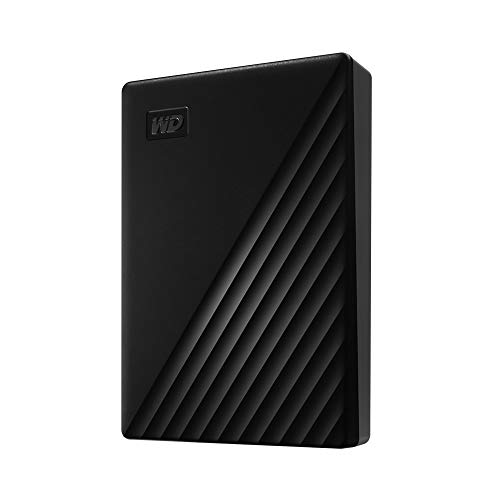

If you need to carry a backup between a laptop and other devices, a portable drive that needs no AC adapter can simplify your setup; if speed matters more, an SSD listing speeds up to 1,050 MB/s is a different fit from a desktop HDD. This guide to the best 4TB external hard drives compares portable HDDs, desktop HDDs, and SSDs so you can weigh transfer needs, power, format, and device compatibility before choosing.
Compare at a glance
| Product | Brand | Size | Weight | Stands out for | Price |
|---|---|---|---|---|---|
| 1 SanDisk 2TB Portable SSD, 1000MB/s | SANDISK | 1.77 × 3.35 × 0.39 in | 0.1 lb | Large 2TB storage capacity | Check price |
| 2 SSK Portable SSD 4TB | SSK | 2.6 × 1.5 × 0.5 in | Not listed | 4TB capacity in a compact portable drive | Check price |
| 3 WD My Passport 4TB Portable Hard Drive | WD | 4.22 × 2.95 × 0.75 in | 0.5 lb | 4TB capacity for personal files | Check price |
| 4 ModusTech Vault 4TB External Hard Drive | ModusTech | Not listed | 1.8 lb | 4TB storage capacity | Check price |
| 5 Seagate Expansion Desktop 4TB | Seagate | 7.04 × 1.65 × 4.92 in | 2.1 lb | 4TB storage capacity | Check price |
| 6 WD My Passport for Mac 4TB | Western Digital | 4.22 × 2.95 × 0.75 in | 0.5 lb | 4TB capacity in a portable design | Check price |
| 7 Toshiba Canvio Basics 4TB Portable Hard Drive | TOSHIBA | 4.3 × 3.1 × 0.77 in | 0.5 lb | 4TB capacity | Check price |
| 8 WD My Passport 4TB Portable Hard Drive | WD | 4.22 × 2.95 × 0.75 in | 0.5 lb | 4TB storage capacity | Check price |
Sizes and weights as listed by the manufacturer on Amazon. Check the retailer for current price and availability.
Pros
- Large 2TB storage capacity
- Compact and lightweight design
- Up to 1000 MB/s stated read speed
- Drop protection up to 2 meters
Cons
- Sustained transfer performance is not specified
- USB-C capabilities beyond stated compatibility are not detailed
- Who should skip it: users needing specified sustained speeds
Pros
- 4TB capacity in a compact portable drive
- USB-C and USB-A cables included
- Stated read speeds up to 1,050MB/s
Cons
- Who should skip it: users who need Windows to display 4TB
Pros
- 4TB capacity for personal files
- Slim, portable design
- Backup software included
- Password protection and hardware encryption
Cons
- Who should skip it: users needing more than 4TB in one drive

Pros
- 4TB storage capacity
- 7200 RPM mechanism
- Two-year warranty
Cons
- Requires a mains adapter
- Who should skip it: anyone needing portable storage
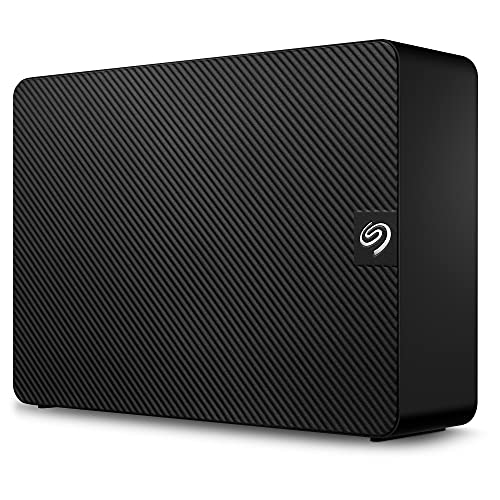
Pros
- 4TB storage capacity
- USB 3.0 connection
- Windows and Mac recognition
Cons
- Requires a power supply and USB cable
- Who should skip it: users needing USB-powered portability

Pros
- 4TB capacity in a portable design
- Mac-ready
- USB-C compatible
- Included backup management software
Cons
- Transfer speeds are not specified
- Who should skip it: buyers needing stated performance figures
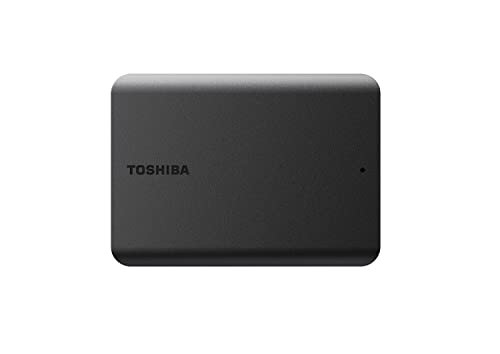
Pros
- 4TB capacity
- No external power cord needed
- USB 3.0 and USB 2.0 compatible
- No software installation required
Cons
- Who should skip it: Mac users avoiding reformatting

Pros
- 4TB storage capacity
- Compact portable design
- Backup software included
- Password protection and hardware encryption
Cons
- Who should skip it: buyers needing more than 4TB
Best for Sustained Desktop Storage: ModusTech 4TB Desktop External Hard Drive
ModusTech 4TB Desktop External Hard Drive is a desktop HDD with a listed 7,200 RPM mechanism, USB-C connection rated up to 5Gbps, and a mains adapter. Those details suit a desk-based backup setup where the drive can stay plugged in. It is pre-formatted, but check the format and the destination device before moving files. Skip it if you need a bus-powered drive to carry around.
Best for Fast Portable Transfers: SSK Portable SSD 4TB External Solid State Hard
SSK Portable SSD 4TB External Solid State Hard lists read speeds up to 1,050 MB/s and write speeds up to 1,000 MB/s over USB 3.2 Gen 2. Its included USB-C and USB-A cables support connections to devices with either port, and its listing describes direct 4K60Hz ProRes HDR capture with compatible iPhones. Verify that your host device and port support the needed connection and workflow. Skip it if low-cost bulk storage matters more than SSD transfer speed.
Related guides: Best External SSD for Apple Time Machine, Best External SSD for Audio Production and Best External SSD for Android Phone.
Best for Portable Storage Without an AC Adapter: Toshiba Canvio Basics 4TB Portable External Hard
Toshiba Canvio Basics 4TB Portable External Hard connects over USB 3.0 or USB 2.0 and does not need an external AC power cord. It arrives formatted as NTFS for Windows, while Mac users need to reformat it. That makes it a straightforward candidate for carrying files with a laptop, provided the format suits your computer. Skip it if you want an SSD or need Mac-ready formatting out of the box.
Key Numbers at a Glance
- SSK Portable SSD 4TB External Solid State Hard lists read speeds up to 1,050 MB/s and write speeds up to 1,000 MB/s.
- ModusTech 4TB Desktop External Hard Drive lists a 7,200 RPM mechanism and a USB-C interface rated up to 5Gbps.
- Western Digital WD 4TB Elements Portable External Hard Drive lists SuperSpeed USB 3.2 Gen 1 at 5Gbps.
- WD My Passport 4TB Portable Hard Drive includes a 3-year limited warranty, while the ModusTech desktop drive lists a 2-year warranty.
How to Choose a 4TB External Hard Drive
HDD or SSD: Match Speed to the Work
Bottom line: Choose an SSD when faster transfers are worth prioritizing, and an HDD when your main goal is adding storage. The SSK SSD lists read speeds up to 1,050 MB/s; the ModusTech HDD lists a USB-C interface rated up to 5Gbps and a 7,200 RPM mechanism. These figures describe different aspects of performance, and a USB interface rating is not a promise of actual file-transfer speed. For a video workflow with frequent large transfers, the SSD’s stated figures may be more relevant; for a desktop archive, consider the HDD’s price-independent storage role and power arrangement.
Portable or Desktop: Check Power and Desk Space
Bottom line: Pick a portable drive for easy movement, or a desktop model if an AC adapter and fixed spot suit your setup. The Toshiba Canvio Basics does not need an external AC power cord, while the Seagate Expansion Desktop and ModusTech desktop drive require a power supply. A desktop drive can add a dedicated backup destination, but it needs an outlet and space near the computer. Count available outlets and check the product page for the physical dimensions before ordering.
Ports and Real Transfer Needs
Bottom line: Match the drive’s connection to a port on your computer, and do not assume USB-C alone guarantees a particular speed. ModusTech specifies USB-C over USB 3.1 Gen 1 at up to 5Gbps, while WD Elements specifies USB 3.2 Gen 1 at 5Gbps. The SSK SSD lists USB 3.2 Gen 2 and includes USB-C and USB-A cables. Check your computer’s port specification and the cable included with the exact model; older USB ports can work with some drives but can limit transfer speed.
Formatting and Device Compatibility
Bottom line: Confirm the file system and destination device before relying on a drive for backups or console storage. Toshiba’s portable drive is pre-formatted as NTFS for Windows and requires reformatting for Mac, while the Seagate Expansion Desktop is automatically recognized by Windows and Mac according to its listing, with reformatting required for Time Machine. ModusTech lists compatibility with Windows, macOS, PS4, PS5, Xbox, and smart TVs, but a drive’s compatibility does not guarantee that every device will accept its current format. For MacBook connection planning, our best USB-C hubs for MacBook guide covers another way to address port availability.
Backup Features, Warranty, and Capacity Expectations
Bottom line: Compare included backup features and warranty terms, and leave room for differences between advertised and usable capacity. WD My Passport models list password protection, hardware encryption, backup software, and a 3-year limited warranty; the ModusTech desktop drive lists a 2-year warranty. The SSK product page notes that a 4TB drive may display as 3,725GB on Windows, reflecting how capacity is reported. Keep a separate backup of important files: one external drive alone is not protection against loss of the drive or its contents.
How We Compared These Products
This guide is based on product research, not firsthand evaluation. We compared listed capacities, drive types, interface ratings, power requirements, formatting notes, compatibility claims, backup features, and warranty details; customer feedback was not available in the product data for assessing recurring owner experiences.
Which Option Fits Your Home and Devices?
For a portable Windows backup drive, the Toshiba Canvio Basics combines 4TB capacity with USB 3.0 and no external AC power cord. For frequent large transfers, the SSK SSD lists up to 1,050 MB/s read speed and includes USB-C and USB-A cables. Choose the ModusTech desktop HDD if you prefer a mains-powered, desk-based drive with a listed 7,200 RPM mechanism; skip it if you need a drive that does not rely on an AC adapter.
Mistakes to Avoid When Choosing an External Drive
- Choosing by capacity alone. Compare HDD and SSD designs, interface ratings, and power needs as well as the 4TB capacity.
- Assuming USB-C means maximum speed. Check the drive’s specified interface and your computer’s port capabilities.
- Ignoring the file system. Confirm whether the drive’s format works with your computer or must be changed, especially for Mac or Time Machine use.
- Treating one drive as a complete backup plan. Keep another copy of irreplaceable files on a separate storage device or service.
Frequently Asked Questions
Will a 4TB external drive work with a Mac?
Several listings specify Windows and Mac compatibility, but formatting can matter. Toshiba Canvio Basics arrives as NTFS and requires reformatting for Mac; Seagate Expansion Desktop requires reformatting for Time Machine. Check the exact model’s instructions and save any existing files before reformatting.
Can I connect these drives to a game console?
ModusTech lists compatibility with PS4, PS5, and Xbox, and UnionSine lists PS4, Xbox One, and Xbox 360. Console support can depend on the console, drive format, and intended use, so check the console maker’s current requirements before formatting or storing games.
Do desktop external hard drives need their own power?
Yes, the Seagate Expansion Desktop and ModusTech desktop drive list a power supply or mains adapter. Toshiba Canvio Basics is a portable model that does not need an external AC power cord. Consider outlet access and where the drive will sit.
Is an external SSD worth choosing over an HDD?
An SSD can suit workflows where transfer speed and portability matter: the SSK listing states read speeds up to 1,050 MB/s. HDDs such as the desktop ModusTech model may suit storage-focused use, but their connection and power requirements differ. Choose based on your actual workflow, host port, and budget priorities.
Why does a 4TB drive show less than 4TB in Windows?
Storage manufacturers and operating systems can report capacity using different unit conventions. The SSK product page notes that a 4TB drive may display as 3,725GB on Windows. The exact displayed figure can vary by system and formatting.





Write Your Review
No reviews yet. Be the first to share your experience!