

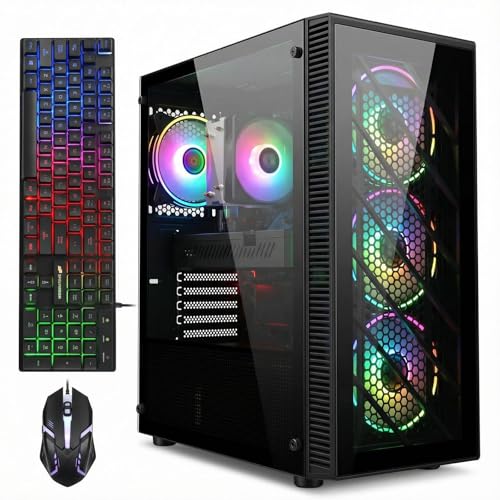


If you are choosing a prebuilt gaming PC for GTA 6, the key decision is how much graphics capability and upgrade room to prioritize before the game’s PC requirements are confirmed. The listed systems range from older Radeon graphics to newer RTX 5070 and RX 9070 GRE configurations, so match the hardware to your monitor and budget rather than treating any GTA V claim as a guarantee for GTA 6.
This guide compares the listed processors, GPUs, memory, storage, and connectivity, and highlights what to check before you order. For other demanding open-world games, see our guide to best gaming PCs for Cyberpunk 2077.
Compare at a glance
| Product | Brand | Size | Stands out for | Price |
|---|---|---|---|---|
| 1 STGAubron Gaming PC, RX 580 8GB | STGAubron | 16.4 × 14.8 × 8.2 in | 16GB of memory | Check price |
| 2 STGAubron Gaming PC, RX 590 8GB | STGAubron | 14.8 × 7.5 × 17.6 in | 32GB memory | Check price |
| 3 LXZ Gaming Desktop, Ryzen 7 4700LE | LXZ | Not listed | RTX 3050 with 8GB GDDR6 | Check price |
| 4 iBUYPOWER Element Ryzen 7 8700F Desktop | iBUYPOWER | 20 × 9.1 × 17.4 in | Ryzen 7 8700F processor | Check price |
| 5 KOTIN Gaming PC, Ryzen 7 8700F | KOTIN | 12.36 × 8.5 × 15.59 in | Ryzen 7 processor and RTX 5060 Ti graphics | Check price |
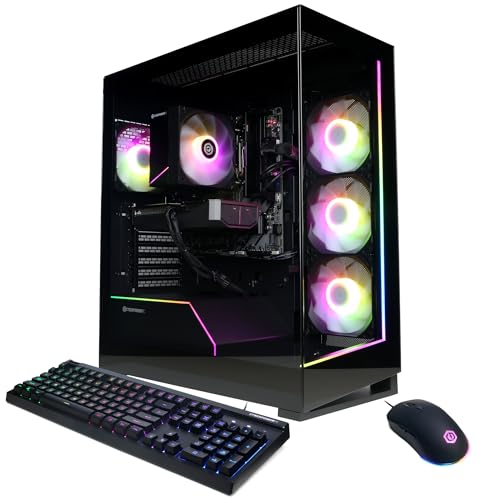
| 6 CyberPowerPC Gamer Master Ryzen 7 8700F | CyberpowerPC | Not listed | Eight-core Ryzen 7 processor | Check price |
| 7 KOTIN Gaming Desktop, Ryzen 7 8700F | KOTIN | 12.36 × 8.5 × 15.59 in | 32GB DDR5 memory | Check price |
| 8 iBUYPOWER Element Gaming PC Desktop Computer Intel | iBUYPOWER | 20 × 9.1 × 17.4 in | Not listed | Check price |
| 9 LXZ Gaming PC Desktop Computer Ryzen 5 4500 RX | LXZ | Not listed | Not listed | Check price |
| 10 SAAV CORE Gaming PC Bundle, RTX 3050 | SAAV | 12 × 14 × 14 in | Includes two 24-inch curved monitors | Check price |
Sizes and weights as listed by the manufacturer on Amazon. Check the retailer for current price and availability.
Pros
- 16GB of memory
- 1TB SSD
- Wi-Fi 6 and Bluetooth 5.0
- Includes RGB keyboard and mouse
Cons
- Who should skip it: buyers who need a clearly identified CPU generation
Pros
- 32GB memory
- 1TB SSD
- Wi-Fi 6 and Bluetooth 5.0
- Windows 11 Home included
Cons
- Exact Core i7 model is unspecified
- Who should skip it: buyers who need a specified processor model
Pros
- RTX 3050 with 8GB GDDR6
- Eight-core, 16-thread processor
- Wi-Fi 6 and Gigabit Ethernet
- NVMe SSD storage
Cons
- Who should skip it: users needing more than 512GB of onboard storage

Pros
- Ryzen 7 8700F processor
- RX 9070 GRE with 12GB graphics memory
- 1TB NVMe SSD
- Keyboard and RGB mouse included
Cons
- Who should skip it: users whose workloads need more than 16GB of memory

Pros
- Ryzen 7 processor and RTX 5060 Ti graphics
- 1TB Gen4 NVMe SSD
- Four DDR5 DIMM slots
- Three M.2 SSD slots
Cons
- Who should skip it: users needing more than 16GB immediately
Pros
- Eight-core Ryzen 7 processor
- 1TB PCIe 4.0 NVMe SSD
- Wi-Fi 6 and Bluetooth 5.3
- Keyboard and mouse included
Cons
- 16GB of DDR5 memory
- 8GB of graphics memory
- Who should skip it: users needing more memory or graphics memory
Pros
- 32GB DDR5 memory
- 1TB Gen4 NVMe storage
- Wi-Fi 6 and Bluetooth
- Preinstalled Windows 11 Home
Cons
- Who should skip it: owners of VGA/DVI-only monitors


Pros
- Includes two 24-inch curved monitors
- 32GB DDR4 memory
- 1TB NVMe storage
- Windows 11 installed
Cons
- Who should skip it: buyers seeking higher-resolution bundled displays
Best for Higher-Tier Graphics: iBUYPOWER Element Gaming PC Desktop Computer Intel
iBUYPOWER Element Gaming PC Desktop Computer Intel pairs an Intel Core i7-14700F with an RTX 5070 12GB and 32GB DDR5, making it the most graphics-forward listed configuration by GPU model and VRAM. It also includes a 1TB NVMe SSD, but the product details do not state GTA 6 performance or specific power-supply and upgrade information. Skip it if you want a lower-cost system or need confirmed case and PSU details before planning upgrades.
Best for an AMD Graphics Build: iBUYPOWER Element Ryzen 7 8700F Desktop
iBUYPOWER Element Ryzen 7 8700F Desktop lists a Ryzen 7 8700F, RX 9070 GRE with 12GB, 16GB DDR5, and a 1TB NVMe SSD. The graphics card has more listed VRAM than the 8GB RTX 5060 Ti systems, while the memory capacity is lower than the 32GB configurations. Skip it if you want 32GB of memory at purchase or prefer an NVIDIA GPU.
Best for RTX 5060 Ti and Upgrade Details: KOTIN Gaming Desktop, Ryzen 7 8700F
KOTIN Gaming Desktop, Ryzen 7 8700F combines an RTX 5060 Ti 8GB with 32GB DDR5 and a 1TB Gen4 NVMe SSD. Its product details list a 650W 80 PLUS Gold power supply, four DDR5 DIMM slots, and three M.2 SSD slots, useful specifics if memory or storage expansion matters. Skip it if your priority is a GPU with more than 8GB of listed VRAM.
Best for RTX 5060 Ti at 16GB: CyberPowerPC Gamer Master Ryzen 7 8700F
CyberPowerPC Gamer Master Ryzen 7 8700F has the same listed RTX 5060 Ti 8GB and Ryzen 7 8700F pairing as the KOTIN configurations, with 16GB DDR5 and a 1TB PCIe 4.0 NVMe SSD. Its connectivity includes Wi-Fi 6, Bluetooth 5.3, two USB-C 3.2 ports, and graphics outputs listed as one HDMI and two DisplayPort. Skip it if you want 32GB memory included or need confirmed details about open storage slots.
Key Numbers at a Glance
- The listed graphics memory ranges from 4GB on the LXZ Gaming PC Desktop Computer Ryzen 5 4500 RX to 12GB on the iBUYPOWER Element Gaming PC Desktop Computer Intel and iBUYPOWER Element Ryzen 7 8700F Desktop.
- Listed system memory ranges from 16GB on several configurations to 32GB on the STGAubron Gaming PC, RX 590 8GB, KOTIN Gaming Desktop, Ryzen 7 8700F, and iBUYPOWER Element Gaming PC Desktop Computer Intel.
- Listed SSD capacity ranges from 512GB on the LXZ Gaming Desktop, Ryzen 7 4700LE and LXZ Gaming PC Desktop Computer Ryzen 5 4500 RX to 1TB on the other listed systems.
- The KOTIN Gaming PC, Ryzen 7 8700F and KOTIN Gaming Desktop, Ryzen 7 8700F both list an RTX 5060 Ti 8GB and 650W 80 PLUS Gold power supply; the former lists 16GB DDR5 and the latter 32GB DDR5.
How to Choose a Prebuilt Gaming PC for GTA 6
Graphics card and the game’s unknown PC requirements
Bottom line: Prioritize the GPU, but do not interpret a GTA V claim as proof of GTA 6 performance. The listings include older RX 580 and RX 590 8GB cards, an RTX 3050 8GB, RTX 5060 Ti 8GB models, and GPUs with 12GB, including the RTX 5070 and RX 9070 GRE. These specifications help distinguish hardware tiers, but the product pages do not give GTA 6 benchmarks or confirmed system requirements. Check the game publisher’s requirements when they are available, and consider your monitor resolution before deciding how much graphics headroom to seek. For another resolution-focused comparison, see best gaming PCs for esports.
Memory for gaming and multitasking
Bottom line: Choose 32GB if you want more memory for simultaneous apps, but verify the configuration you are buying. Some PCs list 16GB DDR4 or DDR5, while the KOTIN Gaming Desktop, Ryzen 7 8700F and iBUYPOWER Element Gaming PC Desktop Computer Intel list 32GB DDR5. More memory can give multitasking additional room, but it does not replace a capable graphics card. The KOTIN 32GB model also lists four DDR5 DIMM slots, while the product pages for other systems do not consistently specify available slots.
Storage capacity and game libraries
Bottom line: A 1TB SSD gives you more listed capacity than a 512GB SSD, but plan around your full game library. Most systems in this comparison list 1TB, while both LXZ models list 512GB. The KOTIN models specify a Gen4 NVMe SSD, and CyberPowerPC specifies a PCIe 4.0 NVMe SSD. The listing does not provide GTA 6’s eventual install size, so check current game requirements and leave room for other titles and files.
Processor, platform, and intended workload
Bottom line: Compare the full CPU-and-GPU pairing instead of choosing by processor name alone. The newer-looking configurations include Ryzen 7 8700F systems, while the iBUYPOWER with RTX 5070 lists an Intel Core i7-14700F. The LXZ Gaming Desktop, Ryzen 7 4700LE lists an 8-core, 16-thread processor and RTX 3050 8GB, while the lower-tier LXZ Ryzen 5 4500 model lists six cores and an RX 6500 XT 4GB. For gaming, the graphics configuration and memory matter alongside the CPU; for streaming or editing, consider the complete system and your software needs.
Ports, wireless, and monitor connections
Bottom line: Match the PC’s listed connections to your display and network before checkout. CyberPowerPC lists HDMI and two DisplayPort outputs, while the STGAubron RX 580 model lists HDMI, three DisplayPort, and DVI. The KOTIN listings say to connect the monitor to the graphics card’s lower horizontal ports, not the motherboard ports; they support HDMI and DisplayPort, and VGA or DVI monitors need an adapter. Wi-Fi and Bluetooth details vary, so confirm that the specific configuration fits your router, controller, and headset.
Upgrade room, cooling, and support details
Bottom line: Buy on confirmed expansion details, not on an “upgrade-ready” phrase alone. The KOTIN product page names four DDR5 DIMM slots, three M.2 SSD slots, and a 650W 80 PLUS Gold power supply. Other listings do not provide the same level of detail about expansion slots, power supplies, or case clearance. Before planning a later GPU upgrade, confirm the exact power supply connectors, physical clearance, and warranty implications with the seller or manufacturer; fan counts and RGB lighting alone do not establish noise or sustained cooling performance.
How We Compared These Products
This comparison is based on product-page specifications and stated features, including processor, graphics card, VRAM, memory, storage, connectivity, and any listed upgrade or support details. It is product research, not firsthand evaluation, and the listings do not establish how these systems perform in GTA 6. Ratings and game claims are not treated as independent performance evidence, particularly when the game-specific requirements and benchmarks are not included.
Which Option Fits Your Setup?
If a higher-tier listed GPU and 32GB DDR5 are your priorities, the iBUYPOWER Element Gaming PC Desktop Computer Intel combines an RTX 5070 12GB with an Intel Core i7-14700F. Choose a different system if you need confirmed power-supply and upgrade details before purchase, since those specifics are not listed here.
If you want an RTX 5060 Ti 8GB and 32GB DDR5 with named storage and power-supply expansion details, the KOTIN Gaming Desktop, Ryzen 7 8700F lists a 1TB Gen4 SSD, 650W Gold PSU, four DIMM slots, and three M.2 slots. Pick another configuration if 12GB of listed graphics memory is a higher priority than those stated expansion details.
If your existing display uses DVI or VGA, check the GPU outputs and adapter needs before selecting a PC; the KOTIN product pages specify HDMI/DisplayPort and note adapter needs for those older display connections. For more game-specific comparisons, browse our guides to best gaming PCs for Minecraft and best gaming PCs for Roblox.
Mistakes to Avoid When Choosing a Gaming PC
- Assuming GTA V means GTA 6 is covered. Treat GTA V compatibility language as a claim about that game only, then compare the PC with GTA 6’s published requirements when available.
- Choosing by CPU name alone. Compare the processor with the GPU and memory; a gaming PC is a complete configuration, not a single component label.
- Ignoring VRAM and resolution. Listed graphics memory ranges from 4GB to 12GB here, but VRAM alone does not establish frame rates. Match the GPU to the resolution you use and the game’s requirements.
- Forgetting the monitor connection. Check HDMI and DisplayPort availability, and confirm whether an adapter is needed for an older DVI or VGA display.
Frequently Asked Questions
Can these PCs run GTA 6?
The product listings do not state GTA 6 performance or its PC requirements. Some mention GTA V, but that does not confirm compatibility or frame rates for a different game. Check the publisher’s PC requirements once available and compare them with the exact configuration you plan to buy.
Which listed PC has the most graphics memory?
The iBUYPOWER Element Gaming PC Desktop Computer Intel lists an RTX 5070 with 12GB, and the iBUYPOWER Element Ryzen 7 8700F Desktop lists an RX 9070 GRE with 12GB. Several other systems list 8GB GPUs, while the LXZ Ryzen 5 4500 model lists an RX 6500 XT with 4GB. VRAM capacity alone does not determine gaming performance.
Is 16GB of memory enough for a GTA 6 PC?
The right capacity depends on the game’s eventual requirements and what else you run at the same time. Several listed systems have 16GB, while the KOTIN Gaming Desktop, Ryzen 7 8700F and iBUYPOWER Element Gaming PC Desktop Computer Intel list 32GB. Check the game’s published requirements and confirm whether a system allows memory upgrades before buying.
Is an RTX 5060 Ti PC a better fit than an RTX 3050 PC?
The RTX 5060 Ti systems list 8GB of graphics memory, while the LXZ Gaming Desktop, Ryzen 7 4700LE lists an RTX 3050 8GB and the SAAV bundle lists an RTX 3050 6GB. The model and listed memory differ, but the product data does not include comparable game benchmarks. Choose based on the game requirements, monitor, full configuration, and available independent performance information.
Can I connect an older DVI or VGA monitor?
Check the exact graphics-card outputs before purchase. The KOTIN listings specify HDMI and DisplayPort and say VGA or DVI monitors require an HDMI/DisplayPort adapter; other PCs list different outputs. Verify that the adapter supports the monitor’s resolution and connection needs.
Should I choose a 512GB or 1TB SSD?
The two LXZ configurations list 512GB SSDs, while the other listed systems have 1TB drives. A larger capacity gives more room for installed games and files, but the game’s install size is not stated here. Check current requirements and consider whether you plan to keep several large games installed at once.





Write Your Review
No reviews yet. Be the first to share your experience!