

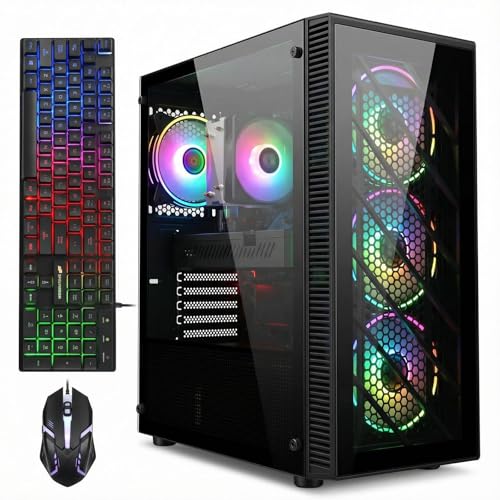


If you are choosing a gaming desktop for GTA 6, the key trade-off is spending less now versus buying a stronger graphics card and more memory for demanding games. The game’s PC requirements are not stated in these listings, so use the GPU and memory details to compare systems, then verify official requirements before you buy.
Compare at a glance
| Product | Brand | Size | Weight | Stands out for | Price |
|---|---|---|---|---|---|
| 1 STGAubron Gaming PC, RX 580 8GB | STGAubron | 16.4 × 14.8 × 8.2 in | Not listed | 16GB of memory | Check price |
| 2 STGAubron Gaming PC, RX 590 8GB | STGAubron | 14.8 × 7.5 × 17.6 in | Not listed | 32GB memory | Check price |
| 3 CyberPowerPC Gamer Master Ryzen 5 5500 | CyberpowerPC | Not listed | Not listed | Six-core Ryzen 5 5500 processor | Check price |
| 4 iBUYPOWER Element Ryzen 7 8700F Desktop | iBUYPOWER | 20 × 9.1 × 17.4 in | 36 lb | Ryzen 7 8700F processor | Check price |
| 5 CyberPowerPC Gamer Master Ryzen 7 8700F | CyberpowerPC | Not listed | Not listed | Eight-core Ryzen 7 processor | Check price |
| 6 CyberPowerPC Gamer Xtreme VR, RTX 5060 | CyberpowerPC | Not listed | 29 lb | GeForce RTX 5060 8GB graphics | Check price |
| 7 iBUYPOWER Element Gaming Desktop, Ryzen 9 | iBUYPOWER | 20 × 9.1 × 17.4 in | 36 lb | Ryzen 9 9900X processor | Check price |
| 8 iBUYPOWER Element Gaming PC Desktop Computer Intel | iBUYPOWER | 20 × 9.1 × 17.4 in | 36 lb | Not listed | Check price |
Sizes and weights as listed by the manufacturer on Amazon. Check the retailer for current price and availability.
Pros
- 16GB of memory
- 1TB SSD
- Wi-Fi 6 and Bluetooth 5.0
- Includes RGB keyboard and mouse
Cons
- Who should skip it: buyers who need a clearly identified CPU generation
Pros
- 32GB memory
- 1TB SSD
- Wi-Fi 6 and Bluetooth 5.0
- Windows 11 Home included
Cons
- Exact Core i7 model is unspecified
- Who should skip it: buyers who need a specified processor model
Pros
- Six-core Ryzen 5 5500 processor
- 500GB PCIe 4.0 NVMe SSD
- Wi-Fi 5 and Bluetooth 5.0
- Keyboard and mouse included
Cons
- 8GB DDR4 may limit multitasking headroom
- Who should skip it: buyers needing more than 4GB graphics memory

Pros
- Ryzen 7 8700F processor
- RX 9070 GRE with 12GB graphics memory
- 1TB NVMe SSD
- Keyboard and RGB mouse included
Cons
- Who should skip it: users whose workloads need more than 16GB of memory
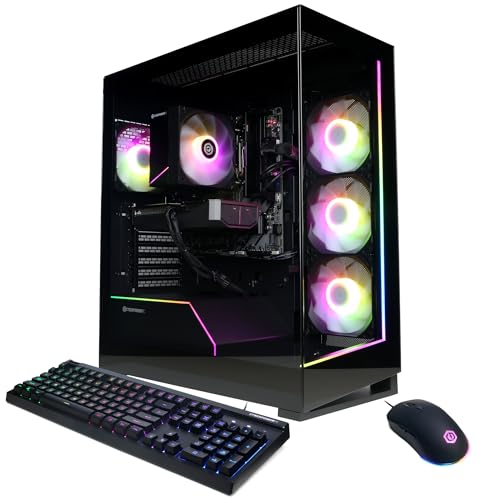
Pros
- Eight-core Ryzen 7 processor
- 1TB PCIe 4.0 NVMe SSD
- Wi-Fi 6 and Bluetooth 5.3
- Keyboard and mouse included
Cons
- 16GB of DDR5 memory
- 8GB of graphics memory
- Who should skip it: users needing more memory or graphics memory

Pros
- GeForce RTX 5060 8GB graphics
- 1TB PCIe 4.0 NVMe SSD
- Wi-Fi 6 and Bluetooth 5.3
- Keyboard and mouse included
Cons
- Who should skip it: buyers needing more than 1TB of built-in storage

Pros
- Ryzen 9 9900X processor
- Radeon RX 9070 GRE with 12GB
- 360mm liquid CPU cooler
- Keyboard and RGB mouse included
Cons
- Who should skip it: buyers who need more than 16GB of memory out of the box

Best Overall Graphics Balance: CyberPowerPC Gamer Master Ryzen 7 8700F
CyberPowerPC Gamer Master Ryzen 7 8700F combines an 8-core Ryzen 7 8700F, an RTX 5060 Ti with 8GB of graphics memory, 16GB DDR5, and a 1TB NVMe SSD. Its Wi-Fi 6, Bluetooth 5.3, and USB-C 3.2 add useful connectivity, but the product page does not establish GTA 6 performance.
Skip it if you want a graphics card with more than 8GB of memory or need confirmed GTA 6 system requirements before committing.
Best for a Stronger Listed GPU: iBUYPOWER Element Ryzen 7 8700F Desktop
iBUYPOWER Element Ryzen 7 8700F Desktop lists a Radeon RX 9070 GRE with 12GB of graphics memory, a Ryzen 7 8700F, and a 1TB NVMe SSD. It has 16GB DDR5, so buyers should weigh the GPU specification against whether they plan to expand memory; the product page does not state memory upgrade details.
Skip it if you require a specific memory-upgrade path or want a confirmed GTA 6 frame-rate estimate before purchasing.
Best for More Listed System Memory: iBUYPOWER Element Gaming PC Desktop Computer Intel
iBUYPOWER Element Gaming PC Desktop Computer Intel pairs a Core i7-14700F and RTX 5070 with 12GB of graphics memory, 32GB DDR5, and a 1TB NVMe SSD. That listed memory capacity can suit buyers who also run other applications, while the product page does not give GTA 6-specific performance or upgrade details.
Skip it if your priority is minimizing upfront spending or you do not need 32GB of system memory.
Key Numbers at a Glance
- System memory ranges from 8GB in CyberPowerPC Gamer Master Ryzen 5 5500 to 32GB in iBUYPOWER Element Gaming PC Desktop Computer Intel.
- Listed graphics memory ranges from 4GB in CyberPowerPC Gamer Master Ryzen 5 5500 to 12GB in iBUYPOWER Element Ryzen 7 8700F Desktop and iBUYPOWER Element Gaming PC Desktop Computer Intel.
- Listed SSD capacity ranges from 500GB in CyberPowerPC Gamer Master Ryzen 5 5500 to 1TB in the other seven desktops.
- Processor options include the 6-core Ryzen 5 5500 in CyberPowerPC Gamer Master Ryzen 5 5500 and the 10-core Core i5-13400F in CyberPowerPC Gamer Xtreme VR, RTX 5060.
How to Choose a Gaming PC for GTA 6
Graphics card and graphics memory
Bottom line: Prioritize the graphics card, but do not treat its model name as proof of GTA 6 performance. These listings range from the Radeon RX 6500 XT with 4GB in CyberPowerPC Gamer Master Ryzen 5 5500 to the RTX 5070 with 12GB in iBUYPOWER Element Gaming PC Desktop Computer Intel. The RX 590 and RX 580 systems also list 8GB, but graphics memory capacity alone does not establish how fast a card is. Check the game’s official PC requirements and seek performance information for your intended resolution before deciding.
For another demanding-game comparison, see our best gaming PCs for Cyberpunk 2077. Different games have different requirements, so use that guide for context rather than as a GTA 6 compatibility guarantee.
System memory for gaming and multitasking
Bottom line: Prefer 16GB or more when you want room for games and other applications, while checking upgrade options if you start lower. The listings span 8GB in CyberPowerPC Gamer Master Ryzen 5 5500, 16GB in several desktops, and 32GB in STGAubron Gaming PC, RX 590 8GB and iBUYPOWER Element Gaming PC Desktop Computer Intel. More system memory does not make a graphics card faster, and the product pages do not consistently describe available memory slots or maximum capacity. Confirm the manufacturer’s upgrade information if an upgrade plan matters.
If your play list leans toward a less demanding game, our best gaming PCs for Minecraft guide can help compare systems for that different use case.
Processor and workload fit
Bottom line: Choose a processor that fits your whole workload, not just its core count. The CyberPowerPC Gamer Master Ryzen 5 5500 lists a 6-core CPU, while the iBUYPOWER Element Gaming PC Desktop Computer Intel lists a 20-thread, 10-core Core i7-14700F. Other systems pair an 8-core Ryzen 7 8700F with their graphics cards. These specifications help distinguish configurations, but they do not establish game frame rates; compare independent performance information for the games and applications you use.
For a specialized workload with different priorities, such as simulation titles, see our best gaming PCs for flight simulators.
Storage capacity and game library
Bottom line: A 1TB SSD gives you more listed capacity than the 500GB drive in the entry Ryzen 5 system. Seven desktops list a 1TB SSD, while CyberPowerPC Gamer Master Ryzen 5 5500 has a 500GB PCIe 4.0 NVMe SSD. The product pages do not state free drive bays or spare M.2 slots, so verify expansion options instead of assuming you can add a second drive.
Ports, wireless, and monitor connections
Bottom line: Match the desktop’s listed display outputs and wireless features to your monitor and network. The CyberPowerPC Gamer Master Ryzen 7 8700F lists HDMI, two DisplayPort outputs, Wi-Fi 6, and Bluetooth 5.3; the STGAubron RX 580 model lists HDMI, three DisplayPort outputs, DVI, Wi-Fi 6, and Bluetooth 5.0. Output counts and types differ, so check your monitor’s input and the specific model configuration. The iBUYPOWER listings specify 802.11AC Wi-Fi, while several CyberPowerPC models specify Wi-Fi 6.
How We Compared These Products
This guide is based on product research, comparing the listed processor, graphics card and graphics memory, system memory, SSD capacity, display outputs, wireless features, and stated support. The product pages do not establish GTA 6 compatibility or provide game-specific performance figures, and this article does not claim firsthand evaluation.
Which Option Fits Your Setup?
For a system with 12GB of listed graphics memory and 16GB DDR5, consider the iBUYPOWER Element Ryzen 7 8700F Desktop; for 32GB system memory and an RTX 5070 with 12GB, consider the iBUYPOWER Element Gaming PC Desktop Computer Intel. Neither specification set confirms how GTA 6 will run, so check official requirements once available and verify the PC’s upgrade details if you expect to change components.
Mistakes to Avoid When Choosing a Gaming PC for GTA 6
- Assuming the game will run because the PC is called a gaming desktop. Wait for official PC requirements and compare them with the exact CPU and GPU configuration.
- Choosing by graphics memory alone. A capacity figure does not describe the graphics card’s full performance; compare the GPU model and credible game-specific results.
- Ignoring system memory. Configurations range from 8GB to 32GB, and upgrade details are not consistently stated. Check the exact model’s memory configuration and expansion options.
- Overlooking the monitor connection. Match the available HDMI or DisplayPort outputs to your monitor before buying.
Frequently Asked Questions
Are these PCs confirmed to run GTA 6?
No GTA 6 PC requirements or game-specific performance figures appear in these product listings. Compare the exact PC specifications with the official requirements when they are published before purchasing for this game.
Which listed PC has the most graphics memory?
iBUYPOWER Element Ryzen 7 8700F Desktop and iBUYPOWER Element Gaming PC Desktop Computer Intel each list 12GB of graphics memory. This figure alone does not establish which delivers better performance in GTA 6.
Is 8GB of system memory enough for a GTA 6 PC?
The CyberPowerPC Gamer Master Ryzen 5 5500 lists 8GB, but the game’s PC memory requirements are not stated here. Check official requirements and the manufacturer’s upgrade details before choosing a system with that configuration.
Do these desktops include Wi-Fi?
Wi-Fi is listed across these desktop configurations, though the stated generation varies. For example, several CyberPowerPC systems specify Wi-Fi 6, while the iBUYPOWER listings specify 802.11AC; check the exact listing if a particular standard matters to your network.
Can I connect two monitors?
Some listed graphics configurations include multiple display outputs. For example, CyberPowerPC Gamer Master Ryzen 7 8700F lists one HDMI and two DisplayPort outputs. Confirm the exact model’s outputs and ensure they match your monitors.





Write Your Review
No reviews yet. Be the first to share your experience!