


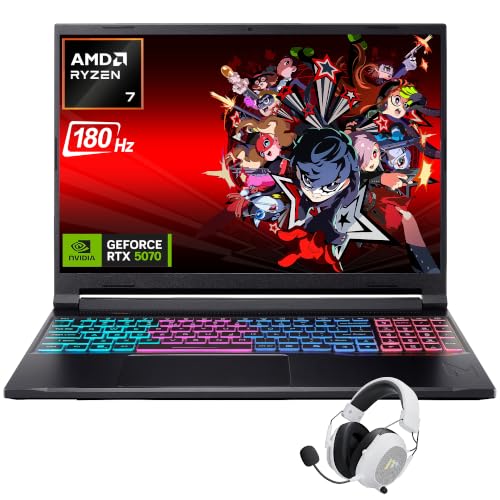

If you want a gaming laptop ready for GTA 6, prioritize an RTX 5070 or stronger GPU, enough memory for your other apps, and a display resolution you can drive comfortably. The Acer Nitro V16 pairs an RTX 5070 with a 2560 × 1600, 180Hz screen, while the MSI Stealth 16 AI+ steps up to an RTX 5070 Ti and a 240Hz QHD+ OLED panel; the game’s final PC requirements and laptop GPU power limits still matter.
Compare at a glance
| Product | Brand | Size | Weight | Stands out for | Price |
|---|---|---|---|---|---|
| 1 MSI Stealth 16 AI+ 240Hz OLED Laptop | msi | 13.94 × 0.79 × 9.96 in | 4.4 lb | RTX 5070 Ti graphics with 16GB GDDR7 | Check price |
| 2 Acer Nitro V 16S Gaming Laptop, RTX 5060 | Acer | 14.08 × 0.79 × 10.39 in | 4.6 lb | 180Hz display with 100% sRGB coverage | Check price |
| 3 Acer Nitro V16 Gaming Laptop, RTX 5070 | Acer | 14.08 × 10.04 × 0.79 in | 5 lb | RTX 5070 Laptop GPU with DLSS 4 | Check price |
| 4 GIGABYTE AERO X16 RTX 5070 Laptop | GIGABYTE | 13.98 × 0.79 × 9.87 in | 4.2 lb | GeForce RTX 5070 Laptop GPU | Check price |
| 5 ASUS ROG Strix G16, RTX 5070 Ti | ASUS | 19.5 × 15 × 4 in | 10 lb | RTX 5070 Ti with 12GB GDDR7 | Check price |
| 6 MSI Cyborg 15.6-Inch RTX 5070 Laptop | msi | 14.15 × 9.66 × 0.91 in | 5 lb | RTX 5070 laptop graphics | Check price |
| 7 GIGABYTE Gaming A16 RTX 5070 Laptop | GIGABYTE | 14.11 × 0.91 × 10.33 in | 4.9 lb | GeForce RTX 5070 Laptop GPU | Check price |
| 8 MSI Cyborg 15.6-Inch RTX 5070 Laptop | msi | 14.15 × 9.66 × 0.91 in | 6 lb | RTX 5070 Laptop GPU with 8GB GDDR7 | Check price |
| 9 MSI Vector 16 HX AI Gaming Laptop, RTX 5070 Ti | msi | 14.05 × 11.18 × 1.12 in | 6 lb | GeForce RTX 5070 Ti graphics | Check price |
| 10 HP OMEN 16 Slim RTX 5070 Gaming Laptop | HP | 14.07 × 10.89 × 0.89 in | 5.4 lb | 240Hz 2560 x 1600 IPS display | Check price |
Sizes and weights as listed by the manufacturer on Amazon. Check the retailer for current price and availability.
Pros
- RTX 5070 Ti graphics with 16GB GDDR7
- 16-inch QHD+ OLED display at 240Hz
- 32GB DDR5 memory
Cons
- Who should skip it: users needing more than 1TB of built-in storage
Pros
- 180Hz display with 100% sRGB coverage
- 32GB DDR5 memory included
- One available M.2 slot
Cons
- Memory is capped at 32GB
- Who should skip it: travelers prioritizing a lighter laptop
Pros
- RTX 5070 Laptop GPU with DLSS 4
- 180Hz, 2560 x 1600 display
- 32GB DDR5 memory and 1TB SSD
- Includes RJ-45 and HDMI 2.1
Cons
- Who should skip it: frequent travelers seeking a lighter laptop

Pros
- GeForce RTX 5070 Laptop GPU
- 165Hz WQXGA display
- 32GB DDR5 memory
- 1TB SSD
Cons
- Who should skip it: buyers needing a stated battery-life figure

Pros
- RTX 5070 Ti with 12GB GDDR7
- 165Hz, 3ms display
- 32GB DDR5 RAM
- HDMI 2.1 and 2.5G Ethernet
Cons
- FHD resolution may limit fine detail compared with higher-resolution displays
- Who should skip it: buyers seeking a higher-resolution display

Pros
- RTX 5070 laptop graphics
- 144Hz IPS display
- 1TB SSD plus 1TB external drive
- RJ45 Ethernet port
Cons
- Who should skip it: buyers needing a higher-resolution display

Pros
- GeForce RTX 5070 Laptop GPU
- 32GB DDR5 memory
- 165Hz WUXGA display
- 180-degree hinge
Cons
- Who should skip it: buyers prioritizing a lighter laptop

Pros
- RTX 5070 Laptop GPU with 8GB GDDR7
- 144Hz IPS display
- 1TB SSD
- Wi-Fi 6E and RJ45 networking
Cons
- Full HD resolution may not suit buyers seeking sharper detail
- Who should skip it: buyers needing a higher-resolution display
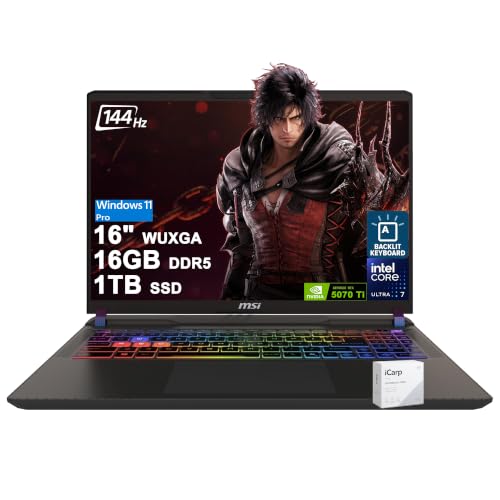
Pros
- GeForce RTX 5070 Ti graphics
- 144Hz display
- 1TB SSD
- 24-zone RGB keyboard
Cons
- 45% NTSC color gamut
- Who should skip it: buyers needing wide-gamut color

Pros
- 240Hz 2560 x 1600 IPS display
- 32GB DDR5 memory
- 1TB PCIe NVMe SSD
- HDMI and RJ-45 ports
Cons
- Who should skip it: travelers prioritizing a lighter laptop
Key Numbers at a Glance
- Display resolution ranges from 1920 × 1080 on the MSI Cyborg 15.6-Inch RTX 5070 Laptop to 2560 × 1600 on the Acer Nitro V16 Gaming Laptop, RTX 5070 and several other picks.
- Refresh rates range from 144Hz on the MSI Cyborg 15.6-Inch RTX 5070 Laptop and MSI Vector 16 HX AI Gaming Laptop 16" WUXGA IPS to 240Hz on the MSI Stealth 16 AI+ 240Hz OLED Laptop and HP OMEN 16 Slim RTX 5070 Intel Ultra 9 285H 240Hz.
- Listed memory ranges from 16GB on the MSI Cyborg 15.6-Inch RTX 5070 Laptop and MSI Vector 16 HX AI Gaming Laptop 16" WUXGA IPS to 32GB on the Acer Nitro V16 Gaming Laptop, RTX 5070 and GIGABYTE AERO X16 RTX 5070 Laptop.
- The GIGABYTE AERO X16 RTX 5070 Laptop is listed at 1.9 kg (4.18 lb), with a 16.75 mm (0.65-inch) chassis.
Best RTX 5070 Gaming Laptops for GTA 6: What to Compare
Best Overall for a High-Resolution Screen: Acer Nitro V16 Gaming Laptop, RTX 5070
Acer Nitro V16 Gaming Laptop, RTX 5070 pairs its RTX 5070 with a 16-inch 2560 × 1600 display, a 180Hz refresh rate, 32GB of DDR5 memory, and a stated MUX switch with Advanced Optimus. The higher resolution gives you more screen detail than a 1920 × 1200 panel, but it also asks more of the GPU; actual game performance depends on the laptop’s power configuration and the game’s eventual requirements. Skip it if you prefer a lighter laptop and prioritize the 1.9 kg GIGABYTE AERO X16 RTX 5070 Laptop.
Best for OLED and a Faster Refresh Rate: MSI Stealth 16 AI+ 240Hz OLED Laptop
MSI Stealth 16 AI+ 240Hz OLED Laptop combines an RTX 5070 Ti with a 16-inch QHD+ OLED display rated at 240Hz, plus 32GB of DDR5 memory and Wi-Fi 7. That configuration suits buyers who prioritize a high-refresh OLED screen and the stronger listed GPU tier, but the product page does not specify the GPU’s power limit. Skip it if you want a lower-resolution display or need verified details about sustained GPU performance before choosing.
Best for a Slimmer Carry: GIGABYTE AERO X16 RTX 5070 Laptop
GIGABYTE AERO X16 RTX 5070 Laptop is listed at 1.9 kg and 16.75 mm thick, with an RTX 5070, 32GB of DDR5 memory, and a 16-inch 2560 × 1600, 165Hz display. Those figures make it a clear option to compare if carrying weight and screen resolution both matter. Skip it if you want a faster listed refresh rate, such as the 240Hz MSI Stealth 16 AI+ 240Hz OLED Laptop.
Best for a 240Hz IPS Display: HP OMEN 16 Slim RTX 5070 Intel Ultra 9 285H 240Hz
HP OMEN 16 Slim RTX 5070 Intel Ultra 9 285H 240Hz has an RTX 5070 with 8GB of GDDR7 memory, 32GB of DDR5, and a 16-inch 2560 × 1600 IPS display rated at 240Hz. It is a useful comparison for buyers who want a high-refresh QHD+ screen without selecting an OLED model. Skip it if you want a higher-tier RTX 5070 Ti, as found in the MSI Stealth 16 AI+ 240Hz OLED Laptop.
How to Choose an RTX 5070 Laptop for GTA 6
GPU tier and laptop power limits
Bottom line: Compare the exact GPU and verify its power configuration, not just the RTX label. The options include RTX 5070 laptops and RTX 5070 Ti laptops, but the product details do not consistently state GPU power limits. Laptop versions of the same GPU can perform differently depending on their power and cooling design, so don’t assume a chip name alone predicts frame rates. For other demanding games, see our guides to best gaming laptops for Cyberpunk 2077 and best gaming laptops for Call of Duty.
Display resolution and refresh rate
Bottom line: Match resolution to the GPU and treat refresh rate as a ceiling, not a promise of frame rate. The Acer Nitro V16 Gaming Laptop, RTX 5070 and HP OMEN 16 Slim RTX 5070 Intel Ultra 9 285H 240Hz list 2560 × 1600 panels, while the GIGABYTE Gaming A16 RTX 5070 Laptop lists 1920 × 1200 at 165Hz. A higher-resolution screen can show more detail, but rendering at that resolution is more demanding; a 240Hz panel only helps when the game and laptop can deliver a matching frame rate. Compare more high-refresh choices in our guide to best gaming laptops for esports.
Memory and storage for games and multitasking
Bottom line: Favor 32GB if you often keep other demanding apps open, and check upgrade details before assuming memory can be expanded. Several models, including the GIGABYTE Gaming A16 RTX 5070 Laptop, list 32GB of DDR5 memory and a 1TB SSD. The MSI Cyborg 15.6-Inch RTX 5070 Laptop lists 16GB of DDR5 memory and a 1TB SSD, plus a 1TB external drive; an external drive adds storage but is not the same as internal SSD capacity. The Acer Nitro V16 Gaming Laptop, RTX 5070 lists two DDR5 slots, a maximum of 64GB, and two M.2 slots, with one M.2 slot available.
Ports, networking, and desk setup
Bottom line: Check the exact port list against your monitor, wired network, and accessories. The Acer Nitro V16 Gaming Laptop, RTX 5070 lists HDMI 2.1, RJ-45 Ethernet, three USB-A ports, and one USB-C port. The MSI Vector 16 HX AI Gaming Laptop 16" WUXGA IPS lists Thunderbolt and Wi-Fi 6E, while the MSI Stealth 16 AI+ 240Hz OLED Laptop lists Wi-Fi 7. A USB-C connector does not by itself establish support for every display or charging feature, so confirm the laptop’s full port specifications if you plan to connect a monitor or dock.
Cooling, portability, and missing specifications
Bottom line: Choose a chassis that suits your desk and travel needs, then verify sustained performance and cooling details. The GIGABYTE AERO X16 RTX 5070 Laptop lists a 1.9 kg weight, while the MSI Cyborg 15.6-Inch RTX 5070 Laptop lists 4.29 lb. Those figures help compare carrying weight, but the product data does not provide comparable fan-noise or sustained-performance measurements. If those factors matter, check manufacturer documentation and detailed model-specific information before buying. Our guides to best gaming laptops for flight simulators and best gaming laptops for Twitch streaming cover other demanding laptop workloads.
How We Compared These Products
This guide is based on product research, comparing the listed GPU, processor, memory, storage, display, ports, wireless features, and stated chassis details. No firsthand evaluation is documented here, and the product pages do not establish GTA 6 frame rates or final game compatibility. Check official game requirements when they are published, along with the exact laptop model’s GPU power limits and upgrade information.
Which Option Fits Your Setup?
If a high-resolution display and 32GB of memory are priorities, start with the Acer Nitro V16 Gaming Laptop, RTX 5070; if OLED and a 240Hz panel matter more, compare the MSI Stealth 16 AI+ 240Hz OLED Laptop. For carrying weight, the GIGABYTE AERO X16 RTX 5070 Laptop has the clearest listed portability figures. Skip any pick if its resolution, weight, or unverified GPU power details conflict with your needs, and compare options in best gaming laptops for Fortnite if that game is also on your list.
Mistakes to Avoid When Choosing an RTX 5070 Gaming Laptop
- Assuming the GPU name guarantees performance. Laptop power limits differ, so verify the exact model’s GPU configuration rather than relying on the RTX 5070 label alone.
- Choosing a screen by refresh rate alone. Compare resolution and refresh rate together, and remember that a 240Hz panel does not guarantee a game will reach 240 frames per second.
- Overlooking memory capacity. Compare listed RAM and verify whether it is upgradeable before choosing a 16GB model for heavier multitasking.
- Assuming GTA 6 requirements are confirmed. Wait for official PC requirements and check them against the exact laptop configuration before purchase.
Frequently Asked Questions
Will an RTX 5070 laptop run GTA 6?
The product data identifies the graphics hardware, but it does not establish GTA 6 performance or confirm compatibility with final PC requirements. Check the game’s official PC requirements when published and compare them with the laptop’s full specifications.
Is an RTX 5070 Ti laptop a better choice than an RTX 5070?
The MSI Stealth 16 AI+ 240Hz OLED Laptop and ASUS ROG Strix G16, RTX 5070 Ti list RTX 5070 Ti graphics, while several other models list RTX 5070 graphics. The listings do not provide directly comparable GPU power limits or game benchmarks, so compare those details before assuming a specific performance difference.
Is 16GB of memory enough for gaming?
Some listed laptops have 16GB, while others have 32GB. The final memory requirement depends on the game and the apps you run alongside it; check GTA 6’s official requirements and the laptop’s upgrade options before deciding.
Should I choose a 240Hz laptop display?
A 240Hz display can show up to 240 refreshes per second, but the laptop and game must deliver enough frames to make full use of it. Compare resolution too: the MSI Stealth 16 AI+ 240Hz OLED Laptop lists QHD+, while the HP OMEN 16 Slim RTX 5070 Intel Ultra 9 285H 240Hz lists 2560 × 1600 IPS.
Can I connect an external monitor to these laptops?
Several listings specify HDMI, including HDMI 2.1 on the Acer Nitro V16 Gaming Laptop, RTX 5070 and ASUS ROG Strix G16, RTX 5070 Ti. Verify the exact model’s display-output specifications and the monitor’s input before buying; USB-C alone does not confirm display support.
Can I upgrade laptop memory or storage later?
Upgrade details vary by model. The Acer Nitro V16 Gaming Laptop, RTX 5070 lists two DDR5 slots and two M.2 slots, with one M.2 slot available; check the exact configuration and manufacturer documentation for other laptops before assuming their memory or storage is upgradeable.




Write Your Review
No reviews yet. Be the first to share your experience!