



For a desktop gamer planning storage for GTA 6, an M.2 2280 PCIe 4.0 drive with enough capacity for the game and other files is the straightforward starting point; a PCIe 5.0 model makes more sense when the PC supports Gen5 and fast file transfers matter too. Handheld owners should check the slot size first: the Crucial P310 is M.2 2230, unlike the M.2 2280 drives in this comparison. This guide to the best NVMe SSDs for GTA 6 helps you compare capacity, interface, cooling, and platform fit without treating sequential speed as a promise of better frame rates.
Compare at a glance
| Product | Brand | Size | Weight | Stands out for | Price |
|---|---|---|---|---|---|
| 1 Crucial P310 2TB M.2 2230 SSD | Crucial | 1.18 × 0.87 × 0.9 in | 0 lb | 2TB capacity | Check price |
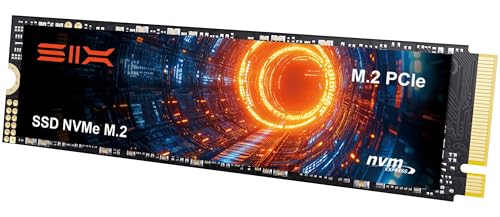
| 2 SIX X7400 512GB M.2 NVMe SSD | SIX | Not listed | Not listed | M.2 2280 form factor | Check price |
| 3 fanxiang S880ER 1TB NVMe SSD | fanxiang | 3.15 × 0.87 × 0.01 in | 0 lb | Built-in heatsink | Check price |
| 4 Acer Predator GM9 1TB PCIe 5.0 SSD | Acer | 3.15 × 0.87 × 0.08 in | 0 lb | PCIe 5.0 interface | Check price |
| 5 SIX X7400 1TB PCIe 4.0 M.2 SSD | SIX | 3.15 × 0.87 × 0.08 in | 0 lb | Stated read speed up to 7,350 MB/s | Check price |
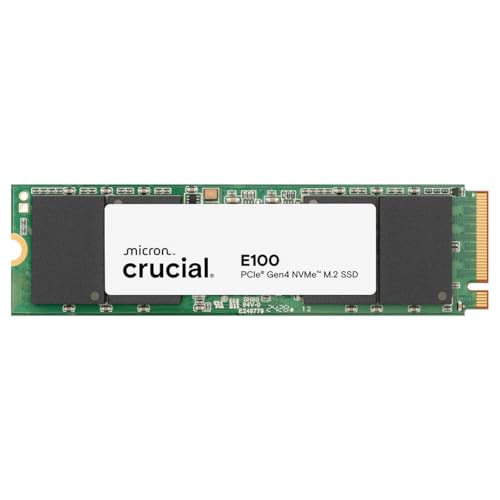
| 6 Crucial E100 480GB M.2 NVMe SSD | Crucial | 3.15 × 0.09 × 0.86 in | 0 lb | M.2 NVMe PCIe Gen4 interface | Check price |
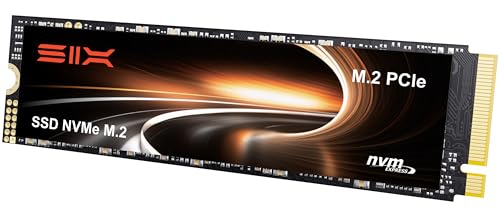
| 7 SIX X7400 Pro 1TB NVMe SSD | SIX | 3.15 × 0.87 × 0.08 in | 0.1 lb | 1TB capacity | Check price |
| 8 fanxiang S660 1TB PCIe 4.0 SSD | fanxiang | 3.15 × 0.87 × 0.39 in | 0.1 lb | 1TB capacity | Check price |
Sizes and weights as listed by the manufacturer on Amazon. Check the retailer for current price and availability.
Pros
- 2TB capacity
- Compact M.2 2230 form factor
- High stated sequential speeds
Cons
- Who should skip it: owners lacking an M.2 2230 slot
Pros
- M.2 2280 form factor
- Heatsink included
- Five-year limited warranty
Cons
- Who should skip it: users needing more than 512GB
Pros
- Built-in heatsink
- PS5 compatibility stated
- PCIe 4.0 x4 interface
- Five-year after-sales service
Cons
- Not compatible with Mac OS
- Who should skip it: Mac users

Pros
- PCIe 5.0 interface
- High stated sequential read and write speeds
- 1TB capacity
Cons
- Who should skip it: users without PCIe 5.0 M.2 support

Pros
- Stated read speed up to 7,350 MB/s
- 1TB capacity
- Heatsink included
- Five-year limited warranty
Cons
- No write speed is specified
- Who should skip it: users who need more than 1TB
Pros
- M.2 NVMe PCIe Gen4 interface
- Stated speeds up to 4,700MB/s
- Limited 3-year warranty
Cons
- 480GB capacity may be restrictive for large libraries
- Who should skip it: users needing more than 480GB of storage
Pros
- 1TB capacity
- Heatsink included
- Five-year limited warranty
Cons
- Who should skip it: buyers needing stated endurance ratings

Pros
- 1TB capacity
- Heatsink included
- PS5 and PC compatibility stated
- Five-year quality assurance
Cons
- Who should skip it: buyers needing speeds above 5,000MB/s
Best Compact SSD for Handhelds: Crucial P310 2TB M.2 2230 SSD
Crucial P310 2TB M.2 2230 SSD pairs 2TB of capacity with the compact M.2 2230 form factor, and its listed sequential speeds reach 7,100MB/s read and 6,000MB/s write. The product page names Steam Deck, ASUS ROG Ally, MSI Claw, select laptops, and mini PCs, but you still need to confirm the exact device supports this size and drive. Skip it if your PC requires an M.2 2280 drive or you do not need its larger capacity.
Best for a Gen5 Desktop: Acer Predator GM9 1TB PCIe 5.0 SSD
Acer Predator GM9 1TB PCIe 5.0 SSD lists PCIe 5.0, NVMe 2.0, and sequential speeds up to 14,500MB/s read and 11,000MB/s write. Those figures suit buyers with a compatible Gen5 system who also move large files, while 1TB may limit room for a broad game library. Skip it if your motherboard lacks a compatible PCIe 5.0 M.2 slot or your priority is more capacity rather than peak sequential speed.
Best for a PCIe 4.0 Gaming Build: fanxiang S880ER 1TB NVMe SSD
fanxiang S880ER 1TB NVMe SSD combines a 1TB capacity with PCIe 4.0 x4, NVMe 2.0, and listed sequential speeds up to 7,000MB/s read and 3,900MB/s write. Its included heatsink is a useful feature to consider for a desktop or compatible PS5 installation, but check the motherboard’s clearance and whether it already has an M.2 cover. Skip it if your device cannot accommodate the heatsink or you need more than 1TB.
Key Numbers at a Glance
- Capacity ranges from 480GB on Crucial E100 SSD 480GB M.2 NVMe PCIe Gen4 Internal to 2TB on Crucial P310 2TB M.2 2230 SSD.
- Listed sequential read speeds range from 4,700MB/s on Crucial E100 SSD 480GB M.2 NVMe PCIe Gen4 Internal to 14,500MB/s on Acer Predator GM9 1TB PCIe 5.0 SSD.
- Crucial P310 2TB M.2 2230 SSD uses the M.2 2230 form factor; the SANDISK WD Blue SN5100 500GB NVMe SSD uses M.2 2280.
- Among the listed 1TB models, fanxiang S660 PCIe 4.0 1TB NVMe M.2 SSD for PS5 lists up to 5,000MB/s read, while SIX X7400 1TB PCIe 4.0 M.2 SSD lists up to 7,350MB/s read.
How to Choose an NVMe SSD for GTA 6
Check the M.2 Size and Slot First
Bottom line: Match the drive’s physical length and interface to an available M.2 slot before comparing speed. The Crucial P310 is M.2 2230, while the SANDISK WD Blue SN5100 500GB NVMe SSD is M.2 2280; those sizes are not interchangeable in every device. Most of the other listed desktop-style drives are advertised as M.2 2280, but confirm the exact model and slot requirements in your motherboard or device manual. If a compact handheld is the goal, our best 4TB SSD for ROG Ally X guide covers another form-factor-sensitive upgrade decision.
Choose Capacity for Your Whole Library
Bottom line: Favor capacity over a small speed increase if you want room for several large games and everyday files. These options range from 480GB to 2TB, and usable space will be lower than the drive’s stated capacity once formatted and occupied by system files. The 480GB Crucial E100 and 500GB SANDISK WD Blue SN5100 are modest additions, while the 2TB Crucial P310 provides the largest listed capacity. The future game’s final PC storage needs are not established here, so check its official requirements when available rather than assuming a particular drive size is necessary.
Read Interface and Sequential-Speed Claims in Context
Bottom line: Buy Gen5 only if your system supports it and your workload can use the added transfer bandwidth. The Acer Predator GM9 and Acer Predator GM9000 are PCIe 5.0 drives, listing up to 14,500MB/s and 14,000MB/s read respectively. The PCIe 4.0 SIX X7400 1TB PCIe 4.0 M.2 SSD lists up to 7,350MB/s read, already a high sequential figure for a Gen4 model. These manufacturer-listed peak speeds are not direct game-loading or frame-rate measurements, so verify your system’s supported PCIe generation and weigh capacity and cost priorities separately.
Account for Heatsinks and Clearance
Bottom line: Confirm the heatsink fits before choosing a drive marketed for console or gaming use. The fanxiang S880ER and fanxiang S660 listings specify heatsinks, as do the SIX X7400 variants. A built-in heatsink can affect clearance under a motherboard’s M.2 cover or inside a compact system, and the product pages do not establish fit for every build. Compare the drive with your board manual and case layout, and do not stack a heatsink and cover unless the manufacturer allows it.
Compare Warranty and Missing Endurance Details
Bottom line: Check warranty terms and endurance figures before choosing between similar speed claims. The listings state a 5-year warranty or service period for the fanxiang S660, fanxiang S880ER, and SIX X7400 models, while the Crucial E100 lists a 3-year limited warranty. Endurance ratings such as TBW and sustained-write behavior are not included consistently in these product details, so do not infer long-term workload suitability from peak sequential speeds alone. For a working game library, keep separate backups of files you cannot replace.
How We Compared These Products
This comparison is based on product research, using listed capacity, M.2 form factor, PCIe generation, sequential-speed claims, heatsink details, compatibility statements, and warranty information. Available customer feedback is shown in the product cards, but the provided ratings have no accompanying review text to assess. We did not evaluate these drives firsthand, and listed peak speeds should not be read as independent performance results.
Which Option Fits Your PC and Devices?
For a compact handheld that supports M.2 2230: the Crucial P310 2TB M.2 2230 SSD combines the shortest listed form factor with 2TB capacity. Check your exact device model before ordering, since a general compatibility mention does not guarantee every revision accepts the drive. Skip it if your desktop needs a standard M.2 2280 drive.
For a Gen5 desktop that also handles large transfers: Acer Predator GM9 1TB PCIe 5.0 SSD lists up to 14,500MB/s read and 11,000MB/s write. It is a fit to consider only when the motherboard supports PCIe 5.0 and 1TB meets your storage plan. Skip it if your system is Gen4-only or you want more capacity at the expense of peak speed.
For a Gen4 build with a heatsink included: fanxiang S880ER 1TB NVMe SSD lists up to 7,000MB/s read and specifies a heatsink. Check clearance and the platform’s M.2 requirements before choosing it. Skip it if you need a bare drive for a tight slot or more than 1TB.
If you are upgrading a handheld rather than a desktop, compare physical fit and capacity with our guides to the best 4TB SSD for Steam Machine and best 4TB SSD for Legion Go 2. Those device-specific guides address a different capacity target, so confirm compatibility for your own model.
Mistakes to Avoid When Choosing an NVMe SSD
- Buying on peak speed alone. Match the SSD’s PCIe generation to your motherboard, then prioritize capacity and compatibility for your actual use.
- Assuming all M.2 drives are the same size. Check the manual for the supported length; M.2 2230 and M.2 2280 are distinct physical formats.
- Ignoring heatsink clearance. Compare a heatsink-equipped drive with the board cover and case space before purchase.
- Expecting an SSD to improve frame rates. Storage affects file access and loading, but the figures here do not establish a particular game’s loading time or frame rate.
Frequently Asked Questions
Will any of these SSDs work in my PC?
Not automatically. Check your motherboard manual for M.2 size, supported NVMe and PCIe generations, available slot, and heatsink clearance. The Crucial P310 is M.2 2230; several listed drives are M.2 2280.
Is a PCIe 5.0 SSD worth choosing for gaming?
Choose one if your system supports PCIe 5.0 and you also value its higher listed sequential transfer speeds for other work. This comparison does not establish that a Gen5 drive will improve GTA 6 frame rates or loading compared with a compatible Gen4 drive.
Should I choose 1TB or 2TB?
Choose based on how many games and other files you want installed at once. The Crucial P310 provides 2TB, while several listed models provide 1TB; the game’s final storage requirements are not stated here, so confirm them from official requirements when available.
Can I use a PS5 SSD in a desktop PC?
The fanxiang S660 and S880ER listings also mention PC compatibility, but the exact slot, heatsink clearance, and interface support still depend on your desktop. Check your motherboard manual and the specific drive dimensions before buying.
Does a faster SSD increase game frame rates?
The product data gives sequential transfer-speed claims, not game frame-rate results. An SSD is a storage choice, so select it for compatible capacity and file access needs rather than assuming a higher read-speed figure will increase frames per second.



Write Your Review
No reviews yet. Be the first to share your experience!