


For accounting, bookkeeping, or frequent data entry, a large screen and dedicated numeric keypad can make spreadsheet work more convenient; for travel, a smaller, lighter laptop may be easier to carry. This guide to the best laptops for Excel compares those trade-offs, along with memory, storage, and the limits of an entry-level configuration.
Compare at a glance
| Product | Brand | Size | Weight | Stands out for | Price |
|---|---|---|---|---|---|
| 1 HP OmniBook 16-Inch Touchscreen Laptop | HP | 14.12 × 9.91 × 0.58 in | 3.6 lb | 16-inch 1920 x 1200 touchscreen | Check price |
| 2 HP 17.3-Inch Laptop, 32GB RAM | HP | 15.78 × 10.15 × 0.81 in | 4.6 lb | Large 17.3-inch display | Check price |
| 3 HP 14-Inch Laptop, Celeron N4500 | ist computers | 12.76 × 8.86 × 0.71 in | 3.2 lb | Light 3.24-pound design | Check price |
| 4 GEEHUA Laptop Shortcut Stickers, 2-Pack | GEEHUA | 3.94 × 3.94 × 0.12 in | Not listed | Includes two stickers | Check price |
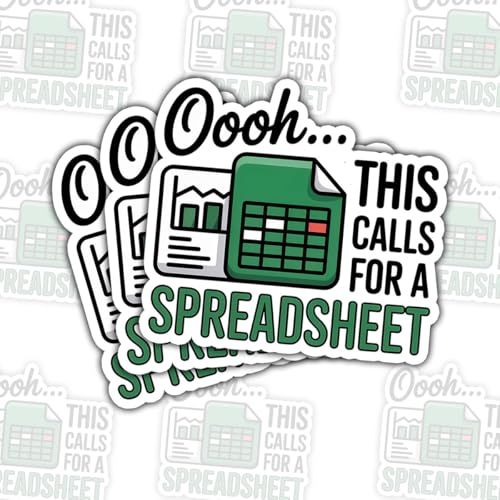
| 5 Vybonz Spreadsheet Humor Stickers, 3-Pack | Vybonz | Not listed | Not listed | Three stickers in the pack | Check price |
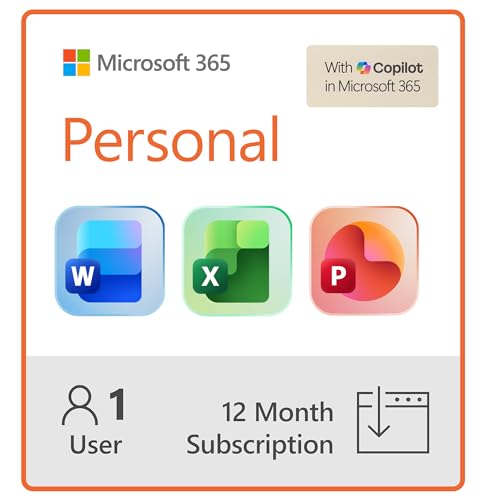
| 6 Microsoft 365 Personal, 1TB Cloud Storage | Microsoft | Not listed | Not listed | Includes four core Office apps | Check price |
| 7 HP 17.3-Inch Laptop, Core 5 120U | HP | 15.78 × 10.15 × 0.81 in | 4.6 lb | Large 17.3-inch display | Check price |
| 8 HP 17.3-Inch Laptop, Core 5 120U | HP | 15.78 × 10.15 × 0.81 in | 4.6 lb | Large 17.3-inch display | Check price |
| 9 HP 17.3-Inch Business Laptop | HP | 15.78 × 10.15 × 0.81 in | 4.6 lb | Large 17.3-inch display | Check price |
| 10 HP 17.3-Inch Business Laptop | HP | 15.78 × 10.15 × 0.81 in | 4.6 lb | Large 17.3-inch display | Check price |
Sizes and weights as listed by the manufacturer on Amazon. Check the retailer for current price and availability.
Best for larger spreadsheets
Pros
- 16-inch 1920 x 1200 touchscreen
- Dedicated numeric keypad
- 24GB DDR5 memory
- 3.61 lb listed weight
Cons
- Who should skip it: users needing more than 512GB of onboard storage
Pros
- Large 17.3-inch display
- 32GB RAM
- Dedicated numeric keypad
- Wi-Fi 6 and HDMI
Cons
- At 4.6 lb, less convenient for frequent travel
- Who should skip it: frequent travelers seeking a lighter laptop
Best for light work on a smaller screen
Pros
- Light 3.24-pound design
- Up to 12 hours of stated battery life
- HDMI, USB-C, and two USB-A ports
- One-year Microsoft 365 subscription included
Cons
- 4GB RAM limits demanding multitasking
- Who should skip it: users needing demanding applications or extensive multitasking

Pros
- Includes two stickers
- Quick access to Word and Excel shortcuts
- Waterproof, oil-resistant PVC
Cons
- Who should skip it: users of laptops larger than 14 inches
Pros
- Three stickers in the pack
- Waterproof vinyl material
- Compact 3-inch size
- Accounting-themed humor
Cons
- Who should skip it: shoppers wanting a larger decal
Pros
- Includes four core Office apps
- 1TB cloud storage
- Supports multiple device platforms
Cons
- 12-month subscription, not a perpetual license
- Who should skip it: users seeking a one-time license
Pros
- Large 17.3-inch display
- Full-size keyboard with numeric keypad
- 16GB RAM and 512GB PCIe SSD
- Wi-Fi 6 and HDMI
Cons
- Who should skip it: frequent travelers
Pros
- Large 17.3-inch display
- 32GB RAM and 1TB SSD
- Dedicated numeric keypad
- Wi-Fi 6 connectivity
Cons
- Who should skip it: frequent travelers needing a lighter laptop

Pros
- Large 17.3-inch display
- Full-size keyboard with numeric keypad
- HDMI and multiple USB ports
- Windows 11 Pro
Cons
- 4.6-pound weight and large dimensions limit portability
- Who should skip it: travelers prioritizing a lighter laptop
Pros
- Large 17.3-inch display
- Full-size keyboard with numeric keypad
- Wi-Fi 6 and HDMI
Cons
- Who should skip it: frequent travelers seeking a lighter laptop
Best Large-Screen Excel Laptop: HP 17.3-Inch Laptop, 32GB RAM
HP 17.3-Inch Laptop, 32GB RAM pairs a 17.3-inch display and numeric keypad with 32GB RAM and a 512GB SSD. Those listed features suit a desk-based workflow with many apps open, though the listing does not specify display resolution or laptop weight. Skip it if a large laptop would be awkward to carry or store.
Best Mid-Range Memory Fit: HP 17.3″ Large Screen Business Laptop (16GB)
HP 17.3″ Large Screen Business Laptop (16GB) has a 17.3-inch screen, numeric keypad, Core 5 120U processor, 16GB RAM, and 512GB SSD. This configuration balances a large workspace with more memory than the separate 8GB variant, but the product data does not state whether its RAM is upgradeable. Skip it if your spreadsheets and other applications routinely demand more memory headroom.
Related guides: Best Laptops for Designers, Best Laptops for DJing and Best Laptops for CAD.
Best for a Lighter Large-Screen Setup: HP OmniBook 16-Inch Touchscreen Laptop
HP OmniBook 16-Inch Touchscreen Laptop weighs 3.61 lb and combines a 16-inch, 1920 x 1200 touchscreen with a 16:10 aspect ratio, numeric keypad, and 24GB DDR5 memory. It is a more portable listed choice than the 17.3-inch models, while offering less screen area; the listing does not state battery life. Skip it if maximum display size matters more than carrying weight.
Key Numbers at a Glance
- Screen sizes range from 14 inches on ist computers HP 14-Inch Laptop, Celeron N4500 to 17.3 inches on HP 17.3-Inch Laptop, 32GB RAM.
- Listed laptop memory ranges from 4GB on ist computers HP 14-Inch Laptop, Celeron N4500 to 32GB on HP 17.3-Inch Laptop, 32GB RAM.
- HP OmniBook 16-Inch Touchscreen Laptop weighs 3.61 lb and has 24GB DDR5 memory.
- HP 17.3-Inch Laptop, 32GB RAM has a 512GB SSD, while HP 17.3″ Large Screen Business Laptop (16GB) also lists a 512GB SSD.
How to Choose a Laptop for Excel
Memory for Your Spreadsheet Workload
Bottom line: For Excel alongside browsers, video calls, and other office apps, compare memory capacity before choosing a configuration. The listed HP 17.3-inch models come with 8GB, 16GB, or 32GB RAM, while the HP OmniBook has 24GB DDR5. The 4GB in the 14-inch Celeron model is a more limited starting point for multitasking. Choose based on the size of your workbooks and how many other programs you keep open, and verify whether memory can be upgraded before purchase.
If business-focused configurations are your priority, browse our business laptops category for additional options.
Screen Size and Spreadsheet Visibility
Bottom line: Choose a larger screen for desk work, or weigh portability more heavily if you move between locations. The HP 17.3-inch models offer more physical screen area than the 16-inch OmniBook and 14-inch Celeron laptop. The OmniBook specifies 1920 x 1200 resolution and a 16:10 aspect ratio, but resolution is not stated for the other laptop listings. Check the full display specifications if sharpness, brightness, or a particular resolution matters to you.
A bigger laptop can make a spreadsheet easier to view, but it takes more room in a bag or on a small desk. For a narrower budget search, see our best laptops under $300 guide, and compare memory and storage carefully for Excel use.
Keyboard Layout for Number Entry
Bottom line: If you regularly enter figures, prioritize a dedicated numeric keypad. The product descriptions for the 17.3-inch HP models and the 16-inch OmniBook specify one. The 14-inch Celeron listing does not mention a numeric keypad, so check its keyboard layout before buying if that feature is essential. A full-size external keyboard is another possibility at a fixed desk, but it adds an accessory to carry or accommodate.
Processor, Storage, and Software Fit
Bottom line: Match the processor and storage to your broader workload, not just the fact that you use Excel. The 17.3-inch configurations list Intel Core 5 120U processors and SSDs from 256GB to 1TB; the OmniBook lists an Intel Core Ultra 7 255U and a 512GB SSD. The 14-inch model has a Celeron N4500, 4GB RAM, and 64GB eMMC plus a 64GB SD card. Its listing describes it as an entry-level configuration for light workloads, so it is a less suitable starting point for demanding multitasking.
Check how much room your spreadsheets, other files, and applications need. The 14-inch laptop lists Windows 11 Home in S mode and says it can be switched to Windows 11 Home; confirm that your required software and preferred setup will work for you. Microsoft 365 Personal is a separate software subscription in this roundup, not a laptop, and is listed as including Excel and 1TB cloud storage.
Ports, Wireless, and External Displays
Bottom line: Check the exact connections you need before planning a desk setup with an external monitor or accessories. The HP 17.3-inch listings mention HDMI, multiple USB ports, and Wi-Fi 6; the OmniBook lists Wi-Fi 7. The 14-inch model specifies USB-C 3.2 Gen 1, two USB-A 3.2 Gen 1 ports, HDMI 1.4b, and an SD card reader, and its listing says it supports two external monitors via HDMI or USB-C up to FHD at 60Hz without a docking station.
That dual-monitor claim is specific to the 14-inch product listing. For the other laptops, check the exact model’s port details and display-output support if you plan to connect multiple monitors.
How We Compared These Products
This guide is based on product research, comparing listed processor, memory, storage, screen, keyboard, port, and wireless details, along with the product descriptions. No firsthand evaluation is documented, and the listings do not establish real-world performance, battery life for most models, display brightness, or memory upgradeability. Treat those as details to confirm for the exact configuration you are considering.
For more laptop options and category updates, visit our laptops category.
Which Option Fits Your Work?
For a large, desk-based spreadsheet setup: HP 17.3-Inch Laptop, 32GB RAM has a 17.3-inch screen, numeric keypad, and 32GB RAM. Skip it if you need a lighter or more compact laptop for regular travel.
For larger spreadsheets with a more portable large-screen design: HP OmniBook 16-Inch Touchscreen Laptop combines a 16-inch 1920 x 1200 display, numeric keypad, 24GB DDR5 memory, and a listed weight of 3.61 lb. Skip it if you prefer a 17.3-inch screen or need confirmed battery-life details before deciding.
For light work on a smaller screen: ist computers HP 14-Inch Laptop, Celeron N4500 is a 14-inch configuration with Wi-Fi 6E, HDMI, USB-C, and an SD card reader. Skip it if your Excel work involves heavy multitasking, because its listed memory is 4GB.
Mistakes to Avoid When Choosing an Excel Laptop
- Choosing by screen size alone. Compare memory and keyboard layout too, since a large display does not establish that the laptop suits a demanding workbook or frequent number entry.
- Assuming storage figures are equivalent. Distinguish SSD capacity from the 14-inch model’s 64GB eMMC and 64GB SD card when estimating room for files and applications.
- Assuming USB-C guarantees a particular display setup. Check the exact model’s stated display outputs and monitor support; the two-monitor claim in this roundup is attached to the 14-inch model.
- Overlooking the operating system configuration. The 14-inch laptop lists Windows 11 Home in S mode and describes switching out of it, so confirm the setup suits the applications you intend to use.
Frequently Asked Questions
How much RAM should I choose for Excel?
It depends on workbook size and what else you run at the same time. Among these listings, memory configurations range from 4GB to 32GB; prioritize more memory if you routinely keep several demanding applications open, and check whether the exact laptop allows upgrades.
Is a 14-inch laptop suitable for Excel?
A 14-inch screen can suit basic spreadsheet tasks when portability matters more than viewing a wide worksheet. The listed Celeron configuration has 4GB RAM and is described for light workloads, so it is a cautious choice for extensive multitasking or demanding workbooks.
Do these laptops have a numeric keypad?
The descriptions specify a numeric keypad for the HP 17.3-inch models and the HP OmniBook 16-inch laptop. The 14-inch Celeron listing does not specify one, so check the keyboard layout before ordering if a dedicated keypad matters to your workflow.
Can the 14-inch HP laptop connect to two monitors?
Its listing says it supports two external monitors via HDMI or USB-C, up to FHD at 60Hz without a docking station. Confirm the exact connection arrangement and your monitors’ inputs before relying on that setup.
Does a laptop listing include Microsoft Excel?
The 14-inch laptop listing includes a one-year Microsoft 365 subscription. Microsoft 365 Personal is also listed separately in this roundup; verify the software terms and activation requirements for the particular product you choose.






Write Your Review
No reviews yet. Be the first to share your experience!