


If you’re an architecture student carrying a laptop between classes or a BIM professional opening large models at a desk, the wrong balance of graphics power, memory, and portability can get in the way of your work. This guide to the best laptops for Revit compares mobile workstations, a compact business workstation, and less specialized alternatives so you can prioritize the components and screen that fit your projects.
Compare at a glance
| Product | Brand | Size | Weight | Stands out for | Price |
|---|---|---|---|---|---|
| 1 HP ZBook Power G11 A, RTX 1000 Ada | HP | 14.15 × 9.88 × 0.9 in | 4.5 lb | RTX 1000 Ada graphics with 6GB memory | Check price |
| 2 HP 17.3-Inch Laptop, 64GB RAM | HP | 14.14 × 9.31 × 0.78 in | 4.6 lb | 64GB of DDR4 RAM | Check price |
| 3 HP ZBook Studio G11, RTX 1000 Ada | ist computers | 14.02 × 9.54 × 0.76 in | 3.8 lb | Dedicated RTX workstation graphics | Check price |
| 4 Giraffe Prints Neoprene Laptop Sleeve | REV'IT! | Not listed | Not listed | Neoprene sleeve named in the product title | Check price |
| 5 REV'IT! 17-Inch Laptop Sleeve | REV'IT! | Not listed | 0.6 lb | Title specifies 17.3- and 17.4-inch laptop fit | Check price |
| 6 Lenovo ThinkPad P52s 20LB0028US | Lenovo | 14.4 × 0.8 × 9.95 in | 4.4 lb | Full HD IPS touchscreen | Check price |
| 7 Lenovo ThinkPad X1 Carbon Gen 13 OLED | Lenovo | 12.31 × 8.45 × 0.56 in | 2.2 lb | Light 2.17-pound design | Check price |
| 8 Lenovo ThinkPad P16v Gen 3, RTX PRO 2000 | Lenovo | 9.79 × 14.23 × 0.77 in | 8 lb | Core Ultra 9 285H vPro processor | Check price |
| 9 Lenovo ThinkPad P16v Gen 3, RTX PRO 2000 | Lenovo | 9.79 × 14.23 × 0.77 in | 8 lb | Core Ultra 9 285H vPro processor | Check price |
Sizes and weights as listed by the manufacturer on Amazon. Check the retailer for current price and availability.
Pros
- RTX 1000 Ada graphics with 6GB memory
- 32GB DDR5 and 1TB SSD
- Two Thunderbolt 4 ports
- Windows 11 Pro
Cons
- The computer is resealed for an SSD upgrade, with separate warranty coverage.
- Who should skip it: users needing a display above 1920 x 1200
Pros
- 64GB of DDR4 RAM
- 2TB PCIe SSD
- Large 17.3-inch screen
- Windows 11 Pro
Cons
- 1600 x 900 resolution is below Full HD
- Who should skip it: buyers needing a Full HD display
Pros
- Dedicated RTX workstation graphics
- 32GB memory and 1TB SSD
- 100% sRGB display coverage
- Two Thunderbolt 4 ports
Cons
- Resealed after memory and SSD upgrades
- Who should skip it: buyers requiring an untouched factory configuration
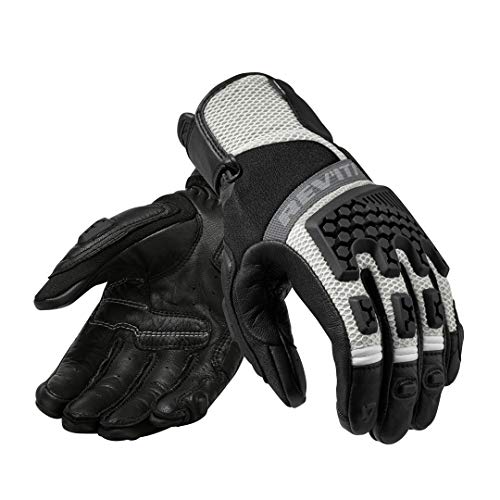
Pros
- Neoprene sleeve named in the product title
- Hide handle named in the product title
Cons
- Feature text describes motorcycle gloves instead
- Who should skip it: buyers who need verified fit details

Pros
- Title specifies 17.3- and 17.4-inch laptop fit
- Soft neoprene named in the title
Cons
- Feature details describe motorcycle apparel, not a laptop sleeve
- Who should skip it: shoppers needing clearly verified sleeve details

Pros
- Full HD IPS touchscreen
- 16GB of DDR4 RAM
- Quad-core Intel Core i7 processor
Cons
- SSD capacity is inconsistent across product details
- Who should skip it: buyers who need confirmed SSD capacity
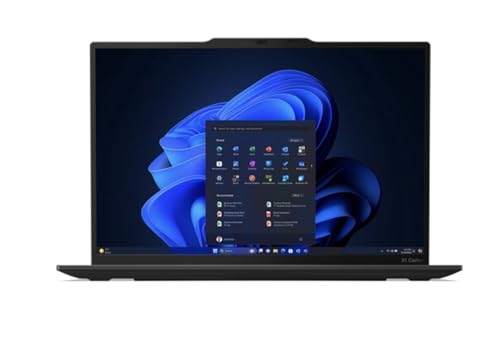
Pros
- Light 2.17-pound design
- 2.8K 120Hz OLED display
- 32GB RAM and 2TB SSD
- Tactile keyboard markings
Cons
- Who should skip it: buyers who need a touchscreen

Pros
- Core Ultra 9 285H vPro processor
- Professional NVIDIA RTX PRO graphics
- Bright 100% sRGB display
- Fingerprint reader and camera privacy shutter
Cons
- Who should skip it: frequent travelers seeking a lighter laptop
Pros
- Core Ultra 9 285H vPro processor
- RTX PRO 2000 Blackwell graphics
- 64GB DDR5 memory
- 500-nit, 100% sRGB display
- Ethernet RJ-45 port
Cons
- WUXGA resolution is modest for a 16-inch workstation
- Who should skip it: travelers prioritizing a lighter laptop
Best Revit Workstation for Dedicated Graphics: HP ZBook Power G11 A, RTX 1000 Ada
HP ZBook Power G11 A, RTX 1000 Ada pairs an 8-core Ryzen 7 PRO 8845HS with an NVIDIA RTX 1000 Ada GPU with 6GB of dedicated memory, plus 32GB DDR5 and a 1TB SSD. Its 16-inch, 1920 x 1200 display and listed Revit ISV certification make it a configuration to consider for architecture and engineering work. The trade-off is that the screen is WUXGA rather than a higher-resolution panel, and the product page says a seller upgraded the SSD, with separate warranty coverage for that part.
Skip it if you want a lightweight 14-inch system or need the original manufacturer to cover every component under the same warranty.
Best Revit Workstation for a Bright Desk: Lenovo ThinkPad P16v Gen 3 Mobile Workstation
Lenovo ThinkPad P16v Gen 3 Mobile Workstation combines an Intel Core Ultra 9 285H vPro processor, an RTX PRO 2000 Blackwell GPU with 8GB of GDDR7, and 32GB DDR5 memory. The 16-inch 1920 x 1200 display is specified at 500 nits and 100% sRGB, and the listing identifies Revit among the ISV-supported applications. The product page notes that the manufacturer box is opened for inspection and an upgrade service, so check the warranty details for the exact unit.
Skip it if you need a compact laptop for frequent travel or would rather pay for 64GB of installed memory from the outset.
Related guides: Best Laptops for CAD, Best Laptops for Video Editors and Best Laptops for Business Students.
Best Revit Workstation with 64GB Memory: Lenovo ThinkPad P16v Gen 3 Mobile Workstation (8GB)
Lenovo ThinkPad P16v Gen 3 Mobile Workstation (8GB) has the same listed Core Ultra 9 285H and RTX PRO 2000 Blackwell GPU with 8GB of graphics memory as the 32GB configuration, but this version lists 64GB of DDR5. That extra system memory can matter when a Revit workflow involves large projects and multiple applications at once. It also has a 16-inch 500-nit WUXGA display, though its 1TB SSD is the same capacity as the lower-memory configuration.
Skip it if your projects do not need more than 32GB of memory or you want a smaller, lighter system.
Best Compact Revit Workstation: Lenovo ThinkPad P14s AI Business Laptop
Lenovo ThinkPad P14s AI Business Laptop is a 14-inch workstation weighing 2.84 lb, with 32GB of memory and a 2TB SSD. Its listing identifies Revit ISV certification and gives it two Thunderbolt 4 ports, HDMI 2.1, USB-A, and Ethernet, making it appealing if you need to move between a desk and other locations. Its graphics are integrated Radeon rather than a listed discrete RTX GPU, and the display is 1920 x 1200 with 45% color gamut.
Skip it if your priority is a discrete professional GPU for graphics-intensive work or a display with a wider stated color gamut.
Key Numbers at a Glance
- The Lenovo ThinkPad P14s AI Business Laptop weighs 2.84 lb, according to its listing.
- The HP ZBook Power G11 A, RTX 1000 Ada and ist computers HP ZBook Studio G11, RTX 1000 Ada each list an RTX 1000 Ada GPU with 6GB of dedicated memory.
- The Lenovo ThinkPad P16v Gen 3 Mobile Workstation lists 32GB of DDR5; the Lenovo ThinkPad P16v Gen 3 Mobile Workstation (8GB) lists 64GB.
- The Lenovo ThinkPad P16v Gen 3 Mobile Workstation display is listed at 500 nits, compared with 400 nits for the HP ZBook Power G11 A, RTX 1000 Ada.
How to Choose a Laptop for Revit
Graphics: integrated or professional discrete GPU?
Bottom line: For graphics-intensive Revit work, prioritize a listed discrete GPU; choose integrated graphics only when mobility and general business use matter more. The HP ZBook Power G11 A, RTX 1000 Ada and ist computers HP ZBook Studio G11, RTX 1000 Ada list an RTX 1000 Ada with 6GB of dedicated memory, while both ThinkPad P16v configurations list an RTX PRO 2000 Blackwell with 8GB. The ThinkPad P14s instead lists integrated Radeon graphics, so compare your project needs and software requirements before treating it as a substitute for a discrete-GPU workstation.
The listings describe Revit ISV certification for the HP ZBooks, P14s, and P16v models. Certification is relevant evidence for application compatibility, but it is not a promise of a particular performance level. For more computer categories and configurations, browse laptops.
Memory: 32GB or 64GB?
Bottom line: Start with 32GB for a capable workstation configuration, and consider 64GB if your Revit projects and other open applications create a heavier memory load. The HP ZBook Power, HP ZBook Studio, P14s, and 32GB P16v list 32GB, while the higher-memory P16v configuration lists 64GB. More memory is not automatically useful for every project, so match the amount to your files, linked models, and multitasking habits.
Memory upgradeability is not stated consistently for these configurations. Check the exact model’s service documentation and confirm whether memory is upgradeable before buying on the assumption that you can add capacity later.
Processor and sustained workload
Bottom line: Compare processor class alongside graphics and cooling details, especially if long sessions involve modeling, rendering, or simulation. The HP ZBook Power lists an 8-core, 16-thread Ryzen 7 PRO 8845HS, the HP ZBook Studio lists a 16-core, 22-thread Core Ultra 7 165H, and both P16v configurations list the Core Ultra 9 285H. The P14s lists an 8-core Ryzen AI PRO 450.
The HP ZBook Power listing describes an advanced thermal system for demanding workloads, but comparable fan-noise or sustained-performance measurements are not available across these products. If rendering or simulation is a major part of your workday, look for independent performance information for the exact configuration rather than assuming a processor name alone settles the comparison.
Display size, resolution, and workspace
Bottom line: Pick a 16-inch screen for more built-in workspace, or a 14-inch laptop if carrying weight and desk footprint are more important. The HP ZBook Power, HP ZBook Studio, and ThinkPad P16v models list 16-inch 1920 x 1200 displays; the P14s has a 14-inch WUXGA panel. The P16v display is listed at 500 nits and 100% sRGB, while the HP ZBooks list 400 nits, and the Studio specifies 100% sRGB.
Check the display resolution and color specification as well as the diagonal size. The ThinkPad P14s lists 45% color gamut, a relevant distinction if color-sensitive work shares the screen with Revit. If a larger external display is part of your desk setup, check the laptop’s exact display outputs and dock requirements; the 240Hz gaming monitor guide covers a different priority, gaming refresh rate.
Storage, ports, and upgrade details
Bottom line: Check SSD capacity and the ports you will use before choosing based on memory or processor alone. The HP ZBook Power, HP ZBook Studio, and both P16v configurations list a 1TB SSD; the P14s lists 2TB. The HP ZBook Power has Thunderbolt 4, HDMI 2.1, Ethernet, and an SD card reader, while the P14s lists Thunderbolt 4, HDMI 2.1, and Ethernet.
Model configurations can differ, and the product pages do not establish a common upgrade path or a consistent number of free M.2 slots. Verify the exact configuration and manufacturer documentation for memory, storage, charging, and monitor support. For business-focused alternatives, see our business laptops category.
How We Compared These Products
This guide is based on product research, not firsthand evaluation. We compared the listed processor, graphics, memory, storage, screen, ports, Revit compatibility claims, and configuration notes; customer feedback is shown on the product cards where available, but it does not establish measured performance. Some listings contain seller upgrade or warranty details, so confirm those terms for the precise configuration you plan to purchase.
Which Option Fits Your Revit Work?
If you want a discrete GPU and 32GB of memory in a 16-inch workstation, consider the HP ZBook Power G11 A, RTX 1000 Ada, while checking its seller-upgraded SSD and warranty terms. Choose the Lenovo ThinkPad P16v Gen 3 Mobile Workstation if the listed 8GB RTX PRO 2000 Blackwell GPU and 500-nit display fit your priorities; select the 64GB version when that memory capacity is the deciding factor. For regular travel, the 2.84-lb Lenovo ThinkPad P14s AI Business Laptop is the compact choice, but its integrated graphics make it a different fit from the discrete-GPU systems.
Mistakes to Avoid When Choosing a Revit Laptop
- Choosing by processor name alone. Compare graphics, memory, and cooling information too, since the listed configurations pair different CPUs with integrated or discrete graphics.
- Assuming every workstation GPU is equivalent. Check the exact GPU model and dedicated memory: the listed RTX 1000 Ada configurations have 6GB, while the P16v lists an RTX PRO 2000 Blackwell with 8GB.
- Overlooking the built-in display. Compare screen size, resolution, brightness, and color gamut, then confirm external-display ports if you use a monitor at your desk.
- Assuming a seller-upgraded part has the same warranty. Read the exact listing’s coverage details; the HP ZBook Power and Studio listings describe separate coverage for upgraded storage or memory.
Frequently Asked Questions
How much memory should a Revit laptop have?
The listed workstations offer 32GB, while one ThinkPad P16v configuration lists 64GB. Choose based on project size and how many other applications you keep open, and check the exact laptop’s upgrade options before purchase.
Is integrated graphics enough for Revit?
The Lenovo ThinkPad P14s AI Business Laptop lists integrated Radeon graphics and Revit ISV certification. It may suit users prioritizing portability and business workloads, but buyers seeking a discrete GPU should compare it with the listed HP ZBooks or ThinkPad P16v systems and verify their application requirements.
Is the 32GB or 64GB ThinkPad P16v better for Revit?
Both configurations list the Core Ultra 9 285H, RTX PRO 2000 Blackwell with 8GB, and a 1TB SSD. The 32GB model fits buyers whose memory needs are covered at that capacity; the 64GB model is the more direct choice when larger projects or multitasking call for more system memory.
Do these laptops have enough ports for an external monitor?
The HP ZBook Power lists Thunderbolt 4 and HDMI 2.1, and the P14s also lists Thunderbolt 4 and HDMI 2.1. Check the exact model’s specifications and your monitor’s input before buying, especially if you plan to connect several displays through a dock.
Should I choose a 14-inch or 16-inch Revit laptop?
The P14s is 14 inches and lists a weight of 2.84 lb, making it the clearest fit here for portability. The HP ZBooks and P16v models have 16-inch screens, which give you a larger built-in viewing area; compare the exact display specifications and the space available in your bag or at your desk.






Write Your Review
No reviews yet. Be the first to share your experience!