


If you have smaller hands and find a full-size keyboard forces your fingers to stretch, a compact layout may make everyday typing or gaming easier to arrange. The best keyboards for small hands depend on whether you need a complete typing board, a one-handed game keypad, wireless freedom, or an ergonomic split design.
Compare at a glance
| Product | Brand | Size | Stands out for | Price |
|---|---|---|---|---|
| 1 Arteck Split Ergonomic Wireless Keyboard | Arteck | 16.5 × 9.6 × 1.02 in | Split ergonomic design | Check price |
| 2 AULA WIN60 HE 60% Magnetic Keyboard | CORBOBO | 11 × 5 × 1.1 in | Adjustable actuation and Rapid Trigger | Check price |
| 3 CHONCHOW 35-Key One-Handed Gaming Keyboard | CHONCHOW | 8.6 × 6.7 × 1.3 in | Compact one-handed layout | Check price |
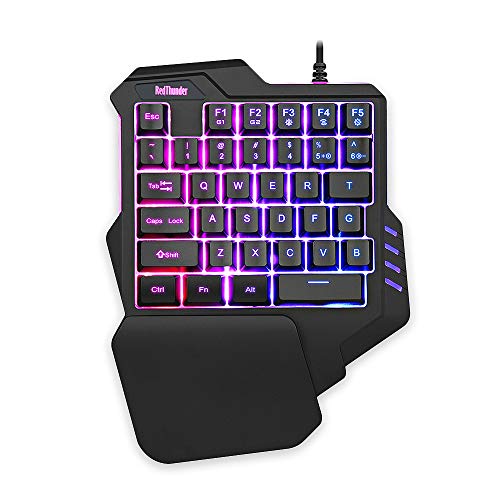
| 4 RedThunder 35-Key One-Handed Gaming Keypad | RedThunder | 9.06 × 6.69 × 1.18 in | Compact one-handed design | Check price |
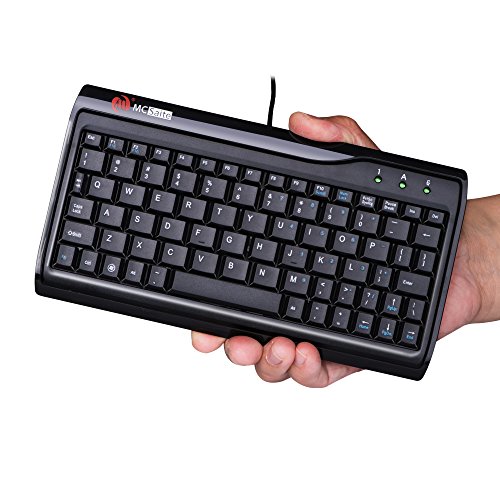
| 5 M MC Saite 78-Key Wired Mini Keyboard | M MC Saite | 8.66 × 4.65 × 0.76 in | Compact footprint | Check price |
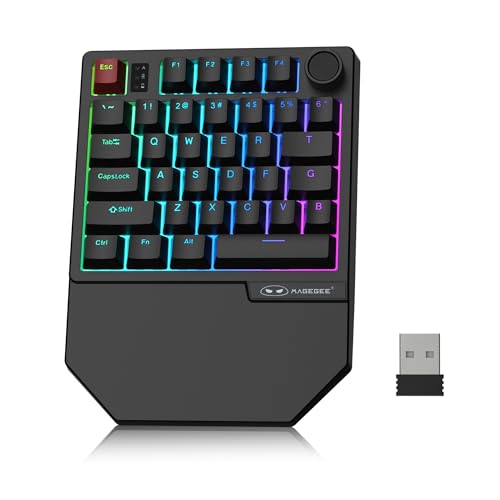
| 6 MageGee 34-Key Wireless One-Handed Keyboard | MageGee | 8.5 × 6.5 × 1.6 in | Bluetooth and 2.4 GHz wireless connections | Check price |
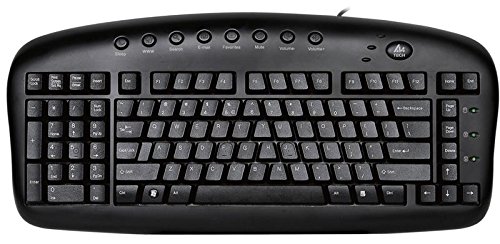
| 7 A4tech Left-Handed Ergonomic Keyboard | A4tech | 8.2 × 1.8 × 18 in | Left-handed numeric keypad | Check price |
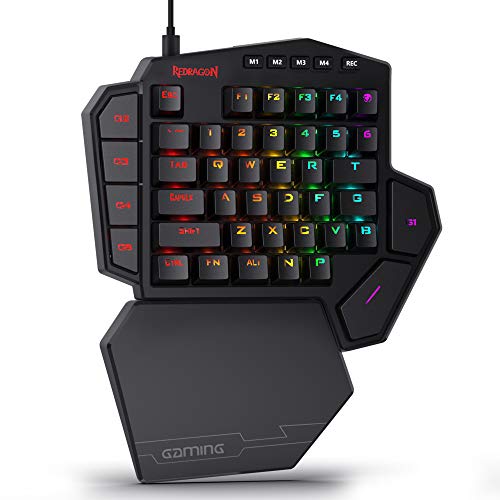
| 8 Redragon K585 One-Handed Gaming Keypad | Redragon | 11 × 2 × 9 in | Seven programmable macro keys | Check price |
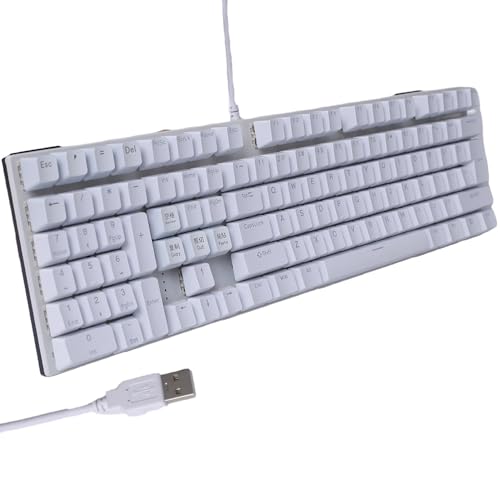
| 9 A4tech Left-Handed USB Keyboard | A4tech | 18 × 8.25 × 1.75 in | Designed for left-handed use | Check price |
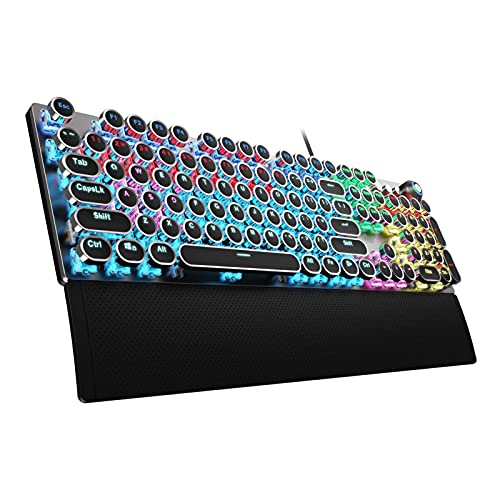
| 10 Urby King Mills Southpaw Left-Hand Keyboard | Urby | Not listed | Left-side numeric keypad | Check price |
Sizes and weights as listed by the manufacturer on Amazon. Check the retailer for current price and availability.
Pros
- Split ergonomic design
- Cushioned wrist and palm rest
- Rechargeable battery
- USB-C charging cable included
Cons
- Who should skip it: conventional-layout typists
Pros
- Adjustable actuation and Rapid Trigger
- Compact 60% layout
- Web-based customization
Cons
- Who should skip it: users who need a full-size layout
Pros
- Compact one-handed layout
- Included wrist rest
- Adjustable backlight modes
- USB plug-and-play
Cons
- Who should skip it: users who need a full-size keyboard
Pros
- Compact one-handed design
- Two macro recording keys
- Seven backlight colors
- Anti-ghosting across all 35 keys
Cons
- Who should skip it: anyone needing a complete keyboard
Pros
- Compact footprint
- Plug-and-play USB connection
- 1.5-meter cable
Cons
- Who should skip it: users who need a wireless keyboard
Pros
- Bluetooth and 2.4 GHz wireless connections
- Compact one-handed layout
- Built-in wrist rest
- RGB lighting controls
Cons
- Who should skip it: users needing a full-size keyboard

Pros
- Left-handed numeric keypad
- Eight multimedia hotkeys
- Laser-inscribed keys
Cons
- Who should skip it: users who prefer a right-side numeric keypad
Pros
- Seven programmable macro keys
- Four onboard profiles
- Swap-ready 3-pin and 5-pin socket
- USB pass-through port
- Detachable wrist rest
Cons
- Who should skip it: users who need a full keyboard
Pros
- Designed for left-handed use
- Eight multimedia hotkeys
- Wired USB connection
Cons
- Who should skip it: users seeking a right-handed keyboard
Pros
- Left-side numeric keypad
- Wired USB connection
- Scissor key technology
- Compatibility with several operating systems
Cons
- Who should skip it: users who need a right-side keypad
Best Compact Full Keyboard: M MC Saite Super Mini Wired Keyboard
M MC Saite Super Mini Wired Keyboard has a 78-key layout in a stated footprint of 8.66 by 4.64 inches, making it the clearest fit here if you want a compact board for general computer use rather than a gaming-only keypad. Its wired USB connection and 1.5-meter cable avoid wireless pairing and charging, but the product page does not detail how its layout handles every key normally found on a full-size board.
Skip it if you need a numeric keypad or want a wireless connection.
Best for FPS Gaming: CHONCHOW One Handed Gaming Keyboard Rainbow LED Light
CHONCHOW One Handed Gaming Keyboard Rainbow LED Light uses 35 keys in an 8.3 by 6.3-inch body, a compact shape intended to leave more desk area for mouse movement. It includes a wrist rest and connects by USB, with compatibility listed for PC, Mac, and several consoles; the trade-off is that it is a one-hand keypad, not a replacement for a complete typing keyboard.
Skip it if you need a full set of typing keys for work or school.
Related guides: Best Keyboards for Arthritic Hands, Best SteelSeries Keyboards and Best Keyboards for Authors.
Best Wireless Gaming Keypad: MageGee Wireless One Handed Gaming Keyboard
MageGee Wireless One Handed Gaming Keyboard stands out for its listed Bluetooth and 2.4 GHz wireless modes, plus a 34-key layout for one-handed gaming. Red linear switches and a palm rest are among its stated features, but the product information does not specify battery runtime, so check the current listing if you need a particular interval between charges.
Skip it if you want a complete keyboard or need a clearly stated battery-life estimate before buying.
Best for Split Ergonomic Typing: Arteck Split Ergonomic Wireless Keyboard
Arteck Split Ergonomic Wireless Keyboard pairs a split layout with a cushioned palm rest and a 2.4 GHz USB receiver, making it the option to consider if wrist and forearm positioning matters more to you than minimizing the board’s overall width. The manufacturer states up to six months of battery life based on two hours of use per day, but its split shape is a different adjustment from a small, conventional keyboard.
Skip it if you specifically want a very small board or prefer Bluetooth rather than a USB receiver.
Key Numbers at a Glance
- M MC Saite Super Mini Wired Keyboard measures 8.66 by 4.64 by 0.75 inches and has 78 keys.
- CHONCHOW One Handed Gaming Keyboard Rainbow LED Light measures 8.3 by 6.3 by 1.2 inches and has 35 keys.
- Redragon K585 Wired One-Handed RGB Gaming Keypad has 42 keys and seven onboard macro keys.
- MageGee Wireless One Handed Gaming Keyboard has 34 keys and lists Bluetooth and 2.4 GHz wireless connections.
How to Choose the Best Keyboards for Small Hands
Layout and reach
Bottom line: Choose a smaller complete keyboard for regular typing, and a one-handed keypad only when it complements a separate board. The M MC Saite is 8.66 inches wide and has 78 keys, while the MageGee has 34 keys and is designed for one-handed use. A smaller footprint does not automatically mean smaller key spacing, so verify a layout image and the board’s dimensions against your reach and desk.
Full board, 60% layout, or gaming keypad
Bottom line: Match the key count to the tasks you actually perform. The AULA WIN60 HE is a 60% keyboard, while the CHONCHOW and RedThunder models have 35 keys each and the Redragon K585 has 42. Compact boards save space by reducing the available keys or relying on alternate functions; confirm how you will access arrows, numbers, and other frequently used inputs before choosing.
Connection and device support
Bottom line: Pick a connection your computer or console can use without adding setup you do not want. The M MC Saite, CHONCHOW, RedThunder, Redragon, and AULA models list wired USB connections, while MageGee lists Bluetooth and 2.4 GHz modes and Arteck uses a 2.4 GHz USB receiver. Product compatibility claims vary, so check the exact operating system, console, and available USB ports before ordering.
Switches, macros, and customization
Bottom line: Pay for gaming controls only if you will use them. MageGee specifies linear red switches, and Redragon lists seven macro keys, four profiles, and switch sockets that accept many 3-pin or 5-pin switches. The AULA WIN60 HE lists magnetic switches, adjustable actuation, and rapid trigger features, but those gaming functions do not replace the broader layout of a full typing keyboard.
Comfort and desk footprint
Bottom line: Compare the shape and support features, not just the word compact. Arteck uses a split design and cushioned palm rest, while CHONCHOW and MageGee list wrist rests for one-handed use. The A4tech ergonomic business keyboard is 18.72 inches long and 8.1 inches wide, so its left-handed numeric layout is not a space-saving choice despite its ergonomic design.
If you are comparing other desk gear, browse the keyboards category or the broader PC peripherals category for related options.
How We Compared These Products
This guide compares the listed layouts, dimensions, key counts, connection types, stated switch and macro features, compatibility information, and battery-life claims. It is based on product research rather than firsthand evaluation; details that the product pages do not specify, such as key spacing or battery runtime for some wireless models, are identified as points to verify.
Which Option Fits Your Setup?
For everyday typing in a compact wired format, the M MC Saite Super Mini Wired Keyboard is the most direct match because it provides 78 keys in an 8.66-inch-wide body. For one-handed gaming, the CHONCHOW offers a 35-key layout and a stated 8.3-by-6.3-inch footprint, while MageGee is the alternative if you want listed Bluetooth and 2.4 GHz connectivity.
For a split ergonomic arrangement, Arteck combines a split layout and cushioned palm rest with a USB wireless receiver. Skip these compact gaming keypads if you need a full typing layout, and skip the split board if your priority is the smallest possible footprint.
Mistakes to Avoid When Choosing a Small Keyboard
- Assuming compact means easier to reach. Check a dimensioned product image or specification because the listings do not provide key-to-key spacing.
- Buying a keypad as your only keyboard. Models with 34 or 35 keys are one-handed gaming devices, not complete typing layouts.
- Overlooking connection requirements. Confirm whether your device supports wired USB, Bluetooth, or the USB receiver used by a 2.4 GHz model.
- Choosing features by name alone. Compare switch type, macro controls, wrist support, and layout against your actual workload rather than treating RGB or gaming labels as a fit guarantee.
Frequently Asked Questions
Are compact keyboards automatically better for small hands?
No. A compact outer footprint can reduce desk use, but it does not establish that the key spacing or key shape will suit your hands. Check the dimensions and layout image, and distinguish a small complete board from a one-handed keypad.
Can a one-handed gaming keypad replace a regular keyboard?
Not for general typing based on the listed layouts. The MageGee has 34 keys, CHONCHOW and RedThunder have 35 each, and Redragon has 42; these are designed as compact gaming controls rather than complete typing boards.
Which listed keyboard is wireless?
MageGee lists Bluetooth and 2.4 GHz wireless connections. Arteck uses a 2.4 GHz USB receiver, so check that your computer has a suitable USB port and note that the product page does not give MageGee battery runtime.
Does a 60% keyboard include a number pad?
The AULA WIN60 HE is described as a 60% layout, but its listing does not specify a dedicated numeric keypad. If you enter numbers frequently, verify its layout and how alternate functions work before buying.
Will these keyboards work with a Mac or console?
Compatibility depends on the model. CHONCHOW lists Mac and several consoles, MageGee lists Mac and Windows systems, and the M MC Saite product page names Mac and computer use; check the individual listing for your exact device and connection.




Write Your Review
No reviews yet. Be the first to share your experience!