


For digital artists choosing between a compact tower, an all-in-one, and a drawing tablet, the right desktop depends on whether you already own a monitor and how you prefer to draw. The Dell OptiPlex models offer up to 32GB of RAM, while the STGSivir combines a computer with a 22-inch display and the HUION and XP-Pen tablets connect to a separate computer. Match the setup to your art software, display needs, and desk space before buying.
Compare at a glance
| Product | Brand | Size | Stands out for | Price |
|---|---|---|---|---|
| 1 HP ProDesk 600 G3 SFF, Core i5-7500 | HP | Not listed | Quad-core Intel Core i5-7500 processor | Check price |
| 2 Dell OptiPlex 7060 SFF, 32GB RAM | Dell | 18 × 14 × 6 in | Six-core Intel Core i7-8700 | Check price |
| 3 XP-Pen Artist 12 3rd 11.9-Inch Drawing Tablet | XP-Pen | 14.43 × 9.17 × 0.04 in | Paper-like etched-glass surface | Check price |
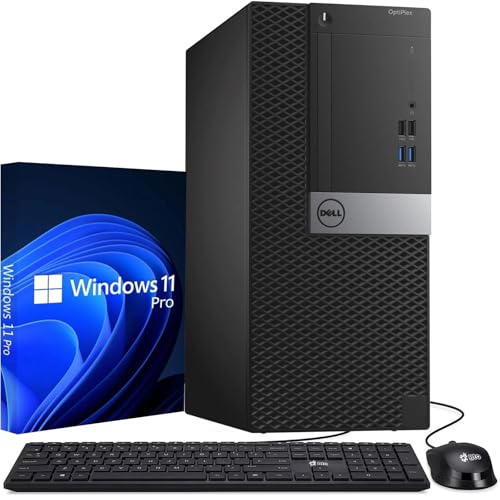
| 4 Dell Tower Desktop, Core i7-7700 | Dell | 19 × 16 × 7 in | 1TB SSD | Check price |
| 5 Dell OptiPlex 3050 SFF, 16GB RAM | Dell | 11.2 × 3.75 × 11.5 in | Compact small-form-factor case | Check price |
| 6 Dell OptiPlex 7050 SFF, 32GB RAM | Dell | 11.5 × 3.6 × 11.4 in | 32GB of DDR4 memory | Check price |
| 7 Qehi 24-Inch All-in-One Desktop | Qehi | Not listed | Space-saving all-in-one design | Check price |
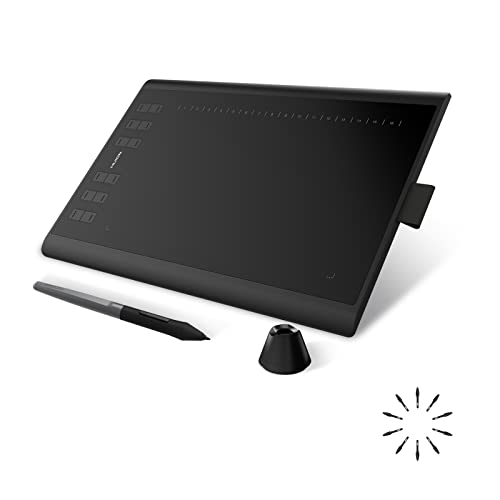
| 8 HUION Inspiroy H1060P Graphics Drawing Tablet | HUION | 14.17 × 9.45 × 0.39 in | Not listed | Check price |
| 9 Frunsi RubensTab T11 Pro 10.1-Inch | Frunsi | 7.87 × 6.69 × 0.39 in | Works without a computer | Check price |
| 10 STGSivir All-in-One PC, 22-inch FHD | STGSivir | Not listed | Space-saving all-in-one design | Check price |
Sizes and weights as listed by the manufacturer on Amazon. Check the retailer for current price and availability.
Pros
- Quad-core Intel Core i5-7500 processor
- 256GB solid-state drive
- Keyboard and mouse included
- Windows 11 Pro
Cons
- 8GB RAM may constrain heavier multitasking
- Who should skip it: users needing demanding graphics performance
Pros
- Six-core Intel Core i7-8700
- 32GB DDR4 memory
- 512GB NVMe M.2 SSD
- Two DisplayPort outputs
Cons
- Who should skip it: users who need a full-size tower
Pros
- Paper-like etched-glass surface
- 16,384 pen pressure levels
- Customizable keys and dial controls
- Broad listed operating system compatibility
Cons
- Who should skip it: artists who need a larger drawing area
Pros
- 1TB SSD
- 16GB DDR4 memory
- Built-in Wi-Fi
- Keyboard and mouse included
Cons
- 7th-generation processor
- Who should skip it: users needing a newer-generation processor

Pros
- Compact small-form-factor case
- 16GB DDR4 memory
- DisplayPort and HDMI outputs
- Keyboard and mouse included
Cons
- Who should skip it: users needing more than 256GB of internal storage

Pros
- 32GB of DDR4 memory
- 1TB SSD
- HDMI and DisplayPort outputs
- Windows 11 Pro included
Cons
- Integrated graphics
- Who should skip it: users needing a dedicated GPU

Pros
- Space-saving all-in-one design
- 16GB RAM
- Adjustable anti-glare display
- Included keyboard and mouse
Cons
- 256GB storage may constrain larger file collections
- Processor model and port details are unspecified
- Who should skip it: users needing detailed processor or graphics specifications

Pros
- Works without a computer
- Full HD IPS touchscreen
- Pre-installed drawing apps
- Battery-free pressure-sensitive pen
Cons
- Who should skip it: artists needing longer unplugged sessions

Pros
- Space-saving all-in-one design
- Full HD 22-inch display
- Includes RGB keyboard and mouse
- Built-in webcam and speakers
Cons
- Processor generation and graphics hardware are unspecified
- Who should skip it: buyers who need a larger display
Best Compact Tower for Multitasking: Dell OptiPlex 7060 SFF, 32GB RAM
Dell OptiPlex 7060 SFF, 32GB RAM pairs an Intel Core i7-8700 with 32GB RAM and a 512GB NVMe SSD, a useful combination for keeping creative applications and project files on a compact desktop. Its two DisplayPort outputs support connecting dual monitors, but the product data does not specify a dedicated graphics card or color-accurate display. Skip it if you need an included drawing screen or require confirmed GPU specifications.
Best Drawing Display for a PC: XP-Pen Artist 12 3rd 11.9-Inch Drawing Tablet
XP-Pen Artist 12 3rd 11.9-Inch Drawing Tablet has an 11.9-inch, 1920-by-1080 display, 99% sRGB coverage, and a listed Delta E below 1.5. It is a drawing tablet to connect to a computer, not a standalone desktop, and its compact screen may not suit artists who want a larger canvas. Skip it if you want an all-in-one computer rather than a pen display.
Related guides: Best Desktop Computers for Video Editing, Best Desktop Computers for Older Adults and Best Desktop Computer for Light Gaming.
Best All-in-One for a Tidy Desk: STGSivir All in One Computer PC,22" FHD
STGSivir All in One Computer PC,22" FHD combines a 22-inch, 1920-by-1080 display with 16GB RAM and a 512GB SSD, and it includes a webcam and built-in speakers. This avoids a separate tower, though the listing does not state display color coverage or a dedicated graphics card. Skip it if your art work depends on verified color accuracy or a graphics-card specification.
Best Budget Tower for Basic Creative Work: HP ProDesk 600 G3 SFF, Core i5-7500
HP ProDesk 600 G3 SFF, Core i5-7500 lists a quad-core Core i5-7500, 8GB RAM, and a 256GB SSD, plus support for dual 4K displays. The modest memory and storage make it a less compelling fit for large layered projects unless you plan around its limits. Skip it if your workflow needs substantial memory for complex canvases or large media libraries.
Key Numbers at a Glance
- The Dell OptiPlex 7060 SFF lists 32GB RAM and a 512GB NVMe SSD; the HP ProDesk 600 G3 SFF lists 8GB RAM and a 256GB SSD.
- The STGSivir has a 22-inch display; the Qehi 24-Inch All-in-One Desktop has a 24-inch display.
- The XP-Pen Artist 12 3rd screen measures 11.9 inches, while the STGSivir all-in-one display measures 22 inches.
- The Dell OptiPlex 7050 SFF lists a 1TB SSD, while the Dell OptiPlex 3050 SFF lists a 256GB SSD.
How to Choose a Desktop Computer for Digital Art
Memory and processor for your art software
Bottom line: Favor more memory for multitasking and large projects, but check software requirements before choosing. The Dell OptiPlex 7060 SFF and Dell OptiPlex 7050 SFF each list 32GB RAM, while the HP ProDesk 600 G3 SFF lists 8GB. Processor details vary too: the 7060 uses a six-core i7-8700, while the 7050 uses a quad-core i7-7700. These figures describe configurations, not a guarantee for any specific art application.
Graphics and display color
Bottom line: Confirm the graphics hardware and monitor color coverage if accurate color work matters. The product data does not identify a dedicated GPU in the listed desktop PCs, so check the seller’s exact configuration and the requirements of your drawing, 3D, or photo software. The XP-Pen Artist 12 3rd lists 99% sRGB and Delta E below 1.5, but those display claims apply to the tablet’s screen, not a separate monitor connected to a desktop.
Drawing tablet or standalone device
Bottom line: Decide whether you want to draw on a connected PC or work on a self-contained tablet. The HUION Inspiroy H1060P is a screenless pen tablet with a 10-by-6.25-inch work area, 12 programmable press keys, and 16 soft keys. The XP-Pen Artist 12 3rd has an 11.9-inch drawing display and connects to a computer, while the Frunsi RubensTab T11 Pro is described as standalone and has a 10.1-inch screen. Check platform compatibility and cable requirements for your specific computer before purchasing.
Storage for artwork and working files
Bottom line: Choose SSD capacity around the size of your active projects and existing backups. The Dell OptiPlex 7050 SFF lists a 1TB SSD, compared with 512GB on the Dell OptiPlex 7060 SFF and 256GB on the HP ProDesk 600 G3 SFF. The product pages do not state free drive bays or upgrade options, so confirm expandability with the seller if you expect your library to grow.
Ports, monitors, and workspace
Bottom line: Match the computer’s display outputs to your monitor and tablet connections. The Dell OptiPlex 7060 SFF has two DisplayPort outputs, while the OptiPlex 3050 SFF lists DisplayPort and HDMI and describes dual-display support. The STGSivir offers HDMI and VGA, and an all-in-one reduces the need for a separate monitor but uses a fixed built-in screen. Check the connector types on your existing display, and verify the exact model’s ports before ordering.
How We Compared These Products
This guide is based on product research, including listed processor, memory, storage, display, port, and compatibility details, plus design differences between towers, all-in-ones, and drawing tablets. Product listings do not establish how a computer performs in a particular application, and some omit graphics-card and upgrade information. Confirm the current configuration, warranty, and compatibility details with the seller before purchase.
Which Option Fits Your Home and Devices?
If you want a compact tower with substantial listed memory, the Dell OptiPlex 7060 SFF pairs 32GB RAM with a six-core i7-8700 and two DisplayPort outputs. Skip it if you need a dedicated GPU specification or a built-in drawing display.
For a single-unit desk setup, the STGSivir combines a 22-inch FHD screen with 16GB RAM and a 512GB SSD. Skip it if your color workflow requires stated display coverage or if you need a larger screen; the Qehi 24-Inch All-in-One Desktop lists a 24-inch FHD display and 16GB RAM, though its product data does not state color coverage either.
For drawing directly on a display while using a computer, the XP-Pen Artist 12 3rd lists an 11.9-inch screen and 99% sRGB coverage. Skip it if you want a standalone tablet or a larger drawing surface; the Frunsi RubensTab T11 Pro is self-contained, while the desktop-focused best desktop computers for school guide may help if your PC also needs to handle general study tasks.
Mistakes to Avoid When Choosing a Digital Art Desktop
- Assuming every desktop includes a drawing display. Tower PCs need a separate monitor, and pen tablets such as the HUION connect to a computer rather than replace it.
- Buying based on processor name alone. Check the exact memory, graphics hardware, and software requirements; the HP ProDesk listing shows 8GB RAM, while the Dell OptiPlex 7060 lists 32GB.
- Ignoring color specifications. Verify coverage and calibration information for the display you will actually use, rather than assuming a computer’s ports guarantee accurate color.
- Overlooking connections. Compare the PC’s HDMI or DisplayPort outputs with your monitor and tablet, and confirm any required adapters or cables.
Frequently Asked Questions
Do these desktop computers include a drawing tablet?
The desktop listings do not specify an included HUION or XP-Pen drawing tablet. The HUION and XP-Pen products are separate accessories, and the Frunsi RubensTab T11 Pro is a standalone drawing tablet rather than a desktop PC.
Can I use the HUION Inspiroy H1060P with Windows or Mac?
The product page lists Windows 7 or later and macOS 10.12 or later, as well as Android and Linux compatibility with stated conditions. It notes that a USB adapter is required to connect to a Mac, so check the connection on your specific computer.
Which is better for drawing, a pen tablet or a pen display?
A screenless tablet like the HUION Inspiroy H1060P leaves the drawing image on your computer monitor and has a 10-by-6.25-inch work area. The XP-Pen Artist 12 3rd lets you draw on its 11.9-inch display, but it connects to a computer. Choose based on whether drawing directly on a screen matters to you.
Is an all-in-one suitable for digital art?
An all-in-one can simplify a desk setup by combining the PC and display. The STGSivir lists a 22-inch FHD screen, 16GB RAM, and a 512GB SSD, but the product data does not state color coverage or a dedicated GPU. Verify those details if your creative software or color workflow depends on them.
How much storage should I choose for digital artwork?
Consider the size of your active project files and how much work you keep on the computer. The listed SSD capacities range from 256GB on some systems to 1TB on the Dell OptiPlex 7050 SFF. Keep a separate backup plan for important artwork, and check whether the desktop supports additional storage before relying on an upgrade.
Do these listings specify a dedicated graphics card?
The product data does not identify a dedicated graphics card for the desktop PCs in this comparison. Check the exact seller configuration and your software’s graphics requirements, especially for 3D work or GPU-accelerated features.





Write Your Review
No reviews yet. Be the first to share your experience!